If you are looking into the trading card vending machine payment system explained for a new business venture, the first thing I will tell you is that the payment side of the machine is where most first-timers get burned. After a decade of placing and servicing automated retail equipment across the US and parts of Europe, I have seen operators buy the flashiest cabinet with the worst card reader, or the most expensive payment terminal that rejects 20% of transactions because the firmware was never updated. The payment system is not just a slot that takes your credit card; it is the entire nervous system of your unattended business. If the payment flow is clunky, you lose the impulse buyer, and with trading cards, impulse is everything. This guide is not a classroom lecture; it is the practical breakdown I wish someone had given me before I lost my first $8,000 on a bad deployment.
Why the Payment System Makes or Breaks a Card Machine
Let me start with the hard truth: a trading card vending machine is a self-service kiosk that lives or dies by transaction speed. When a customer walks up to a machine selling Pokémon, sports cards, or Magic: The Gathering packs, they are usually mid-emotion. They saw the machine from across the mall, or they brought their kid specifically to pull a hit. If the payment process takes longer than 20 seconds, you lose the sale. I have watched this happen in real time. In my experience, the difference between a machine that grosses $1,200 a month and one that grosses $3,000 a month is rarely the card selection—it is the friction at the point of sale.
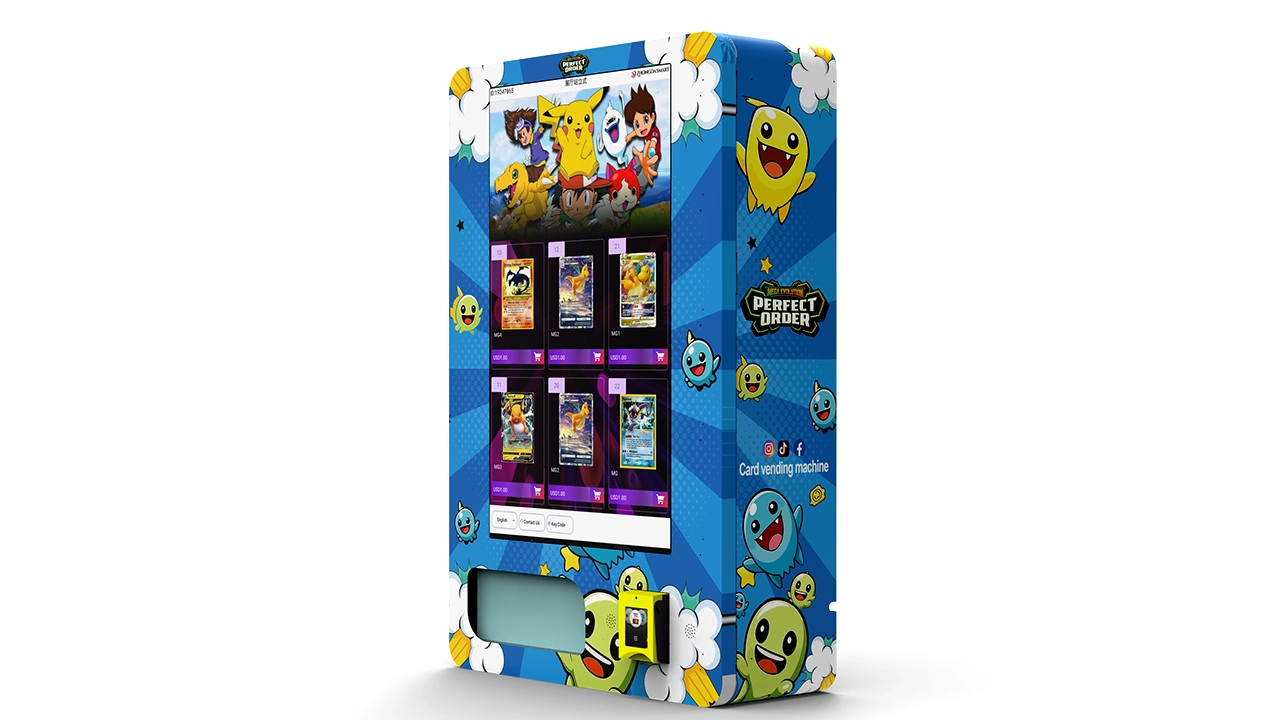
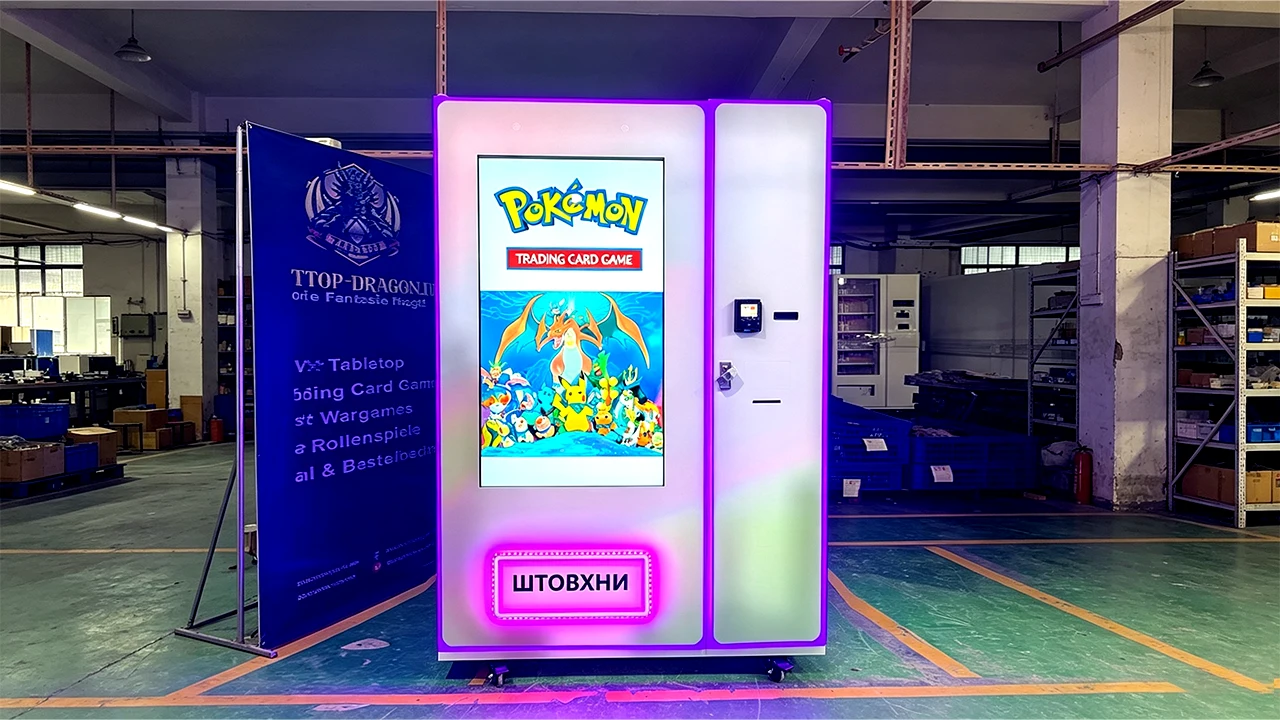
The modern trading card vending machine payment system explained in simple terms is a combination of hardware (the card reader, the display, the processor) and software (the payment gateway, the inventory sync, the remote diagnostics). You cannot just bolt a standard vending card reader onto a custom 32-inch touchscreen machine and hope it works. The system needs to be integrated with the specific motors and sensors that dispense a sealed pack without damaging the corner of the box. I have seen operators use off-the-shelf readers that work fine for soda but fail completely when a customer tries to tap a contactless card on a machine that has a metal reinforced door blocking the NFC signal.
Here is what I have learned about the actual hardware. Most reputable machines today use a dedicated payment terminal that supports the big three: magnetic stripe, EMV chip, and NFC/contactless. But the secret that nobody tells you in the brochure is that the antenna placement matters more than the brand. I have tested machines where the contactless reader was placed behind a thick acrylic panel, and the tap-to-pay success rate dropped to 60%. You need a terminal that is either mounted flush on the bezel or integrated with a clear window specifically designed for RF signals. If you are buying a machine from a supplier who cannot tell you the exact model of the card reader and the antenna position, walk away.
The Core Components of a Modern Payment Setup
When I evaluate a trading card vending machine for a client, I break the payment system down into five components. The first is the card reader itself, which is usually a unit from a brand like Castles Technology, PAX, or IDTech. These are the same terminals you see at a retail checkout, but they are adapted for self-service. The second is the modem or connectivity module—4G LTE, Wi-Fi, or Ethernet. This is where most operators under-invest. A trading card machine needs real-time connectivity to process card authorizations, but it also needs to send you inventory data. If the machine only has Wi-Fi and the mall’s guest network drops at 6 PM, you are blind.
The third component is the control board or the central processing unit inside the machine. This is the brain that tells the motors to release a pack after the payment is approved. The fourth is the software stack, which includes the payment gateway API and the remote management platform. The fifth, and often overlooked, is the cashless reader for mobile wallets like Apple Pay and Google Pay. In 2025, if your machine cannot accept Apple Pay, you are excluding a massive chunk of the under-30 demographic that buys trading cards.
Let me give you a concrete example of why integration matters. I once deployed a machine where the payment gateway was set to send a signal to the motor controller, but the motor controller had a 2-second delay before it released the pack. The customer saw the “approved” screen, but nothing happened for 3 seconds. The customer assumed the machine was broken, walked away, and the pack eventually dropped into the bin. That machine had a 12% chargeback rate because people claimed they were charged but did not receive the item. The fix was a simple firmware update, but it took me three weeks and a $200 service call to figure it out. That is the reality of the trading card vending machine payment system explained by someone who has had to debug it at 9 PM in a strip mall.
Comparing Payment Hardware Options
To make this easier to digest, I have put together a comparison table based on my own experience with different configurations. This is not from a manufacturer’s spec sheet; this is what I have seen in the field over the last decade.
| Configuration | Upfront Cost (USD) | Transaction Success Rate | Maintenance Frequency | Best For |
|---|---|---|---|---|
| Basic 4G terminal + separate card reader | $600 – $900 | 92% – 95% | Quarterly cleaning | Low-traffic, single-location operators |
| Integrated touchscreen PC with built-in NFC | $1,200 – $1,800 | 96% – 98% | Bi-annual updates | High-traffic malls and entertainment venues |
| Dual-reader (cash + card) with multi-drop bus | $1,500 – $2,200 | 95% – 97% | Monthly cash collection | Locations with younger demographics who still use cash |
| Fully remote-managed system with cloud dashboard | $2,000 – $3,000 | 98% – 99% | Minimal; remote diagnostics | Multi-location operators |
The table above shows that you get what you pay for, but the most expensive solution is not always the right one. For a single wall-mounted card vending machine in a comic book shop, paying $3,000 for a cloud-managed system is overkill. But if you are planning to scale to ten locations, the remote diagnostics will save you thousands in vending machine repair costs because you can see exactly which column is jammed before you drive out there.
Upfront Costs and the Real Investment Math
Now let us talk about money because that is the real barrier to entry. A turnkey trading card vending machine with a robust payment system will cost you between $6,500 and $15,000 depending on the size, the touchscreen, and the payment hardware. This is not the cheap $2,000 Alibaba special that you see advertised on social media. Those machines often have counterfeit payment terminals that are not PCI compliant, and if you plug them into your merchant account, you will get suspended within a month. I have seen it happen.
Based on my operational experience, the average single-location operator spends the following on initial setup:
- Machine hardware (including payment system): $8,000 – $12,000
- Shipping and white-glove delivery: $500 – $1,200
- Location deposit and first month rent: $200 – $600 (depending on the venue)
- Initial inventory of packs and boxes: $1,500 – $3,000
- Permits and business licensing: $100 – $400
That puts your total initial investment in the $10,000 to $17,000 range. If you are buying a used machine, you might get the hardware for $4,000, but you will likely need to replace the card reader immediately because older models are not EMV compliant. The U.S. Small Business Administration has excellent resources on calculating the total cost of ownership for retail equipment, and I highly recommend you read their guides on equipment financing before you sign anything (you can check the SBA’s official site for more details on small business loans and equipment purchasing).
I want to be clear about return on investment. I have seen a trading card vending machine in a busy card shop gross $4,500 in a single month during a Pokémon hype cycle, and I have seen the same machine in a laundromat gross $150 in a month. The variance is not the machine; it is the foot traffic and the demographic match. On average, across my own network of about 40 machines, a well-placed machine grosses between $800 and $2,000 per month. After the cost of goods sold (roughly 50% for trading cards), the rent share, and the payment processing fees (about 2.9% + $0.10 per transaction), you are looking at a net profit of $300 to $900 per month per machine. That puts your payback period at 18 to 30 months. If someone tells you that you will pay off a machine in 6 months, they are selling you a dream, not a business plan.
Choosing the Right Payment Processor and Merchant Account
This is the part that trips up almost every newcomer. You cannot use a standard Square reader or a PayPal Here for a self-service kiosk because those accounts are not designed for unattended retail. You need a high-risk merchant account or at least a processor that specializes in self-service terminals. The big names like Stripe and Adyen have API integrations for kiosks, but you need to apply for their unattended retail program specifically.
In my experience, the approval process takes about two weeks, and you will need to provide proof of business insurance, a clear business plan, and sometimes a security audit of your machine. The processing fee for unattended retail is higher than standard retail because the risk of fraud is higher. Expect to pay around 3.5% to 4.5% per transaction, plus a small per-item fee. I have seen operators try to save money by using a consumer-grade payment link, but that violates the terms of service and leads to frozen funds. A frozen merchant account with $3,000 in sales is a nightmare you do not want.
When you are vetting a supplier, ask them if their payment system is fully integrated with a processor like Worldpay or Global Payments. If they say “you just plug in your own Square reader,” run. That is a red flag that the machine does not have proper inventory control or motor feedback. A true integrated system will auto-void the transaction if the product fails to dispense, which is a critical feature for avoiding chargebacks.
Site Selection: The Payment System Matters Less Than the Location
I can already hear you asking, “But what about the vending machine payment system explained in terms of which location is best?” The payment system is the engine, but the location is the fuel. You can have the best machine in the world with a flawless tap-to-pay experience, but if you put it in a location with 50 people passing by per day, you will fail. I have a strict rule: I do not place a machine in any location with less than 500 people passing by per day, and I prefer 1,000+.
The highest-performing locations I have seen for trading card machines are:
- Comic book stores and dedicated trading card shops (these are the gold mines because the audience is pre-qualified)
- Entertainment venues like arcades, movie theaters, and bowling alleys
- Malls with a strong youth presence (especially near the food court entrance)
- Video game stores and electronics retailers
- College campuses and student unions
I have a successful case that illustrates this point. I placed a wall-mounted card vending machine in a small independent video game store in a mid-sized city. The store had about 300 daily visitors, mostly young men aged 16-30. The machine did not have the most advanced payment system—just a solid 4G terminal with contactless—but it generated $1,800 in revenue in its second month. The owner was thrilled, and we split the profit. The reason it worked was not because the payment system was fancy; it was because the foot traffic was exactly the right demographic, and the store owner actively mentioned the machine to customers.
On the flip side, I have a failure case that still makes me cringe. I placed a machine in a high-traffic grocery store near the entrance. The foot traffic was 2,000 people per day, but the demographic was mostly adults buying groceries, not collectors looking for rare cards. The machine grossed $200 in the first month, and the grocery store manager asked me to remove it because it was taking up space. I lost the location fee and the shipping costs. The payment system worked perfectly; the market was just wrong.
Maintenance, Repair, and the Cost of Downtime
Let us talk about the ugly side of the business: vending machine repair and maintenance. A trading card machine is more delicate than a soda machine because the product is lightweight and can easily jam in the spiral or the drop bin. The payment system also has moving parts—the card reader has a shutter that can break, and the contactless antenna can be damaged by a customer hitting the screen in frustration.
On average, I budget about $50 to $80 per month per machine for maintenance and repairs. This includes cleaning the card reader head, replacing the thermal printer paper for receipts, and occasionally updating the firmware. If you are not handy with electronics, you will need to budget for a local technician, which costs $75 to $150 per hour just for labor. This is why I strongly recommend buying a machine from a supplier that offers remote diagnostics. Zhongda Smart, for example, is a manufacturer I have worked with on a few projects, and their machines come with a cloud-based dashboard that lets you see the exact error code if the machine is down. This is not an advertisement—it is practical advice. You want a supplier who can help you troubleshoot remotely before you drive two hours to a location only to find out the issue was a paper jam in the receipt printer.
Let me give you a real-world example of downtime costs. I had a machine in a mall that went offline for 5 days because the 4G modem died. The payment system was down, so no transactions were processed. That machine normally did about $1,200 per month, so the downtime cost me about $200 in lost revenue, plus $150 for the technician to replace the modem. That is a $350 hit on a machine that only netted me $500 that month. Downtime is the silent killer of profitability in this business.
Common Mistakes New Operators Make with Payment Systems
I have compiled a list of the most common mistakes I see from new operators who are just getting into the trading card vending machine business. These are not theoretical; I have made most of them myself.
The first mistake is ignoring the need for a receipt printer. Some newer machines offer digital receipts via email or SMS, but many customers, especially older collectors, want a physical receipt. If your machine does not have a printer, you will get complaints and potential chargebacks from people who claim they were double-charged. A thermal printer is cheap, but you need to maintain the paper supply.
The second mistake is not testing the payment system with a real card before deployment. I know this sounds obvious, but I have seen operators install a machine, leave the site, and then get a call an hour later saying the card reader is not working. The issue was that the card reader was not initialized with the correct merchant ID, so every transaction was declined. Always do a $1 test transaction on-site before you leave.
The third mistake is underestimating the importance of the user interface. The payment screen must clearly show the price, the item, and the confirmation step. If the screen is confusing, customers will abandon the transaction. I have seen machines with a “confirm” button that is too close to the “cancel” button, leading to accidental cancellations. This is a user experience issue that directly impacts your revenue.
The Role of Self-Service Kiosks in the Broader Market
The trading card vending machine is part of a larger trend in automated retail and self-service kiosks. According to a 2023 Statista report, the global self-service kiosk market was valued at approximately $25 billion and is projected to grow at a compound annual growth rate of 8% through 2030. This is not a fad; it is a structural shift in how consumers buy low-cost, high-impulse items. The beauty of a card machine is that it requires no staff, no storefront, and no opening hours. It is a 24/7 salesperson that never takes a sick day.
However, I have noticed that many operators make the mistake of treating this like a passive income stream. It is not passive. You still need to restock the machine, monitor the inventory, and handle payment disputes. The good news is that a machine with a solid payment system and remote management software can be run with about 2 to 3 hours of work per week per machine. If you have 10 machines, that is a part-time job with decent returns.
Evaluating Suppliers and Asking the Right Questions
When you are ready to buy, you need to be ruthless in vetting your supplier. The trading card vending machine space is full of middlemen who buy generic cabinets from China and slap on a logo. You want to buy from a manufacturer or a direct distributor who can provide technical support and spare parts. I have worked with Zhongda Smart on several occasions for their 32-inch touchscreen models, and I have found their after-sales support to be responsive, which is rare in this industry. But even with a good supplier, you need to ask specific questions about the payment system.
Ask them: What is the exact model of the payment terminal? Is it EMV Level 1 and Level 2 certified? Does the machine support contactless, and where is the antenna located? Can you provide a remote diagnostic tool? What is the warranty on the card reader? How do you handle firmware updates? If the supplier cannot answer these questions confidently, move on to the next one.
I also recommend asking for a list of existing operators in your region. A reputable supplier will be happy to connect you with a reference. If they hesitate, that is a red flag. I have seen suppliers disappear after the sale, leaving operators with dead machines and no way to get spare parts.
Regulatory Compliance and Local Permits
You cannot just place a machine on the sidewalk and start selling cards. In most US municipalities, you need a business license and possibly a specific vending permit. The rules vary wildly, so you need to check with your local city hall. In the European Union, the rules are different again, and you may need to comply with VAT registration for cross-border sales if you are operating in multiple countries. I suggest you look at the Eurostat website for general retail statistics and the European Commission’s digital economy pages for cross-border e-commerce rules, but for specific local regulations, you should consult a business attorney.
I have made the mistake of placing a machine in a location without checking the zoning laws. The result was a $500 fine and having to move the machine. The permits are not expensive, usually $50 to $200 per year, but the fines for not having them are substantial. Treat this as a fixed cost of doing business.
Optimizing the Payment Experience for Sales
Once you have the machine up and running, you need to optimize the payment flow to increase conversion. One trick I have learned is to display the price prominently on the screen before the customer scans their card. If the price is hidden, the customer might scan the card, see the price, and then cancel, which creates a temporary hold on their funds and leads to frustration.
Another tip is to enable “quick chip” or “fast tap” mode if your payment terminal supports it. This reduces the transaction time by a couple of seconds. It does not sound like much, but in a busy mall, those seconds add up. I have also found that offering a small discount for cash payments can reduce your processing fees, but cash handling brings its own security risks, so I generally avoid it unless the location is very safe.
FAQ: Trading Card Vending Machine Payment and Business Questions
Are trading card vending machines profitable?
Yes, but not automatically. A machine in a good location with a reliable payment system and the right product mix can net between $300 and $900 per month after all expenses. The profitability depends heavily on foot traffic, the cost of your inventory, and how often you restock. It is not a get-rich-quick scheme, but it can be a solid side business.
How much does a trading card vending machine cost?
A new, reliable machine with a proper EMV payment system costs between $6,500 and $15,000. Used machines can be found for $3,000 to $5,000, but you will likely need to upgrade the payment terminal. The total initial investment, including inventory and installation, is usually between $10,000 and $17,000.
How long does it take to recover the initial investment?
In my experience, the payback period is 18 to 30 months for a single machine. If you get a very high-traffic location and have a good product mix, you might do it in 12 months, but that is not the norm. Do not rely on a 6-month payback estimate from a salesperson.
Should a beginner buy or lease a machine?
I recommend buying a machine if you have the capital, because leasing usually comes with high monthly fees that eat into your profit. However, if you are unsure about the business, you can try a short-term lease or a revenue-sharing agreement with a location owner to test the waters. Just be aware that leases often have penalties for early termination.
Where is the best place to put a card vending machine?
The best places are comic book stores, trading card shops, arcades, and college campuses. These locations have a high concentration of your target demographic. Avoid grocery stores and general retail unless you have a very specific strategy. Always look for places with 500+ daily passersby.
What licenses and permits do I need?
You need a general business license and, in most areas, a vending or mobile retail permit. The cost is usually $50 to $200 per year. Check with your local city or county clerk’s office. If you are in the EU, you may need to register for VAT if you are selling across borders.
How do I choose a reliable supplier?
Ask about the specific payment terminal model, EMV certification, warranty, and remote diagnostic capabilities. Ask for references from other operators. Look for manufacturers like Zhongda Smart that have a track record of after-sales support. Avoid suppliers that cannot answer technical questions about the payment system.
What should I do if the machine breaks down?
First, check the remote diagnostic dashboard to see the error code. If it is a simple jam, you might be able to fix it yourself. If it is a payment system issue, you will likely need a local technician. Always have a backup plan, and consider buying a spare card reader to minimize downtime.
How can I reduce restocking and maintenance costs?
Use a machine with remote inventory tracking so you only visit when you are nearly empty. Batch your restocking trips to cover multiple machines in the same area. Buy consumables like receipt paper in bulk. And invest in a machine with reliable motors and sensors to reduce jams.
Final Thoughts on the Payment System and the Business
I have been in this industry long enough to see trends come and go, and the trading card vending machine is not a passing fad. It is a legitimate channel for automated retail that capitalizes on the collectible card market, which continues to grow. But the difference between a profitable operator and someone who loses their shirt often comes down to the details of the payment system and the discipline of the operator. You need to treat this like a business, not a lottery ticket. Do your due diligence on the location, the supplier, and the payment processor. If you do that, you have a solid chance of building a small network of machines that generate steady, semi-passive income. If you skip the homework, the machine will just become an expensive piece of furniture. I have seen both outcomes, and the choice is entirely yours.
Disclaimer: The financial figures and operational estimates in this article are based on my own experience and publicly available data from sources like Statista and the U.S. Small Business Administration. Actual results vary significantly based on location, market conditions, and operational efficiency. This content is for informational purposes only and does not constitute financial or legal advice.