If you are looking into a baseball card vending machine because you saw a viral TikTok of someone pulling a rare rookie card from a kiosk, I get it. But let me save you some money before we go any further: the machine is not the business, the location and the inventory system are. I have been placing automated retail equipment across the US and parts of Europe for over a decade, and I have seen more operators lose their shirts on card vending machines than I have seen them make money. The honest answer to whether a baseball card vending machine is worth it is yes, but only if you understand the cost structure, the foot traffic requirements, and the brutal reality of card condition complaints. In this guide, I am going to walk you through what I actually look at when I buy a machine, how I evaluate a location, what the real profit margins look like after card costs and credit card fees, and why most new operators fail within the first six months because they treat this like a hobby instead of a logistics business.
Why the Card Vending Machine Trend Is Different From Other Vending
I started in traditional vending with snack machines and soda units, and I can tell you that card vending machines are a completely different animal. A snack machine sells a predictable product at a predictable margin, and if a bag of chips gets stale, nobody blames you for ruining their childhood. Trading cards are emotional products. Buyers are chasing a rush, and when they get a pack with no hit, they feel cheated even though the odds were printed on the box. That emotional component changes everything about how you operate.
The machines themselves are not new. There have been card dispensers in hobby shops for years, but the modern trading card vending machine with a touchscreen, card recognition, and digital payment systems has opened up placement options that did not exist before. You can now put a self-service kiosk in a grocery store, a mall corridor, or even a sports bar, and it will run unattended for days. But that convenience comes with a price tag, and the price tag is much higher than a standard soda machine.
The real issue is that most operators who reach out to me have never run any kind of automated retail business before. They see the machines on YouTube and think it is a passive income stream. I have to be blunt with them: this is not passive. The best operators I know are checking sales data daily, rotating inventory weekly, and personally handling customer service issues that come through the machine's contact number. If you are not willing to do that, you are better off buying index funds.
Cost Breakdown: What You Are Actually Paying For
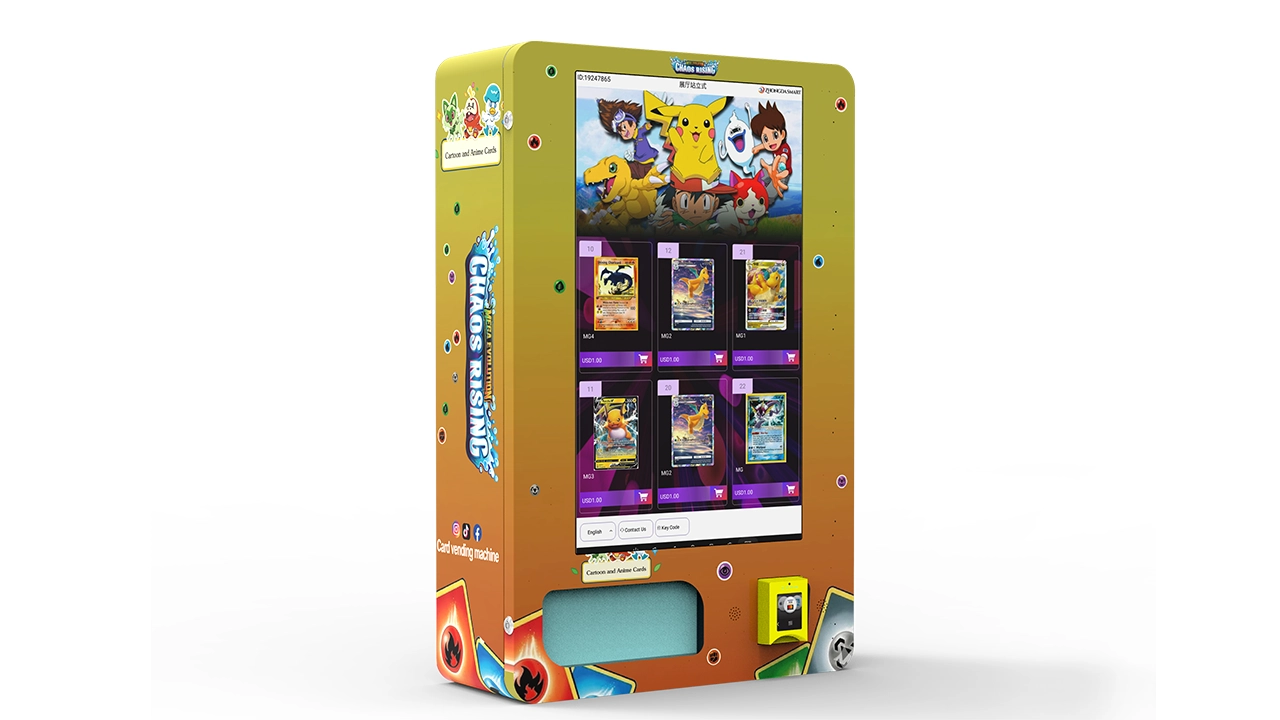
Let me break down the real numbers, because there is a lot of misinformation out there about how cheap these machines are. A basic entry-level card vending machine from a Chinese manufacturer like Zhongda Smart will run you somewhere between $6,000 and $9,000 delivered to a US port. That machine will have a simple coil system, a basic payment terminal, and maybe a 12-inch screen. It is not fancy, but it works.
If you want a machine with a 32-inch touchscreen, card recognition software that identifies the product as it drops, and a more robust dispensing mechanism, you are looking at $12,000 to $18,000. I have seen custom units with multiple trays and advanced telemetry go for over $25,000, but I generally advise against that for a first machine. You do not need the top-of-the-line unit to test a location. You need a reliable unit that can be serviced quickly when something breaks.
Shipping and customs add another $800 to $1,500 depending on where you are located. Then you have the installation costs, which include anchoring the machine to the floor, electrical work if the location does not have a dedicated outlet, and possibly a network connection if you want real-time sales data. I usually budget $500 for installation and setup on a straightforward placement.
The Hidden Costs Nobody Talks About
The machine is the cheap part. The inventory is where your money goes. If you are stocking a machine with a mix of $5, $10, and $20 products, you need at least $2,000 to $3,000 in card inventory just to fill it properly at the start. And you need to turn that inventory regularly, because card products go stale. A box of football cards from last season will sit on the shelf while the new product sells out. You have to learn to read the market and move slow product out quickly, even if you take a loss on it.
Credit card processing fees are another hidden cost. You will pay somewhere between 2.7% and 3.5% per transaction, plus a monthly gateway fee of $20 to $50. On a $10 card sale, that does not sound like much, but when you are doing hundreds of transactions a month, it adds up to a real chunk of your margin. I have seen operators ignore this and then wonder why their bank account does not match their sales data.
Features That Matter vs. Features That Are Just Marketing
When you are comparing machines, you need to separate the features that actually improve your operation from the bells and whistles that just increase the price. The most important feature is the dispensing mechanism. Cards are delicate, and a machine that bends corners or jams regularly will destroy your profit through refunds and angry customers. Look for a machine with a gentle drop system, ideally one with a soft landing tray or a spiral that controls the descent.
Card recognition is another feature that sounds great but is not always necessary. Some machines use cameras to verify that the correct product dropped, which helps reduce disputes. In my experience, this is worth the extra money if you are placing the machine in an unattended location. Customers will claim they got the wrong product even when they did not, and having a photo record of the drop protects you from chargebacks.
Telemetry and remote monitoring are non-negotiable in my book. I want to know when the machine is low on inventory, when a coil is jammed, and what the daily sales trend looks like without driving to the location. Most modern machines come with a basic remote monitoring system, but the quality varies. Ask the supplier how the data is delivered and whether you can export it to a spreadsheet. If you cannot see your sales data in real time, you are flying blind.
The payment system is also critical. You need a machine that accepts credit cards, debit cards, and mobile payments like Apple Pay and Google Pay. Cash is becoming less important, but I still keep a bill acceptor on my machines because there is a demographic that pays with cash, particularly in rural areas. Make sure the payment system is EMV compliant, because if a card skimmer hits your machine, you are liable for the fraud.
Location Evaluation: The Make or Break Decision
I have a rule that I tell every new operator: the machine is the same, but the location can make the difference between $200 a month and $2,000 a month. I have placed identical machines in two different locations within the same city and seen wildly different results. The first location was a hobby shop that had a steady stream of collectors, and the machine did okay but not great. The second location was a high-traffic grocery store in a suburban area, and the machine did three times the volume because it caught impulse buyers who were not actively looking for cards.
When I evaluate a location, I look at three things: foot traffic, dwell time, and the demographic match. Foot traffic is obvious, but you need to be specific. A location with 5,000 people passing by per day is not helpful if they are all rushing to catch a train. You want locations where people have time to stop and look at the machine. Dwell time is the hidden factor that most operators ignore.
Demographic match is trickier. You need a location where the customers are likely to buy trading cards. That sounds obvious, but I have seen operators place card machines in locations that are full of senior citizens or very young children, and then wonder why sales are flat. The sweet spot is locations with a mix of men and women aged 18 to 45, particularly those with disposable income and a nostalgic connection to cards.
Realistic Foot Traffic Numbers
From my experience, you need a location with at least 3,000 to 5,000 people passing per week to generate meaningful sales. That might sound like a lot, but a busy grocery store will see that in a day or two. A smaller convenience store might only see 1,000 per week, and in that case, you are not going to cover your costs unless you have a very loyal local customer base.
I have one machine in a mall corridor that sees about 8,000 people per week, and it does around $1,800 in monthly sales. I have another machine in a rural gas station that sees maybe 1,500 people per week, and it does $400 in a good month. The rent difference is significant, but the sales difference is even bigger. You have to do the math on every location and be willing to walk away if the numbers do not work.
Profit Potential and Payback Period
Let me give you a realistic picture of the profit potential. On a typical card vending machine, the gross margin on the product is between 40% and 50%. That means if you sell $1,000 worth of cards in a month, you are making $400 to $500 in gross profit before operating costs. Operating costs include the location commission or rent, credit card processing fees, electricity, and your time for restocking and maintenance.
Location commissions are the biggest variable. In a high-traffic location, you can expect to pay 10% to 20% of gross sales as a commission. In a lower-traffic location, you might pay a flat rent of $100 to $300 per month. I have seen some operators negotiate no commission at all in locations that are desperate to fill a dead corner, but those deals are rare and usually come with other strings attached.
After all costs, a well-placed machine will net you between $300 and $800 per month. That is not a get-rich-quick number, but it is a solid return on an $8,000 investment if the machine lasts several years. The payback period is typically 12 to 18 months, assuming you do not have major repair costs in that time. From my experience, the operators who make real money are the ones who scale to five or ten machines, not the ones who sit on a single unit.
Comparison: Different Machine Types and Costs
To help you see the landscape clearly, I have put together a comparison table based on my own purchasing and operating experience. These are real numbers from machines I have deployed or inspected, but remember that prices vary by supplier and configuration.
| Machine Type | Initial Cost (USD) | Typical Monthly Revenue | Payback Period | Best Use Case |
|---|---|---|---|---|
| Wall-mounted card dispenser | $3,500 - $6,000 | $200 - $500 | 10-18 months | Small shops, bars, waiting areas |
| Freestanding basic unit (12-inch screen) | $6,000 - $9,000 | $400 - $900 | 12-16 months | Convenience stores, hobby shops |
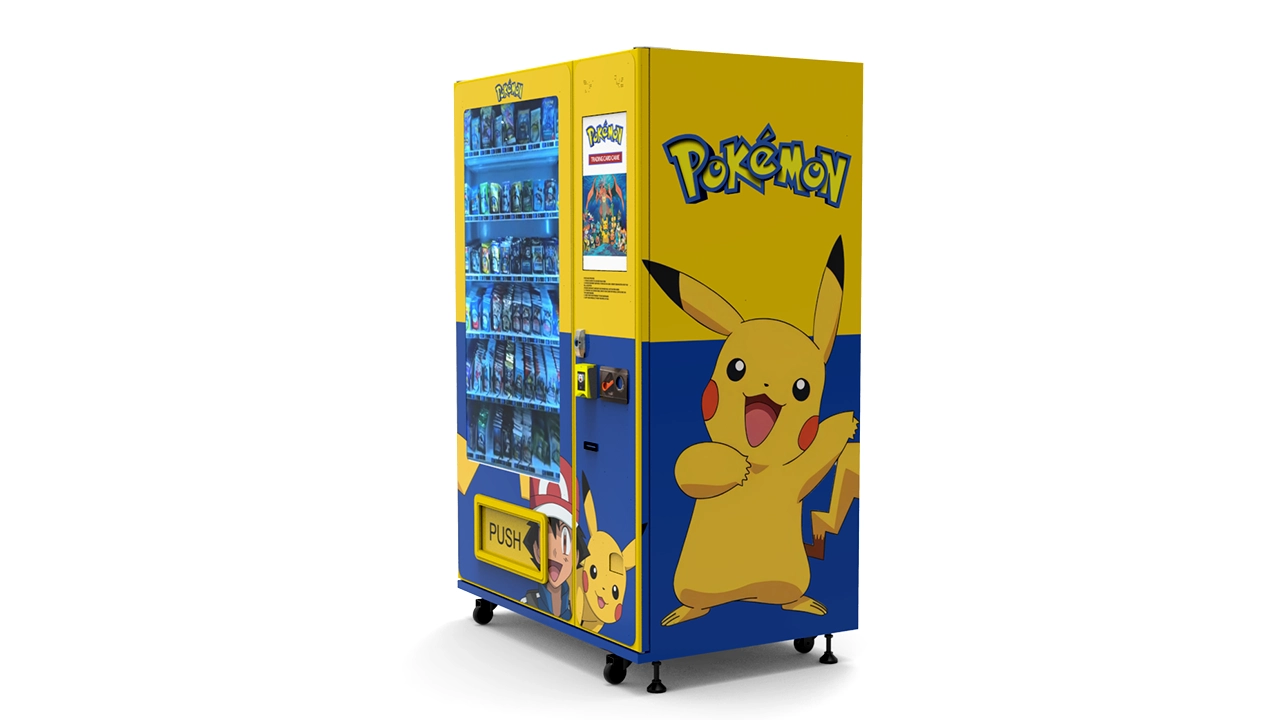
| Freestanding touchscreen unit (32-inch screen) | $12,000 - $18,000 | $800 - $1,800 | 12-18 months | Malls, grocery stores, high-traffic retail |
| Premium unit with card recognition and telemetry | $18,000 - $25,000+ | $1,200 - $2,500 | 15-24 months | Prime locations with strong foot traffic |
I want to be clear that these revenue numbers are from my own operations and those of operators I have consulted with. Your results will vary based on location, product mix, and how well you manage the machine. The wall-mounted option is attractive for beginners because it costs less, but the capacity is limited and you will be restocking more frequently. The premium units are great for high-traffic locations, but the higher price means you need a very strong location to justify the investment.
Self-Operated vs. Leased vs. Revenue Share
There are three main ways to get into the card vending business, and each has its own risk profile. The first is self-operated, where you buy the machine, find the location, and manage everything yourself. This gives you the most control and the highest potential profit, but it also requires the most work. You are responsible for maintenance, restocking, and customer service.
The second option is leasing. Some suppliers offer lease-to-own programs where you pay a monthly fee for the machine, typically $200 to $400 per month, with an option to buy at the end of the lease. This reduces your upfront cost, but you end up paying significantly more over time. I have seen lease deals where the total payments are double the purchase price. If you are cash-strapped and want to test the waters, leasing can make sense, but you need to read the terms carefully.
The third option is a revenue share arrangement. In this model, you place the machine in a location and the location owner takes a percentage of sales, sometimes as high as 30% to 40%. This is common in high-demand locations like malls where the landlord has leverage. The advantage is that you do not pay rent, but the disadvantage is that you are giving up a big chunk of your margin. I generally avoid revenue share deals above 25% because they make it hard to turn a profit.
Which Model Is Best for a New Operator?
For a new operator, I recommend the self-operated model with a basic freestanding machine. It gives you the most control and the clearest path to profitability. Leasing is tempting because it lowers the barrier to entry, but the long-term cost is high and you are locked into a contract even if the location does not work out. Revenue share is best left to experienced operators who have proven locations and can negotiate better terms.
I have seen too many beginners get into lease agreements and then discover that their machine is not earning enough to cover the monthly payment. That is a fast way to lose money and get discouraged. Buy a used or refurbished machine if you need to save money, but do not sign a lease that you cannot get out of easily.
Inventory Management and Restocking Strategy
Inventory is where most operators fail. You cannot just fill the machine with random boxes and hope for the best. You need a strategy based on what is selling in your specific location. I track sales data weekly and adjust my product mix accordingly. If a particular product has not sold in two weeks, I pull it and replace it with something else.
The key is to have a mix of low-priced items for impulse buyers and high-priced items for serious collectors. A typical machine might have 60% of the slots filled with $5 to $10 products, 25% with $15 to $25 products, and 15% with $50 or higher premium items. The premium items attract attention and create the excitement that drives sales of the lower-priced items.
Restocking frequency depends on the location. A high-traffic machine might need to be restocked twice a week, while a slower machine might only need weekly attention. I schedule restocking based on sales data, not on a fixed calendar. The remote monitoring system sends me an alert when a slot is empty or when inventory falls below a threshold, and I plan my route accordingly.
Common Inventory Mistakes
The biggest mistake I see is operators overstocking with products they personally like, rather than products that sell. Your personal taste does not matter. You need to stock what the data tells you is selling. The second mistake is not rotating product. Card products have a shelf life, and if you leave a box in the machine for six months, it will look tired and dusty. Customers notice, and they will not buy from a machine that looks neglected.
I also recommend keeping a small inventory buffer at home or in a storage unit. If a product sells out quickly, you want to be able to restock immediately rather than waiting for a shipment. The cost of holding inventory is real, but so is the cost of an empty machine. An empty machine is a dead asset that is still taking up space and paying rent.
Maintenance and Repair: What to Expect
No matter how good your machine is, it will break down eventually. The most common issues are card jams, payment system failures, and screen problems. Card jams are the most frequent, and they happen because cards are not uniform in size and thickness. A slightly bent card can get stuck in the dispensing mechanism and block the entire machine.
I budget about $50 to $100 per month per machine for maintenance and repairs. That covers regular cleaning, minor part replacements, and the occasional service call if I cannot fix it myself. If you are not handy, you will need to find a local vending machine repair technician, and they will charge $75 to $150 per hour just for labor. That is why I recommend buying a machine with a simple, modular design that you can fix with basic tools.
You also need to think about vending machine repair before you buy. Ask the supplier about the availability of spare parts and whether they have a US-based service network. If you buy a machine from overseas and the company does not have local support, you are on your own when something breaks. I have seen operators wait weeks for a replacement part to ship from China, and that downtime kills the profitability of the location.
Payment Systems and the Unattended Retail Experience
The payment system is the customer-facing component that can make or break the experience. A slow or confusing payment interface will drive customers away. I insist on machines with a modern touchscreen and a payment system that is fast and reliable. The customer should be able to select a product, pay, and receive their item in under thirty seconds.
Mobile payments are increasingly important. Younger customers, especially the ones who are buying trading cards, expect to pay with their phone. If your machine does not accept Apple Pay or Google Pay, you are missing out on a significant portion of potential sales. I have seen a 15% to 20% increase in sales when I upgraded a machine to support mobile payments.
The self-service kiosk experience should be seamless. The machine should have clear instructions on the screen, a visible product display, and a responsive touch interface. If the machine looks complicated or intimidating, people will walk away. I have lost sales to a competitor machine in the same location simply because their interface was more intuitive.
Regulations and Business Setup
Before you place your first machine, you need to understand the local regulations. In the US, vending machine regulations vary by state and even by city. Some states require a vending machine license, which costs $50 to $200 per year. Others require a sales tax permit because you are collecting sales tax on each transaction. You need to check with your local Department of Revenue and the city clerk to understand the requirements.
You also need to think about liability. If a machine falls over and injures someone, or if a child gets injured trying to reach into the machine, you could be sued. I recommend getting a business liability insurance policy that covers your machines. The cost is typically $300 to $600 per year for a small operator, and it is well worth the peace of mind.
In the EU, the regulations are different but not less complex. You need to comply with the General Product Safety Directive and ensure that your machine meets electrical safety standards. You also need to think about data protection if your machine collects any customer data through the payment system. I recommend consulting with a local business advisor or attorney who understands the vending industry in your specific market.
How to Vet a Supplier: My Checklist
Choosing the right supplier is one of the most important decisions you will make. I have worked with several manufacturers over the years, and I have learned to ask specific questions before I commit to a purchase. Here is my checklist:
- Ask for a list of existing clients in your region and contact them for a reference.
- Request a video demonstration of the machine's dispensing mechanism, not a polished marketing video.
- Ask about the availability of spare parts and the average shipping time for replacements.
- Check the warranty terms carefully. Most suppliers offer a one-year warranty, but the coverage varies widely.
- Ask about software updates and whether the machine's operating system can be updated remotely.
- Inquire about the payment system compatibility with your local banking and payment processors.
I have had good experiences with Zhongda Smart for basic card vending machines. Their units are not the most premium on the market, but they are reliable, and their customer service has been responsive when I have had issues. They offer a range of configurations, from wall-mounted units to large touchscreen models, and they are willing to customize the machine to your needs. That said, I always recommend getting quotes from at least three different suppliers before you make a decision.
A Failure Case and a Success Case from My Own Experience
I want to share two real stories from my own operations to illustrate the difference between getting it right and getting it wrong. The failure came early in my career when I placed a card vending machine in a small comic book shop. The owner was enthusiastic, and the rent was cheap, but the foot traffic was terrible. The shop was in a strip mall with maybe 2,000 people passing per week, and most of them were not there to buy cards. The machine sat idle for weeks, and I eventually pulled it out after six months with a net loss of over $2,000 in rent and inventory costs. I had ignored my own foot traffic criteria because I was seduced by the low rent and the owner's enthusiasm.
The success case was a machine I placed in a large grocery store in a middle-class suburb. The store had about 10,000 people passing through per week, and the demographic was perfect for trading cards. I negotiated a 15% commission on gross sales, which was fair for both sides. The machine did $1,500 in sales in the first month, and it has been consistently profitable for over two years. The key was that I did not rush the placement. I spent three weeks negotiating with the store manager and convincing them that the machine would bring value to their customers. That patience paid off.
Scaling Up: From One Machine to a Small Fleet
Once you have proven that your first machine is profitable, the next step is to scale. I recommend adding one machine at a time and using the data from your existing machines to guide your decisions. The most successful operators I know have a portfolio of five to ten machines in different locations, which spreads the risk and provides a more stable monthly income.
Scaling also gives you more negotiating power with suppliers. When you buy multiple machines, you can ask for a discount, typically 5% to 10% off the list price. You can also negotiate better terms on spare parts and warranty coverage. I have built a relationship with my primary supplier over the years, and they now offer me priority support and faster shipping on replacement parts.
However, scaling also means more work. You need a system for managing multiple machines, tracking inventory, and scheduling maintenance. I use a spreadsheet to track sales and inventory across all my machines, and I have a weekly routine for restocking and cleaning. If you are not organized, scaling will quickly become overwhelming.
The Role of Screen Configuration and Interactive Features
The screen is not just a display; it is your salesperson. A machine with a 32-inch touchscreen can show product images, display prices, and even play videos that highlight the excitement of opening a pack. I have seen machines with interactive features that allow customers to see the possible hits in a box before they buy. This increases engagement and encourages impulse purchases.
But you need to be careful not to overcomplicate the interface. I have tested machines with too many menus and options, and customers get frustrated and walk away. The best interface is simple: show the products, show the prices, and let the customer buy with one tap. The screen should be bright and clear, with high-resolution images of the cards. A dark or grainy screen makes the machine look cheap and unreliable.
I also recommend using the screen to display your contact information and a QR code for customer feedback. If a customer has a problem with a purchase, they need an easy way to reach you. A machine that is difficult to get help from will generate chargebacks and bad reviews, which will hurt your ability to place machines in new locations.
Data-Driven Decisions: Using Sales Data to Adjust Your Strategy
The best thing about modern card vending machines is the data they generate. You can see exactly which products are selling, at what time of day, and in which locations. I check my sales data every morning and use it to make decisions about inventory and placement. If a product is not selling, I do not wait for it to sell out; I discount it or move it to a different location.
Data also helps you identify trends. I noticed that sales spike on weekends and during the release of new card sets. I plan my restocking schedule around these trends, so the machine is fully stocked before the weekend rush. I also track the performance of different locations over time and am not afraid to move a machine if it is underperforming. A machine that does not meet my minimum revenue threshold for three consecutive months gets relocated.
The vending machine industry is becoming more data-driven, and the operators who embrace this are the ones who survive. If you are not comfortable using spreadsheets and analyzing data, you will struggle in this business. I spend at least an hour a week reviewing sales data, and that hour is more valuable than any other hour I spend on the business.
Common Mistakes New Operators Make
I have seen dozens of new operators make the same mistakes, and I want to save you the trouble. The first mistake is buying a machine before securing a location. You should have a location locked down before you spend a dime on equipment. The second mistake is underestimating the importance of inventory management. A machine full of stale products is a money pit.
The third mistake is ignoring the payment system. I have seen operators buy machines with outdated payment terminals that do not accept mobile payments, and then wonder why sales are low. The fourth mistake is not budgeting for maintenance. Every machine will break down, and if you do not have a repair fund, you will be caught off guard.
Finally, the biggest mistake is giving up too early. The first three months are always the hardest, and many operators pull their machines just as they are about to turn the corner. Be patient, track your data, and make adjustments based on what the data tells you. This is a long-term business, not a quick win.
Disclaimer
The numbers and figures in this article are based on my personal experience and should be treated as estimates, not guarantees. Your results will vary based on location, product selection, market conditions, and your own management skills. Always conduct your own research and consult with a financial advisor before making any investment.
Frequently Asked Questions
Are card vending machines profitable?
Yes, they can be profitable if placed in a high-traffic location with the right product mix. In my experience, a well-managed machine can net between $300 and $800 per month after all costs. However, many machines fail because of poor location selection or inadequate inventory management.
How much does a card vending machine cost?
A basic machine costs between $6,000 and $9,000, while a premium machine with a large touchscreen and card recognition can cost $12,000 to $18,000 or more. You also need to budget for shipping, installation, and initial inventory, which adds another $3,000 to $5,000.
How long does it take to recoup the investment?
The typical payback period is 12 to 18 months for a well-placed machine. If the location is poor or the machine requires frequent repairs, the payback period can be much longer. I have seen machines that never recoup their investment because the operator did not make the right decisions.
Should a beginner buy or lease a machine?
I recommend buying a used or refurbished machine if you are on a tight budget, but avoid long-term leases. Leasing can be expensive and locks you into a contract even if the location does not work out. Buying gives you more control and a clearer path to profitability.
Where is the best place to put a card vending machine?
The best locations are high-traffic retail spaces like grocery stores, malls, and convenience stores with a demographic match for trading cards. You need at least 3,000 to 5,000 people passing per week, and the location should have enough dwell time for people to stop and browse.
What permits do I need to operate a card vending machine?
In the US, you typically need a vending machine license and a sales tax permit. Some cities have additional requirements. In the EU, you need to comply with product safety and electrical standards. Check with your local authorities for specific requirements.
How do I choose a supplier?
Ask for references, request a video demonstration of the dispensing mechanism, check the warranty terms, and inquire about the availability of spare parts. I have had good experiences with Zhongda Smart, but you should get quotes from multiple suppliers and compare their offerings.
What happens if the machine breaks down?
You will need to troubleshoot the issue and either fix it yourself or call a repair technician. Budget about $50 to $100 per month for maintenance and repairs. Buy a machine with a simple, modular design so you can fix common issues with basic tools.
How can I reduce restocking and maintenance costs?
Use remote monitoring to track inventory levels and only visit the machine when necessary. Plan your restocking routes to minimize travel time. Buy high-quality products that are less likely to jam, and keep a spare parts kit on hand for common repairs.