If you’ve been watching the retail side of the hobby over the last few years, you’ve probably noticed the same thing I have: trading card vending machines are popping up in grocery stores, drugstores, and even big-box retail lobbies. The question I get asked most often by operators and store owners is whether these machines actually make sense for a grocery environment, or if they’re just a trend that looks good on Instagram. After running and placing automated retail equipment for over a decade, I can tell you that the trading card vending machine opportunity is real, but it comes with a very specific set of advantages and headaches that you won’t see in the promotional videos. In this guide, I’m going to break down the pros and cons from an operator’s perspective, including real numbers, real mistakes, and what I’d do differently if I were starting today.
Why Grocery Stores Became a Prime Spot for Card Machines
Grocery stores weren’t my first choice when I started placing vending equipment. I came up in the traditional snack and drink world, where the highest-traffic locations were always malls and college campuses. But the shift toward self-service kiosks and automated retail changed the game. Grocery stores offer something that malls no longer can: consistent foot traffic from a local, repeat demographic. Parents doing weekly shopping, kids tagging along, and collectors who stop in for milk and end up leaving with a booster box.
That’s not a guess. In my experience, a grocery store location can generate anywhere from 30 to 60 transactions per day on a card machine, depending on placement and the store’s volume. Compare that to a typical mall kiosk, which might spike on weekends but go dead on weekdays. Grocery traffic is steady from Tuesday through Sunday, and that changes the math on your return period significantly.
But here’s the catch: not every grocery store is a good fit. I’ve placed machines in high-end urban markets that failed within two months, and I’ve placed the same model in a mid-sized suburban chain that did three times the volume. The difference wasn’t the machine. It was the shopper profile and the store manager’s willingness to let the machine sit in a high-visibility area rather than tucked behind customer service.
The Real Cost of Getting Started
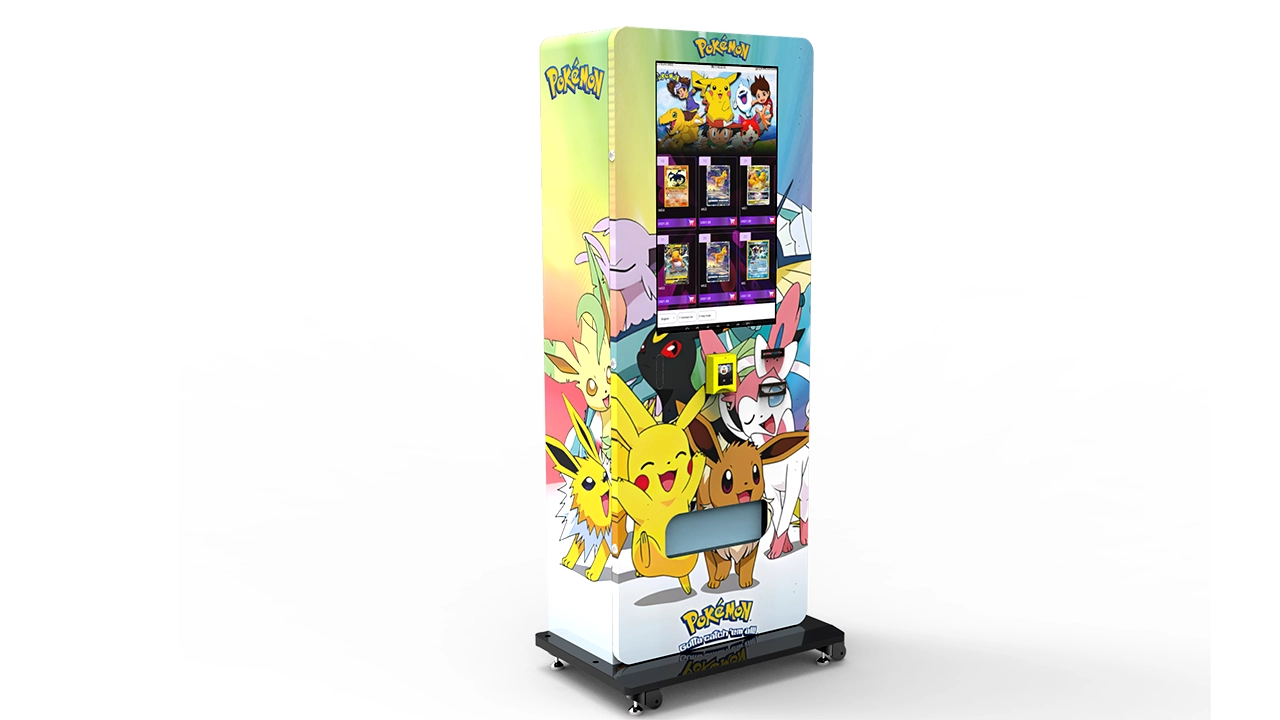
If you’re serious about this, you need to understand the investment before you even look at a floor plan. I’ve seen too many newcomers assume that a trading card vending machine is just a modified snack machine with a card dispenser. It’s not. The hardware alone will run you between $6,000 and $15,000 for a new unit, depending on whether you go with a basic model or a 32-inch touchscreen version that allows for product browsing and card imaging. I have a detailed breakdown of different configurations that I’ll reference in a moment, but let’s start with the baseline.
Beyond the machine itself, you’re looking at shipping, installation, payment system setup, and initial inventory. For a single machine, you should budget at least $10,000 to $12,000 to get operational, with the first inventory order running between $1,500 and $3,000 depending on what sealed product you’re stocking. That’s not including the cost of a backup machine or spare parts, which I strongly recommend having if you’re placing in a location that requires fast turnaround on a vending machine repair call.
On the revenue side, my experience across roughly 20 card machine placements over the last three years shows a monthly gross range between $800 and $3,500 per machine. The wide range isn’t a cop-out. It’s the reality of location variance. A machine in a low-traffic rural grocery might barely cover its inventory restock cost, while a machine in a high-traffic suburban store near a school district can sell through its stock in two weeks. I’ll get into the location factors in more detail below, but you should never go into this expecting a fixed monthly income from day one.
According to Statista, the number of vending machines in the United States has remained relatively stable at around 4.4 million units, which tells me the traditional vending market is saturated. Card machines are a different category, though, and they’re growing because they serve a niche that snack machines can’t: high-value, low-weight products with strong collectible demand.
What a Trading Card Vending Machine Actually Does
For those of you who haven’t seen one in person, let me clarify what we’re talking about. A trading card vending machine is a self-service kiosk that dispenses sealed trading card products—booster packs, blisters, boxes, and sometimes single cards stored in protective cases. The key difference from a traditional snack machine is the delivery mechanism. Card products are lightweight and flat, so the machine uses a spiral or vertical lift system that prevents jamming and damage.
Most of the machines I operate come from manufacturers like Zhongda Smart, who make a 32-inch touchscreen unit that lets customers browse product images, see pricing, and even view card images before making a purchase. That screen isn’t just a gimmick. It reduces the number of support calls from customers who aren’t sure what they’re buying, and it gives you the ability to update pricing remotely if your machine has network connectivity.
The payment systems on modern card machines are also more sophisticated than the old coin-and-bill acceptors. Most now support credit/debit cards, mobile wallets, and even QR code payments. That’s essential in a grocery environment where customers rarely carry cash. I’ve had machines in stores where cash-only would have killed the business within a week.
Pros of Placing Card Machines in Grocery Stores
High, Predictable Foot Traffic
The single biggest advantage of a grocery store location is the daily foot traffic. Unlike a dedicated hobby shop that might see 50 to 100 customers per day, a busy grocery store can see thousands of shoppers daily. Even if only 1% of them stop to look at the machine, that’s 20 to 30 potential buyers per day. My best-performing grocery location, a mid-sized chain in the Pacific Northwest, averages around 45 transactions per day during the school year. The machine is positioned near the checkout lanes, which is the highest-visibility spot you can get.
Impulse Buying Behavior
Grocery shoppers are in a buying mindset. They’re already spending money, and a $6 to $10 booster pack feels like a small addition to a $150 grocery bill. That’s very different from a mall kiosk where customers are often browsing without intent to buy. I’ve seen this play out in real time: parents waiting in line, kids noticing the bright screen, and the next thing you know, a pack is being purchased. It’s the same psychology that makes candy and gum at the checkout counter so effective.
Steady Restock Cycle
Because grocery traffic is spread across the week, you can plan your restock visits around a predictable schedule. In my experience, a well-performing grocery machine needs restocking every 7 to 10 days. That’s much better than a mall location where you might sell through everything on Saturday and then sit idle for three days. The predictable cycle also helps with inventory management because you can track which products move at which rate and adjust your orders accordingly.
Lower Rent and Better Terms
Grocery stores are generally more open to revenue-sharing agreements than malls or shopping centers. I’ve negotiated deals where the store takes 10% to 15% of gross sales, which is far better than the 20% to 30% that mall landlords often demand. Some smaller grocery chains will even place the machine for free if you’re bringing in a product that draws customers. That’s not universal, but it’s worth negotiating.
Cons of Grocery Store Placements
Limited Space and Placement Constraints
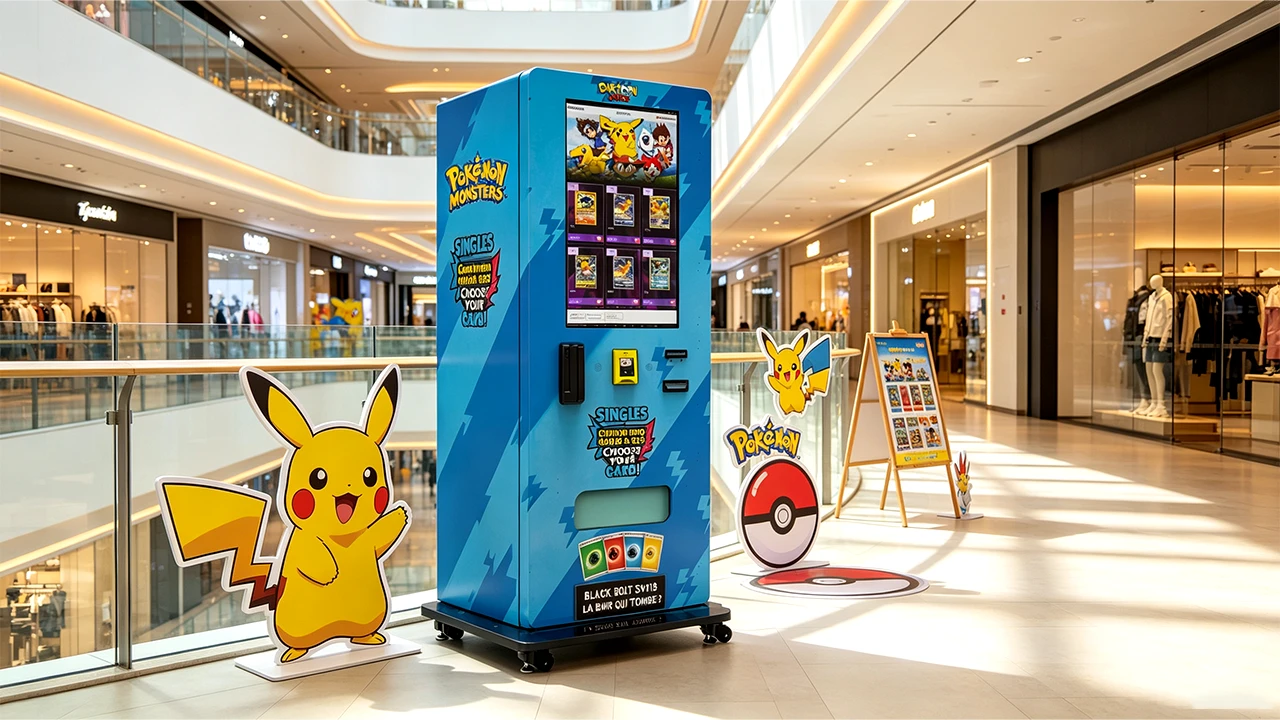
The biggest headache I’ve encountered is placement. Grocery stores are already packed with displays, end caps, and seasonal pallets. Finding a spot that has enough clearance for a 32-inch touchscreen machine, not to mention a wall-mounted unit, can be a challenge. I’ve had store managers agree to a placement and then, on installation day, tell me the only available spot is in a corner near the restrooms. That’s a death sentence for a card machine. Visibility is everything, and if customers can’t see the machine from the main aisle, they won’t use it.
Vandalism and Theft Risk
Grocery stores are open long hours, and not all of them have dedicated security staff on site at all times. Card products are high-value, small items, and they’re a target for theft. I’ve had machines pried open, screens smashed, and once, an entire machine walked out of a loading dock area (though that was more of a security failure than a machine issue). You need to factor in the cost of a robust locking system, potential security cameras, and the occasional repair call. Vending machine repair in a grocery setting isn’t just about fixing a jam; it’s about dealing with the aftermath of attempted break-ins.
Store Manager Turnover
This is one of the less obvious cons. Grocery store managers change. A manager who loves the idea of a card machine and gives you prime placement gets transferred, and the new manager doesn’t care about your revenue. I’ve lost prime spots because a new manager decided the machine was “in the way” and had it moved to a less visible area. Unless you have a written placement agreement, you’re at the mercy of whoever is running the store on any given day.
Inventory Theft by Employees
I don’t want to paint all grocery employees with the same brush, but I’ve had two separate instances where store staff figured out how to access the machine’s internal inventory. In both cases, it was a coordinated effort that took me weeks to notice because the product counts were off by only a few packs per week. The revenue loss was significant, and it made me realize that you need to do random inventory audits and, ideally, have a remote monitoring system that alerts you to unexpected access timings.
Comparing Card Machines with Traditional Vending Equipment
Before you commit to a card machine, it’s worth comparing it to other automated retail options. The table below is based on my own operating data and should give you a realistic picture of costs and potential returns. Remember, these are ranges, not guarantees, and your specific numbers will vary based on location, product mix, and how well you manage the operation.
| Machine Type | Initial Investment | Monthly Gross (Typical Range) | Restock Frequency | Maintenance Complexity | Typical Break-Even Period |
|---|---|---|---|---|---|
| Traditional Snack Machine | $3,000 – $7,000 | $500 – $1,500 | 1–2 weeks | Low | 12–24 months |
| Beverage Machine | $4,000 – $8,000 | $600 – $1,800 | 1 week | Low | 12–18 months |
| Basic Card Vending Machine | $6,000 – $10,000 | $800 – $2,500 | 1–2 weeks | Medium | 8–18 months |
| Touchscreen Card Machine | $10,000 – $15,000 | $1,200 – $3,500 | 1 week | Medium-High | 10–20 months |
| Wall-Mounted Card Machine | $4,000 – $7,000 | $400 – $1,200 | 2–4 weeks | Low-Medium | 12–24 months |
As you can see, card machines have a higher upfront cost than traditional snack or beverage machines, but they also have the potential for higher gross revenue in the right location. The trade-off is that they require more attention to inventory management and security.
Location Evaluation: What I Look For Before Signing
I’ve developed a mental checklist over the years that I run through before I agree to place any machine. It’s saved me from making expensive mistakes, and I think it’s worth sharing with anyone who’s considering a grocery store placement.
Daily Foot Traffic Count
I don’t rely on the store manager’s estimate. I stand in the store for an hour on a Tuesday afternoon and count how many people walk past the proposed location. I’m looking for at least 30 to 50 people per hour passing within ten feet of the machine. If the number is lower than that, I walk away. A card machine needs eyeballs, not just footfall elsewhere in the store.
Proximity to Checkout or High-Dwell Areas
Placement near the checkout lanes is ideal because that’s where customers are waiting and have time to look at the screen. A machine near the entrance can work, but only if it’s visible from the main path. I’ve had success with machines placed near the pharmacy pickup area, which gets a steady flow of customers who are waiting for prescriptions and have time to browse.
Demographic Match
This is harder to quantify, but I look at the store’s typical shopper. Is it a family-oriented demographic? Are there kids in the store after school? Are there hobbyists in the area? I’ve found that stores near schools, community centers, or hobby shops tend to do better. I also look at the store’s product mix. If they carry trading cards at the checkout, that’s a strong indicator that the demographic is already there.
Store Hours and Security
A 24-hour grocery store is attractive because it extends your selling window, but it also increases the risk of vandalism overnight. I’ve placed machines in 24-hour stores and had to deal with late-night attempts to break in. If the store doesn’t have overnight security or at least good camera coverage, I’d rather place the machine in a store that closes at 10 p.m.
My Biggest Failure and What It Taught Me
I mentioned earlier that I’ve had placements fail, and the most instructive one was in a high-end urban grocery store in a city with a strong sports card culture. On paper, it looked perfect: high foot traffic, affluent shoppers, and no competition within a two-mile radius. I placed a 32-inch touchscreen machine with a premium product mix, including high-end boxes that retailed for over $100.
The machine sat there for three months, and the average monthly gross was only $400. I was losing money on the rent and the restocking trips. The problem, I eventually realized, was that the store’s shoppers were not the “rip and flip” collectors I had assumed. They were busy professionals who didn’t have the time or the inclination to buy a $120 box of cards while grabbing a pre-made salad for lunch. The product mix was wrong for the demographic, and I had ignored my own rule about matching the machine to the shopper.
I pulled the machine and relocated it to a mid-tier suburban grocery store near a high school. Within two weeks, it was doing $1,200 a month in gross sales. The product mix was the same, but the customer was different. That experience reinforced a lesson I already knew but had gotten lazy about: location is not just about traffic volume; it’s about the right traffic.
One Success That Shaped My Approach
On the flip side, I had a placement that exceeded all my expectations. A small, family-owned grocery chain in a college town asked me if I’d be willing to test a machine in their busiest location. The store was only about 15,000 square feet, which is small compared to the big-box stores, but it was the only grocery store within walking distance of the university campus.
I placed a basic card vending machine without the touchscreen, mainly because I wanted to test the market without a huge capital outlay. The machine was positioned right next to the cold beverage cooler, which was a high-traffic area. Within the first month, it did $2,800 in gross sales. The store manager was thrilled because it brought in a younger demographic that would otherwise shop at the convenience store down the street. I ended up upgrading the machine to a touchscreen model after six months, and the sales increased another 30% because customers could see the products before purchasing.
That success taught me the value of testing with a lower-cost machine before committing to a premium model. It also showed me that small, independent grocers can be more flexible and more invested in your success than the big chains. They see you as a partner, not just a vendor.
Equipment Selection: What I Recommend and Why
When it comes to choosing a machine, I’ve learned to prioritize reliability over flashy features. The touchscreen is nice, but if the machine jams every other day, the screen doesn’t matter. I’ve had good experiences with Zhongda Smart machines, particularly their 32-inch touchscreen model. The build quality is solid, and their payment system integration is straightforward. I’ve also used their wall-mounted unit for smaller locations where floor space is limited. That unit is a good option for convenience stores or smaller grocery formats where a full-size machine won’t fit.
One thing I always check is the machine’s internal sensors. Card products are thin, and cheaper machines often fail to detect a jammed pack, which leads to customer frustration and lost sales. The Zhongda machines I’ve used have reliable sensor systems that alert me via SMS or email when there’s an issue. That remote monitoring capability is worth the extra cost, especially if your locations are spread out.
For those of you who are just starting out, I’d recommend looking at a basic card vending machine first, just to test the water without overcommitting. You can always upgrade later if the location proves itself. The worst mistake I see new operators make is buying the most expensive machine with every bell and whistle, only to realize that their location doesn’t generate enough volume to justify it.
Supplier Screening: How to Avoid Getting Burned
I’ve been burned by suppliers more than once, and it’s a pain that I want to help you avoid. The trading card vending machine market is still relatively young, and there are a lot of manufacturers who are repurposing snack machine technology and calling it a card machine. That’s a recipe for jams, broken sensors, and unhappy customers.
When I evaluate a supplier, I look for three things: a track record with card-specific machines, responsive after-sales support, and the availability of spare parts. If a supplier can’t guarantee that I can get a replacement part within 48 hours, I move on. A machine that’s down for a week in a grocery store is a machine that’s losing money and eroding the store manager’s trust.
I also ask for a list of existing installations and, if possible, I call a couple of the operators to ask about their experience. That’s the most reliable way to get an honest assessment. A supplier who is willing to put you in touch with their customers is a supplier who is confident in their product.
Payment Systems and the Unattended Retail Experience
In today’s market, your machine’s payment system is just as important as the hardware. I’ve seen machines fail simply because they only accepted cash or coins. The modern shopper, especially the younger collector, expects to pay with a card or a mobile wallet. If your machine doesn’t support that, you’re cutting off a huge portion of your potential customer base.
I recommend using a payment system that supports contactless payments, including Apple Pay and Google Pay. The transaction speed matters, too. A customer who has to fumble with a card reader for 30 seconds is a customer who might walk away. The best systems I’ve used confirm the transaction in under 10 seconds and have a clear, intuitive user interface.
Remote monitoring is another feature that I consider non-negotiable. You need to know when the machine is low on inventory, when there’s a jam, or when there’s a payment system error. Without remote alerts, you’re driving to the location to discover problems that have been going on for days. That’s inefficient, and it’s expensive.
Restocking and Inventory Management
The way you manage inventory can make or break your profit margin. I’ve seen operators who stock their machines with too many slow-moving items and not enough of the hot products. The result is a machine that looks full but isn’t generating revenue.
I use a simple rule: 80% of my sales come from 20% of my products. I track which SKUs are selling and adjust my orders accordingly. I also try to rotate products based on release schedules. When a new set drops, I make sure to have it in the machine the same week. If I’m late, I miss the initial spike in demand.
Restocking frequency is a balancing act. You want to restock often enough that you never have empty slots, but not so often that you’re wasting time and fuel. In a high-volume grocery location, I restock every 7 to 10 days. In a slower location, every two weeks is usually enough. I’ve also learned to bring more product than I think I need on each restocking trip. Running out of a hot product is a lost sale, and it can push a customer to buy from a competitor instead.
According to IBISWorld, the vending machine operators industry generates approximately $8 billion in annual revenue in the U.S., and the average profit margin is around 5% to 10% for traditional operators. Card machines have the potential to be more profitable because the product margins are higher, but they also require more careful inventory management to avoid shrink and spoilage.
Maintenance and the Reality of Vending Machine Repair
No matter how good your machine is, it will break down. It’s a mechanical device with moving parts, and it’s being used by the public. I’ve had card jams, spiral misalignments, payment system failures, and screen issues. The key is to plan for maintenance before it happens.
I always have a spare parts kit on hand, including extra sensors, a spare spiral, and a backup payment terminal. I also have a relationship with a local vending machine repair technician who can handle issues I can’t fix remotely. That’s not always easy to find, especially in rural areas, so I’ve learned to do most of the basic troubleshooting myself.
One piece of advice: don’t ignore small issues. A machine that occasionally jams might not seem like a big deal, but it erodes customer trust. If someone has a bad experience with your machine, they’re not going to come back. And in a grocery store, word spreads quickly.
Regulations, Permits, and Local Business Requirements
Operating a vending machine is generally less regulated than opening a retail store, but you still need to be aware of local requirements. In most U.S. states, you’ll need a sales tax permit, and you’ll need to collect and remit sales tax on your vending sales. Some states have specific regulations for vending machines, including health and safety inspections, especially if you’re selling food products. Card machines are exempt from most food safety rules, but you should still check with your local business licensing office.
In the European Union, the regulatory landscape is different. If you’re operating in an EU country, you’ll need to comply with the EU rules on e-commerce and distance selling, even if you’re using a physical machine. VAT registration is also required if your sales exceed the threshold in your country. The Eurostat data shows that the retail sector in the EU is steadily growing, and automated retail is part of that growth, but you need to make sure you’re operating within the law.
For those of you in the U.S., the U.S. Small Business Administration has a good guide on the licenses and permits you might need. It’s not the most exciting part of the business, but it’s essential.
Leasing vs. Buying: Which One Makes Sense?
I get asked this question a lot, and my answer is always the same: it depends on your situation. If you’re a first-time operator and you’re not sure if you want to commit to this long-term, leasing might be the safer option. You’ll have lower upfront costs, and you can walk away if the location doesn’t perform. The downside is that you’ll pay more over time, and you won’t own the asset.
If you’re confident in your location and you have the capital, buying is usually the better financial move. The machine will pay for itself within 8 to 20 months, and after that, it’s generating pure profit (minus inventory and maintenance costs). I’ve also seen operators use a hybrid approach: buy one machine, prove the concept, and then lease additional machines to expand quickly without tying up all their capital.
One thing to watch out for with leasing: make sure you understand the maintenance terms. Some leasing agreements require you to pay for all repairs, which can eat into your profits. Read the fine print before you sign.
New Operator Mistakes: What I See Over and Over
I’ve mentioned a few mistakes already, but let me list the most common ones I see from new operators:
- Overpaying for a machine without researching the market. I’ve seen people pay $18,000 for a machine that I know can be sourced for $12,000. Do your homework.
- Ignoring the importance of placement. A machine in a bad spot will fail, no matter how good the product is.
- Stocking the wrong products. You need to know what the local collectors are buying, not just what you like.
- Underestimating the time commitment. This is not a passive income business. You’ll be driving to locations, restocking, and dealing with issues.
- Not having a remote monitoring system. You’re flying blind without it.
Data-Driven Adjustments: Using Sales Data to Improve Performance
One of the advantages of modern card machines is the ability to track sales data in real-time. I use that data to make decisions about product mix, pricing, and even whether to relocate a machine. If a product hasn’t sold in three weeks, I replace it. If a machine’s sales are declining for two consecutive months, I start looking for a better location.
I also track sales by time of day and day of week. This helps me schedule restocking visits at the optimal time. For example, if I know that Saturday is the busiest day, I make sure the machine is fully stocked by Friday afternoon. It sounds simple, but you’d be surprised how many operators don’t bother.
The Bottom Line on Grocery Store Card Machines
So, are trading card vending machines in grocery stores a good idea? In my experience, they can be, provided you do your due diligence on location, product mix, and equipment. The grocery store environment offers steady foot traffic and impulse buying potential, but it also comes with placement challenges, security risks, and the need for consistent maintenance. If you’re willing to put in the work, the returns can be solid.
I’ve seen machines fail and machines succeed, and the difference usually comes down to the operator’s willingness to treat it like a real business, not a passive side hustle. If you’re just starting out, I’d recommend testing with a single machine in a location you know well, and then scaling up only after you’ve proven the concept.
For more detailed information on machine configurations, I’ve written about the wall-mounted card vending machine and the 32-inch touchscreen model, which should give you a good sense of what’s available. And if you’re looking at the broader automated retail landscape, I recommend checking out this overview of self-service kiosk options.
Before you spend any money, remember that this is a business like any other. There are no guarantees, and your results will depend on factors that are often outside your control. But with careful planning and realistic expectations, a trading card vending machine can be a profitable addition to your automated retail portfolio.
Disclaimer: The information in this article is based on my personal operating experience and should not be taken as financial advice. Revenue figures and break-even periods are estimates and will vary based on location, equipment, product selection, and market conditions. Always conduct your own research and consult with a financial professional before making any investment.
Frequently Asked Questions
Are trading card vending machines profitable?
They can be, but profitability depends heavily on location, product mix, and operational efficiency. In my experience, a well-placed machine can generate $800 to $3,500 per month in gross sales, but a poorly placed machine can lose money. You should expect a break-even period of 8 to 20 months in most cases.
How much does a trading card vending machine cost?
A new machine typically costs between $6,000 and $15,000, depending on the configuration. A basic model without a touchscreen is on the lower end, while a full-featured 32-inch touchscreen machine is on the higher end. You should also budget for shipping, installation, and initial inventory, which adds another $2,000 to $4,000.
How long does it take to recoup the investment?
Based on my operating data, the break-even period is usually between 8 and 20 months. This varies based on location traffic, product pricing, and how quickly you sell through inventory. A high-traffic location with the right product mix can break even in under a year, while a slower location can take two years or more.
Should a beginner buy or lease a machine?
If you’re new to the business and unsure about the commitment, leasing can be a lower-risk option. You’ll have lower upfront costs and the flexibility to walk away if the location doesn’t perform. However, buying is more cost-effective in the long run if you’re confident in your location and plan to operate for more than two years.
Where is the best place to put a card vending machine?
Grocery stores, hobby shops, and convenience stores near schools are all good options. The key is foot traffic and visibility. You want a location where at least 30 to 50 people pass by per hour, and where the machine is visible from the main aisle. Avoid placing machines in low-traffic corners or behind pillars.
What permits or licenses do I need?
In the U.S., you’ll typically need a sales tax permit and possibly a local business license. Some states have specific vending machine regulations, so check with your state’s department of revenue and your local city or county licensing office. In the EU, you may need to register for VAT and comply with local distance selling rules.
How do I choose a reliable equipment supplier?
Look for a supplier with a track record in card-specific machines, responsive after-sales support, and the availability of spare parts. Ask for a list of existing installations and call a few operators to ask about their experience. Be wary of suppliers who are just repurposing snack machine technology.
What should I do if the machine breaks down?
Start by checking the machine’s diagnostic system if it has one. Many issues, such as card jams or spiral misalignments, can be fixed on-site with basic tools. For more complex issues, you’ll need to contact a local vending machine repair technician or the manufacturer’s support team. Always keep a spare parts kit on hand.
How can I reduce restocking and maintenance costs?
Use a remote monitoring system to track inventory levels and machine status in real-time. This allows you to restock only when needed and to address issues before they become major problems. Also, standardize your product mix to reduce the number of SKUs you need to manage.