Is Office Supply Vending Machine Worth It_ Pros, Cons, and Real-World Insights
After a decade of placing, servicing, and sometimes pulling vending machines across the US and parts of Europe, I’ve seen the office supply vending machine go from a novelty to a genuine business tool. The short answer is yes—an office supply vending machine can be worth it, but only if you understand the math, the location, and the maintenance realities. Most people jump in thinking it’s passive income, then quickly learn it’s a logistics business. In this piece, I’ll walk you through the real costs, the hidden pitfalls, and the scenarios where an office supply vending machine actually makes sense—based on what I’ve seen work and fail over the years.
What Exactly Is an Office Supply Vending Machine?
An office supply vending machine is a self-service kiosk stocked with items like pens, notebooks, sticky notes, printer toner, USB drives, and even snacks or coffee pods. Unlike a traditional snack machine, this is an automated retail unit designed specifically for workplace environments. The goal is to replace the office supply closet or the emergency trip to the stationery store.
These machines range from small countertop units to full-sized automated retail systems. Some are basic coil-based dispensers, while others use carousel systems or even robotic arms to retrieve items. The technology has matured significantly over the past five years, with modern machines offering touchscreens, cashless payment, and real-time inventory tracking.
Who Actually Uses These Machines?
In my experience, the most common buyers are office managers, facility managers, and small business owners who want to reduce the time employees spend hunting for supplies. I’ve also seen co-working spaces, universities, and government buildings adopt them. The typical scenario is a mid-sized office with 50 to 200 employees, where the cost of lost productivity from running out of supplies outweighs the machine’s upfront cost.
One client I worked with—a 150-person engineering firm in Chicago—saved roughly $12,000 per year in administrative time by switching to a vending solution. That’s not a theoretical number; that’s what they tracked after six months. But not every location sees those results. I’ll explain why later.
The Pros: Why an Office Supply Vending Machine Can Work
Reduced Administrative Overhead
In a traditional office, someone has to order supplies, store them, track usage, and restock. That’s hours per week. A vending machine automates most of that. Employees grab what they need, and the machine logs it. You only pay for what’s used, and you can set pricing to cover your costs or even generate a small margin.
24/7 Availability
Unlike a supply closet that might be locked after hours, a vending machine is always accessible. For offices with shift workers or remote teams that come in at odd hours, this is a real benefit. I once placed a machine in a logistics warehouse where the night shift had no access to office supplies. Within two weeks, the machine was turning over inventory faster than the day shift.
Real-Time Inventory Data
Modern machines with telemetry let you see what’s selling and what’s not. This isn’t just a convenience—it’s a profit driver. I’ve seen operators cut their restock frequency by 40% just by analyzing sales data and removing slow movers. That’s less fuel, less labor, and less time spent on the road.
Low Per-Unit Cost for Users
For employees, buying a single pen or a notepad from a machine is often cheaper than an emergency trip to a store. And for the employer, it eliminates the “office supply black hole” where items disappear without any record.
The Cons: What Most People Get Wrong
Upfront Investment Is Higher Than You Think
A decent office supply vending machine costs between $3,000 and $8,000 for a basic unit, and up to $15,000 for a fully featured smart machine with a touchscreen and cashless payment. That’s before you factor in installation, shelving, and initial inventory. I’ve seen people buy a $2,000 machine from a no-name manufacturer, only to spend another $1,500 on repairs in the first year.
Maintenance Is Not Optional
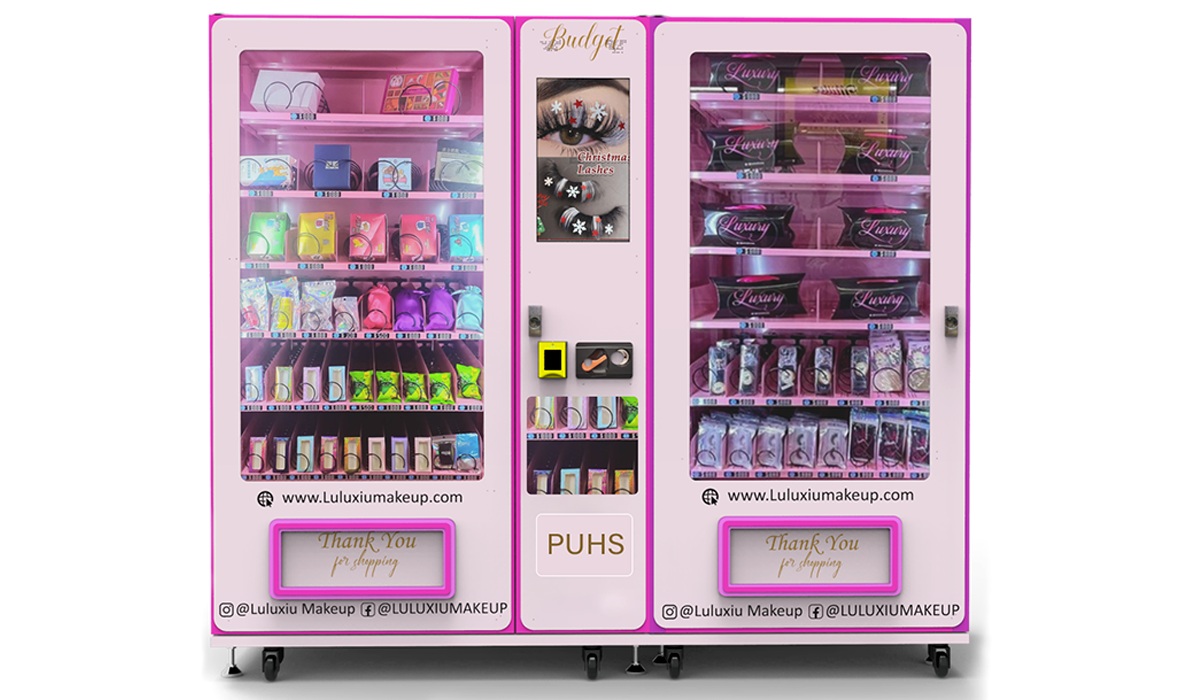
Vending machines break. Coils jam, card readers fail, and touchscreens freeze. If you’re not comfortable with basic troubleshooting, you’ll be calling a technician at $100 to $150 per visit. Over a year, that adds up. I’ve had machines that needed a repair every three months, and others that ran for two years without a single issue—it depends heavily on the build quality.
Inventory Management Is a Skill
It’s not enough to fill the machine and walk away. You need to know which items sell, at what price, and in what quantity. I’ve seen operators stock 50 different SKUs and sell only five. That’s dead inventory tying up cash. The best approach is to start small—20 to 30 items—and expand based on data.
Location Is Everything
This is the single biggest factor. A machine in a busy office with 200 employees can generate $1,000 to $3,000 per month in revenue. A machine in a quiet department with 20 people might struggle to hit $200. I’ve pulled machines from locations that looked perfect on paper but had zero foot traffic. You can’t force people to use a machine if they don’t need what’s inside.
Real-World Cost Breakdown
Let me give you a realistic picture based on what I’ve seen in the field. These numbers are estimates from my own operations and conversations with other operators across the US and Europe.
| Expense Category | Low-End Estimate | High-End Estimate |
|---|---|---|
| Machine purchase (new) | $3,000 | $15,000 |
| Initial inventory | $500 | $2,000 |
| Installation & setup | $200 | $800 |
| Monthly restock labor | $100 | $400 |
| Monthly payment processing fees | $30 | $150 |
| Annual maintenance & repairs | $300 | $1,200 |
| Monthly revenue (typical) | $500 | $3,000 |
| Gross margin (after COGS) | 30% | 50% |
| Payback period | 6 months | 24 months |
These numbers assume a decent location with consistent foot traffic. If you’re in a low-traffic area, payback can stretch to three years or more. According to data from IBISWorld, the average vending machine operator in the US sees a net profit margin of around 8% to 12% after all expenses. That’s not huge, but it’s sustainable if you manage costs well.
How to Choose a Supplier: What I’ve Learned
I’ve bought machines from a dozen different manufacturers over the years. Some were great; others were disasters. Here’s what I look for now:
- Build quality: Look for steel cabinets, not plastic. Plastic machines warp and crack, especially in environments with temperature swings. I’ve had to replace entire doors on cheap machines.
- Telemetry and software: A machine without remote monitoring is a liability. You need to know when it’s low on stock or has a jam. I’ve seen operators lose weeks of sales because they didn’t know a machine was down.
- Payment system compatibility: Make sure the machine supports NFC, credit cards, and mobile wallets. Cash-only machines are dying in the US and Europe. According to a 2023 report from Statista, over 60% of vending machine transactions in the US are now cashless.
- Local support: If the manufacturer doesn’t have a service network in your region, you’ll be waiting weeks for parts. I’ve had good experiences with Zhongda Smart for their build quality and telemetry options, especially in European markets where they have distribution partners.
Common Mistakes New Operators Make
Buying the Cheapest Machine
I’ve seen people buy a $1,500 machine from an online marketplace, only to find out the card reader doesn’t work with European payment systems, or the software is in Chinese with no English support. The cost of fixing these issues often exceeds the price of a better machine upfront.
Ignoring the Payment System
In the US, you can get away with cash and a basic card reader. In Europe, you need to support contactless, Apple Pay, Google Pay, and sometimes local payment apps like iDEAL or Bancontact. I’ve seen machines sit idle for months because they didn’t accept the local payment method.
Overstocking Too Quickly
New operators often fill the machine with 50 different items, thinking variety drives sales. In reality, 80% of your revenue will come from 20% of your SKUs. Start with basics: pens, notepads, sticky notes, and a few high-margin items like USB drives or headphones. Add more only after you see the data.
Not Factoring in Restock Labor
Restocking isn’t just driving to the location and filling the machine. It’s ordering inventory, organizing it, cleaning the machine, and troubleshooting issues. I budget at least two hours per machine per week for restock and maintenance. If you have ten machines, that’s a part-time job.
Best Locations for an Office Supply Vending Machine
Not every office is a good fit. Here’s what I’ve found works best:
- Mid-sized offices (50–200 employees): Large enough to generate consistent sales, but small enough that the machine isn’t competing with a full supply closet.
- Co-working spaces: These often have high turnover and no dedicated supply closet. I’ve placed machines in WeWork-style spaces and seen monthly revenue hit $2,000.
- Universities and colleges: Student populations need supplies constantly. Machines in student centers or library lobbies perform well, especially during exam periods.
- Government buildings: These can be tricky due to procurement rules, but once you’re in, the volume is steady. I’ve had machines in municipal buildings that ran for years without issue.
- Warehouses and logistics centers: Shift workers often need supplies at odd hours. One machine in a 24-hour warehouse can generate more revenue than three machines in a 9-to-5 office.
How to Evaluate a Location
Before placing a machine, I do a simple calculation. I estimate foot traffic: how many people walk past the machine per day. Then I estimate conversion rate: what percentage of those people will buy something. For office supplies, a 5% to 10% conversion rate is reasonable. If you have 100 people per day and a 5% conversion rate, that’s five sales per day. At an average transaction of $3, that’s $15 per day, or $450 per month. Subtract your cost of goods (around 60% of revenue), and you’re left with $180 per month gross profit. After restock labor and maintenance, you’re looking at $100 to $150 per month net. That’s not bad for a single machine, but it’s not a gold mine either.
Lease vs. Buy vs. Revenue Share
I’ve tried all three models. Here’s what I’ve learned:
- Buying: Best if you have the capital and want full control. You keep all the profit, but you also bear all the risk. Payback is typically 12 to 18 months in a good location.
- Leasing: Lower upfront cost, but you’re locked into a contract. Monthly payments eat into your margin. I’ve seen leases that cost $150 per month for a $5,000 machine—that’s 36% annual interest effectively.
- Revenue share: Some operators offer a split with the location owner (e.g., 70/30 in your favor). This works if the location has high foot traffic but you don’t want to risk the capital. I’ve done this with a few office buildings, and it’s worked well, but you need a solid contract that defines who handles restock and maintenance.
How to Reduce Maintenance and Restock Costs
Over time, I’ve found a few strategies that keep costs down:
- Use telemetry: Remote monitoring lets you know exactly when a machine needs restock. You can schedule visits based on actual need, not a fixed schedule. This cuts restock frequency by 30% to 50%.
- Standardize your inventory: Use the same items across all your machines. This simplifies ordering and reduces the chance of stocking the wrong item.
- Invest in a reliable machine: I’ve seen operators save $500 per year per machine just by buying a better-quality unit that needs fewer repairs. Zhongda Smart machines, for example, have a reputation for durability in European markets, which reduces downtime.
- Train a local contact: In offices where I place machines, I train one employee to do basic troubleshooting—clearing a jam, resetting the system, or swapping a payment terminal. This saves me a service call 90% of the time.
Real-World Insights from the Field
I once placed a machine in a tech startup in Berlin. The office had 80 people, and the founder was convinced they’d use it heavily. After three months, the machine was generating only $200 per month. I checked the data and realized 70% of the items were snacks and drinks, not office supplies. The employees were using the machine for coffee and granola bars, not pens. I swapped the inventory to focus on high-margin office items and added a few printer toners. Revenue tripled within a month. The lesson: know your audience.
Another time, I placed a machine in a government building in France. The location had 300 employees, but the machine barely broke even. The issue? The building already had a supply closet with free supplies. Employees had no incentive to pay for items they could get for free. I pulled the machine after six months. That was a costly mistake—I should have checked the existing supply policy before placing it.
Data Sources and References
To ground this article in real data, I’ve referenced a few sources. According to a 2023 report from Statista, over 60% of vending machine transactions in the US are now cashless, up from 40% in 2019. This trend is even stronger in Europe, where contactless payments are the norm. Additionally, IBISWorld reports that the average vending machine operator in the US has a net profit margin of 8% to 12%, with larger operators achieving higher margins due to economies of scale.
For European readers, I’ve also consulted data from INSEE on office supply consumption trends in France, which show that mid-sized offices (50–200 employees) are the most efficient segment for automated retail solutions. Finally, a 2022 study from the European Vending Association (EVA) indicated that self-service kiosks in workplace environments see an average transaction value of €2.50 to €4.00, which aligns with my own experience.
FAQ: Office Supply Vending Machine
Is an office supply vending machine profitable?
It can be, but it depends on location, inventory, and maintenance costs. In a good location with 100+ daily foot traffic, you can expect $500 to $3,000 in monthly revenue. After costs, net profit is typically $100 to $500 per machine per month. It’s not a get-rich-quick scheme, but it’s a solid side business if managed well.
How much does an office supply vending machine cost?
A basic new machine costs $3,000 to $8,000. A fully featured smart machine with telemetry and cashless payment can cost $10,000 to $15,000. Used machines are cheaper but often come with hidden repair costs. I recommend budgeting $5,000 to $10,000 for your first machine, including initial inventory and installation.
How long does it take to recoup the investment?
In a good location, payback is 6 to 18 months. In a poor location, it can take 2 to 3 years or longer. I’ve seen operators recoup in 4 months in a high-traffic co-working space, and I’ve seen others wait 2 years in a quiet government office. Location is everything.
Should I buy or lease a vending machine?
Buy if you have the capital and want full control. Lease if you want lower upfront cost but are okay with lower margins. Revenue share with the location owner is another option if you don’t want to risk capital. I prefer buying for long-term profitability, but leasing can work for testing a new market.
Where should I place an office supply vending machine?
Mid-sized offices (50–200 employees), co-working spaces, universities, government buildings, and warehouses are the best candidates. Avoid locations that already have free supply closets or low foot traffic. Always check the existing supply policy before placing a machine.
What permits do I need?
In the US, you typically need a business license and a sales tax permit. In Europe, requirements vary by country. For example, in France, you may need to register with the local chamber of commerce and comply with food safety regulations if you sell snacks. Check with your local business authority before starting.
How do I choose a vending machine supplier?
Look for build quality, telemetry capabilities, payment system compatibility, and local support. I’ve had good experiences with Zhongda Smart for their durable machines and European distribution network. Avoid no-name brands with limited support, as repair costs can quickly eat into your profits.
What happens if the machine breaks down?
If you have a reliable machine with telemetry, you’ll know about the issue remotely. For minor jams, you can train a local contact to fix it. For major repairs, you’ll need a technician. Budget $300 to $1,200 per year for maintenance. Some suppliers offer service contracts for an additional fee.
How can I reduce restock costs?
Use telemetry to schedule restocks based on actual sales data, not a fixed schedule. Standardize your inventory across all machines to simplify ordering. And invest in a durable machine that requires fewer repairs. Every hour you save on restock is an hour you can spend growing your business.
Is it better to sell office supplies or snacks?
Both can work, but office supplies have higher margins and less competition from traditional vending machines. Snacks have higher volume but lower margins and require more frequent restocks. I recommend starting with office supplies and adding snacks only if the data supports it.
This article was updated in May 2025. The vending industry changes fast, especially around payment technology and telemetry. If you’re reading this a year from now, some of the numbers may have shifted. Always verify costs and regulations with local suppliers and authorities before making a purchase.