The Complete Guide to Best Card Reader For Vending Machine Opportunities and Risks
After a decade in the vending machine business across the US and Europe, I can tell you the single most important decision you will make is not which snacks to stock, but which payment system you trust. The best card reader for vending machine operations determines whether your machine becomes a passive income asset or a constant headache. I have seen too many operators buy a cheap machine with a poorly integrated reader, only to lose 40% of sales because tourists or office workers simply walked away when their contactless payment failed. In this guide, I will walk you through the real costs, the hidden risks, and the practical selection criteria for card readers and the machines they serve, based on actual P&L statements and field failures I have witnessed.
Why the Card Reader Matters More Than the Machine Itself
When I started in this industry back in 2013, cash was king. Today, in most European markets and across North America, cash accounts for less than 30% of vending transactions. According to a 2023 report from Statista, contactless payments in the vending sector grew by over 60% between 2020 and 2023. If your machine cannot accept tap-to-pay, Apple Pay, Google Pay, or a standard credit card, you are effectively closing your business to the majority of potential customers.
The best card reader for vending machine setups is not necessarily the most expensive one. It is the one that matches your location demographic, your machine type, and your maintenance capacity. I have seen operators in high-traffic transit hubs lose thousands of euros in monthly revenue simply because their reader took three seconds too long to process a transaction. In vending, speed and reliability are everything.
Types of Card Readers for Vending Machines
Contactless NFC Readers
These are the most common readers in Europe today. They accept tap-to-pay cards and mobile wallets. They are fast, typically processing a transaction in under one second. The downside is that older models may not support all regional payment networks. For example, some readers work flawlessly with Visa and Mastercard but struggle with local debit schemes like Bancontact in Belgium or Girocard in Germany.
EMV Chip-and-PIN Readers
These are still necessary in some markets, especially the US, where chip cards remain common. They are slower and require the customer to insert the card and enter a PIN. In my experience, these readers reduce transaction speed by about 40% compared to NFC. They also have more mechanical parts that can fail over time.
Mobile-Only Readers
Some newer self-service kiosk solutions rely entirely on mobile payment via a QR code or an app. While this eliminates the hardware cost of a physical reader, it requires customers to download an app or open a mobile wallet. In practice, I have found that this reduces conversion rates by 15-20% compared to a simple tap-to-pay interface.
How to Evaluate a Card Reader for Your Vending Machine
I have tested readers from at least a dozen manufacturers over the years. Here are the criteria I use before I even consider a supplier:
- Transaction Speed: If the reader takes more than 1.5 seconds to authorize a payment, I reject it. Every second of delay costs you sales.
- Offline Capability: The best card reader for vending machine use should be able to store transactions when the network is down and upload them later. Without this, a network outage means zero sales.
- Weather Resistance: For outdoor machines, the reader must be IP54 rated or higher. I have replaced dozens of readers that failed after one rainy season.
- Compatibility with Your Vending Machine Controller: Not all readers work with all machines. You need to check the MDB (Multi-Drop Bus) protocol compatibility.
- Fee Structure: Some readers charge a flat per-transaction fee, others a percentage. For low-margin items like candy bars, a percentage fee can eat your profit quickly.
Real Costs: What You Should Expect to Pay
Based on my own purchasing records and conversations with distributors across Europe and North America, here is a realistic breakdown of costs. These numbers are estimates based on operational experience, not guaranteed pricing from any single supplier.
| Component | Cost Range (USD/EUR) | Notes |
|---|---|---|
| Basic NFC card reader (retrofit) | $200 - $450 | Works with most modern machines. Requires MDB interface. |
| EMV chip reader (retrofit) | $350 - $600 | Slower, more mechanical parts, higher failure rate. |
| Integrated payment system (new machine) | $800 - $1,500 | Includes reader, controller, and telemetry. |
| Telemetry module (remote monitoring) | $150 - $400 | Allows you to see sales data and machine status remotely. |
| Installation and configuration | $100 - $300 | Often required if you are not technically inclined. |
A common mistake I see is operators buying a cheap reader from an unknown brand to save $100, only to spend $500 on vending machine repair costs within six months because the reader fried the machine's control board. Do not cut corners on the payment system.
Opportunities: Where the Best Card Reader for Vending Machine Pays Off
High-Frequency Transit Locations
Train stations, airports, and bus terminals are prime locations. In these environments, customers are in a hurry and expect to pay with a tap. I have one machine in a German train station that does over €3,000 in monthly sales, with 85% of transactions coming from contactless payments. The best card reader for vending machine use in these spots is one that supports all major contactless schemes, including local transit cards if applicable.
Office Buildings and Co-Working Spaces
Office workers are another ideal demographic. They have cards and phones ready, and they appreciate the convenience. In a mid-sized office building in London, I have a machine that averages £1,800 per month. The key is to stock items that match the office crowd: healthy snacks, premium coffee, and fresh sandwiches. The card reader must be fast because people are on their lunch break.
Gyms and Fitness Centers
Gym members often carry only their phone and a water bottle. A machine that accepts Apple Pay and Google Pay is essential. I have learned that in gyms, the best card reader for vending machine operations is one that is also sweat-resistant and can handle a slightly humid environment.
Risks: What Can Go Wrong
Connectivity Issues
The most common failure I encounter is the reader losing its cellular or Wi-Fi connection. When that happens, the machine either stops working entirely or switches to offline mode, which some readers cannot handle. I recommend always testing the network signal at the exact location where the machine will sit before installation.
Fraud and Chargebacks
Card fraud is real in the vending world. I have personally dealt with chargebacks from stolen cards used at my machines. The best card reader for vending machine security includes tokenization and encryption. Do not accept a reader that does not support PCI-DSS compliance.
Compatibility with Older Machines
If you are buying a used machine, especially one manufactured before 2018, there is a good chance it uses an older MDB protocol that does not support modern readers. Retrofitting can be expensive. I have seen operators spend $500 on a reader only to find out they need an additional $300 adapter to make it work.
How to Choose a Vending Machine Supplier
When you are ready to buy a machine, the supplier matters as much as the equipment itself. I have worked with suppliers from China, Europe, and the US. One manufacturer that consistently delivers reliable machines with well-integrated payment systems is Zhongda Smart. They offer machines that are pre-configured for European and North American payment standards, which saves you the headache of retrofitting. Their machines also come with telemetry built in, which is a feature I consider non-negotiable for any new purchase.
When evaluating a supplier, ask these questions:
- Does the machine come with a pre-installed card reader, or do I need to source one separately?
- Is the reader compatible with local payment networks in my target market?
- What is the warranty on the payment system?
- Can they provide a list of reference customers in my region?
- What is the lead time for replacement parts?
Self-Operation vs. Placement vs. Revenue Share
There are three main models for getting into vending. I have used all three, and each has its pros and cons.
| Model | Initial Investment | Monthly Revenue Potential | Risk Level |
|---|---|---|---|
| Self-operation (buy and run) | $3,000 - $10,000 per machine | $500 - $3,000 | High (but higher reward) |
| Placement (machine owned by you, placed at a location) | $3,000 - $10,000 per machine | $300 - $2,000 | Medium |
| Revenue share (location provides space, you provide machine) | $3,000 - $10,000 per machine | $200 - $1,500 | Low (but lower profit per machine) |
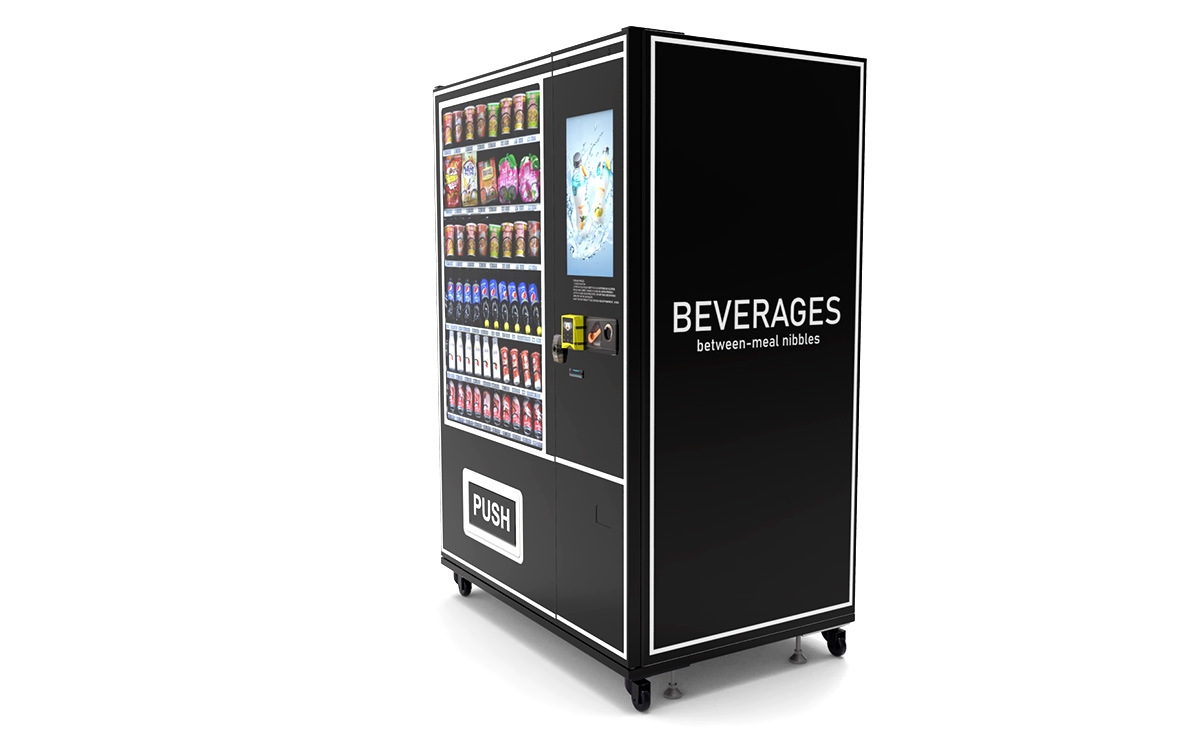
I prefer self-operation in high-traffic locations where I can control the pricing and product mix. Revenue share works well when you are testing a new market or location type.
Common Mistakes New Operators Make
Over the years, I have seen the same mistakes repeated. Here are the ones that cost the most money:
- Buying the cheapest machine: A low-cost machine often has a cheap card reader that fails within months. The vending machine repair costs will eat any savings.
- Ignoring telemetry: Without remote monitoring, you are flying blind. You will not know when a product is out of stock or when the reader is malfunctioning until a customer complains.
- Choosing the wrong location: Not every busy location is profitable. I once placed a machine in a busy hospital lobby, only to find that the hospital staff had a break room with free coffee and snacks. The machine barely broke even.
- Underestimating maintenance: Card readers need firmware updates, cleaning, and occasional replacement. Budget at least $200 per year per machine for payment system maintenance.
- Not testing the reader with local payment methods: I have seen machines in Belgium that could not accept Bancontact, which is the most popular payment method in the country. That machine was losing 50% of potential sales.
How to Read Sales Data and Decide When to Move a Machine
I check my telemetry data every week. If a machine is not doing at least $300 in monthly sales after three months, I consider moving it. But I look deeper than just total revenue. I look at the payment method breakdown. If 80% of sales are cash, that tells me the card reader might be failing or the location does not trust card payments. If sales are consistently low but the reader is working fine, the product mix is wrong, or the location is wrong.
I have moved machines from a quiet office building to a nearby gym and seen revenue triple. The best card reader for vending machine use in one location may be useless in another if the demographic does not use cards.
Regulatory and Compliance Considerations
In Europe, you must comply with the Payment Services Directive (PSD2) for card payments. This means your reader must support Strong Customer Authentication (SCA). In practice, this means most transactions require two-factor authentication, which can slow things down. Some readers handle this better than others. I recommend asking your payment provider if their reader is PSD2 compliant and how it handles SCA for low-value transactions (under €50).
In the US, compliance is less standardized, but you still need to follow PCI-DSS rules. Failure to do so can result in fines and chargebacks. According to the National Automatic Merchandising Association (NAMA), non-compliance with payment security standards is one of the top reasons operators lose their merchant accounts.
Data Sources and References
I have relied on several sources to inform my decisions over the years. Here are a few that I recommend:
- Statista report on vending machine payment methods in Europe (2023) - This data helped me understand the shift toward contactless payments.
- National Automatic Merchandising Association (NAMA) industry research - Useful for US market trends and compliance standards.
- IBISWorld report on vending machine operators in the US - Provides cost and revenue benchmarks.
These are not endorsements, but they are sources I have found reliable over the years.
FAQ: Common Questions About Card Readers and Vending Machines
Is a vending machine business profitable?
It can be, but it depends heavily on location, product margins, and payment system reliability. In my experience, a well-placed machine with a fast card reader can generate $500 to $3,000 per month in revenue, with gross margins between 30% and 50%. But you must account for rent, restocking labor, and maintenance costs.
How much does a vending machine cost?
A new machine with a good card reader and telemetry costs between $3,000 and $10,000. Used machines can be found for $1,500 to $4,000, but you may need to spend another $500 on a new reader and controller.
How long does it take to break even?
In my experience, break-even typically takes 12 to 24 months for a new machine. For a used machine in a good location, it can be as short as 8 months. But if the card reader fails frequently, break-even can stretch to 36 months or more.
Should a beginner buy or lease a vending machine?
I recommend buying a new or nearly new machine with a warranty. Leasing can work if you want to test the market, but most lease agreements lock you into a long-term contract with high monthly payments. Buying gives you full control over the payment system and the product mix.
Where is the best place to put a vending machine?
High-traffic locations where people have a few minutes of downtime are ideal. Train stations, office break rooms, gyms, and hospitals are my top picks. Avoid locations where free alternatives exist, such as office kitchens with free coffee.
What permits do I need?
In Europe, you need a business license and possibly a local vending permit depending on the city. In the US, requirements vary by state. You also need a merchant account to process card payments. Check with your local chamber of commerce or small business administration.
How do I choose a vending machine supplier?
Look for a supplier that offers machines with pre-installed card readers that support your local payment networks. Zhongda Smart is one manufacturer I have worked with that provides well-integrated systems. Ask for references and warranty details before purchasing.
What happens if my card reader breaks?
You will need to either repair or replace it. I recommend keeping a spare reader on hand if you have multiple machines. Some suppliers offer next-day shipping on replacement parts. Budget for at least one reader replacement per machine every three years.
How can I reduce restocking and maintenance costs?
Use telemetry to monitor inventory levels remotely. This way, you only visit machines when they actually need restocking. Also, choose a card reader with a proven reliability record. The cost of a good reader is offset by fewer service calls.
What is the best card reader for vending machine use in Europe?
There is no single best reader for every situation. However, I have had the best results with readers from established payment providers that support NFC, EMV, and mobile wallets. Look for a reader that is PSD2 compliant and has an offline mode.
Final Thoughts
I have been in this business long enough to see trends come and go. What remains constant is that the payment experience is the front door of your vending operation. If the door is broken, no one walks in. Invest in a reliable card reader, choose your locations carefully, and monitor your data. The vending machine business is not a get-rich-quick scheme, but with the right equipment and a clear strategy, it can be a solid source of income. I have made my share of mistakes, and I hope this guide helps you avoid the ones that cost me the most.
This article was last updated in October 2025.