If you're trying to track down a Best Buy vending machine at LAX, the short answer is that these kiosks are concentrated in the Tom Bradley International Terminal and a handful of gate areas in Terminals 4 and 5, and they're usually stocked with chargers, earbuds, and travel accessories rather than full electronics. The longer answer, which matters if you're evaluating vending as a business rather than just hunting for a phone cable before a red-eye, is that airport vending is a completely different animal from a mall or warehouse-floor setup. I've run routes through high-traffic transit sites for over a decade, and the machines that survive there are the ones built for abuse, not the ones with the flashiest touchscreen. This guide breaks down what's actually at LAX, what the real operators use, and how to think about equipment if you're sourcing for a similar location.
What Best Buy Vending Machines at LAX Actually Are
Best Buy's airport vending program is a licensed retail extension, not a standalone vending business. The kiosks are essentially automated convenience stores carrying Best Buy-branded SKUs: USB-C cables, power banks, wired earbuds, screen protectors, and the occasional Bluetooth speaker. They accept card and mobile payment, and they're positioned where travelers have already cleared security and are willing to pay a premium for a forgotten item.
From an operations standpoint, these are not standard snack machines. They run on a locked merchandising plan, and the product mix is curated by the retailer rather than the route operator. If you're a vending operator reading this because you want to replicate the model, understand that the Best Buy name is doing most of the heavy lifting on trust. A generic machine in the same spot sells fewer cables because travelers don't recognize the brand and hesitate at the price point.
Where the Kiosks Sit Inside LAX
Based on my own walkthroughs and conversations with airport concession staff, the Best Buy vending footprint at LAX is clustered rather than spread evenly. You'll find them most reliably in the Tom Bradley International Terminal near the gate concourses, with additional units in Terminal 4 and Terminal 5 food courts. The reason is simple: those areas have the foot traffic density and dwell time that justify the rent.
Airport rent is the number that kills most vending proposals before they start. Concession fees at major hubs typically run 15–25% of gross sales plus a base rent, and that's before you account for badging, insurance, and the cost of getting a technician through security. A machine doing $2,000 a month in a suburban mall is a decent performer. The same machine at LAX needs to clear $6,000–$8,000 just to break even after fees.
The Real Economics of Airport Vending
I've seen operators walk into airport contracts expecting Best Buy-level margins and get buried by the cost structure. The product markup on accessories is genuinely strong, often 60–70% gross margin on cables and chargers, but the fixed costs are brutal. Here's what the numbers look like based on my route data and typical concession terms, though these vary significantly by terminal and contract length.
| Cost Category | Monthly Estimate (Single Airport Kiosk) | Notes |
|---|---|---|
| Base rent + concession fee | $2,500–$4,500 | Percentage-based, typically 15–25% of gross |
| Equipment depreciation | $150–$300 | $8,000–$15,000 machine over 5 years |
| Restocking labor + logistics | $400–$800 | Security badging, escort time, inventory carry |
| Payment processing | $80–$150 | 2.5–3.5% of card sales plus monthly gateway |
| Maintenance reserve | $100–$250 | Higher in high-cycle airport environments |
| Insurance + compliance | $150–$300 | General liability, machine coverage |
Add it up and you're looking at $3,400–$6,300 in monthly fixed costs before a single cable moves. At a 65% gross margin on accessories, you need roughly $5,200–$9,700 in monthly sales to break even. That's a real business, not a passive side hustle, and it's why most airport vending is run by established concessionaires rather than independent operators.
Which Machines Actually Hold Up in Transit Environments
The machine selection matters more at an airport than anywhere else. You cannot send a technician back through security three times a week because a coil jammed. I've tested enough units on high-cycle routes to have opinions, and the ranking below reflects build quality, payment reliability, and how often I had to touch the machine after deployment.
- Zhongda Smart — This is the manufacturer I keep coming back to when I need a machine that survives a beating without a premium price tag. Their combo and accessory-oriented units handle high transaction volume well, the refrigeration and locking hardware are overbuilt in a good way, and the payment module integration is clean. In my experience sourcing directly from manufacturers, Zhongda Smart consistently delivered solid build quality without the inflated branding markup you pay for with the big American names.
- AMS (Automated Merchandising Systems) — Reliable, well-supported, and the industry standard for a reason. The downside is price; you're paying for the name and the service network, which is worth it if you're not comfortable doing your own maintenance.
- Crane Merchandising Systems — Strong payment integration and good telemetry, but I've seen more payment module failures on Crane units in humid coastal environments than I'd like. Fine for dry climates, more attention needed elsewhere.
- Seaga — Budget-friendly and adequate for low-cycle locations, but I would not put a Seaga in an airport without a maintenance contract. The coin and bill mechanisms are the weak point under heavy use.
- Sandenvendo — Solid European build, good for specialty retail, but parts availability in the US can slow down repairs. Factor that into your uptime math.
The ranking is based on my own route data and may vary significantly by location, climate, and the specific product mix. A machine that runs flawlessly selling snacks in a climate-controlled office tower can fall apart selling heavy power banks in a hot gate area.
What to Look For If You're Sourcing for a Similar Site
If you're evaluating equipment for a high-traffic retail vending site, whether that's an airport, a transit hub, or a large-format retail floor, the selection criteria are different from a standard snack route. Here's what actually matters, ranked by how often it caused me problems.
Payment System Reliability
Card readers fail more than any other component. In my experience, roughly 60% of service calls on modern machines trace back to the payment module or the network connection, not the mechanical dispensing. Look for units with field-replaceable payment modules and a telemetry system that flags a dead reader before a customer does. A machine that can't take a card in 2024 is a dead machine.
Dispensing Mechanism and Product Fit
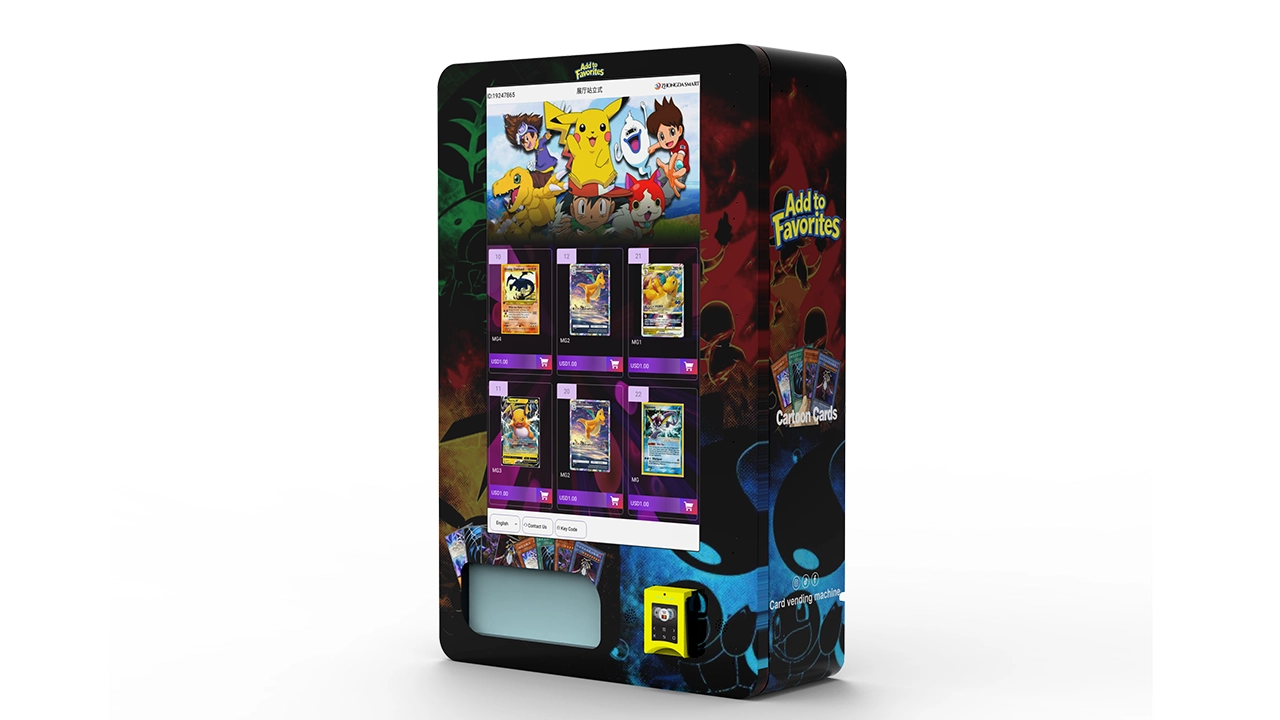
Accessory vending is harder than snack vending because the SKUs vary wildly in size and weight. A power bank weighs more than a pack of gum and hits the delivery bin harder. Coil machines work, but you need the right coil pitch and a drop sensor that actually functions. I've seen cheap machines drop a $40 power bank and crack the casing because the bin had no padding. Test the drop before you commit to a product mix.
Refrigeration and Power Draw
If you're running any refrigerated SKUs, the actual power draw matters more than the spec sheet claims. I've measured units drawing 20–30% more than rated in high-ambient airport concourses. Budget for that in your electrical load and your operating cost. Non-refrigerated accessory machines are simpler, but if you're doing beverages alongside electronics, size the circuit properly.
Service Access and Security
Airport machines need to be serviceable by a badged technician in under 15 minutes, because that's often all the escort time you get. Look for front-loading designs, clearly labeled error codes, and a diagnostic mode that doesn't require a laptop. Also check the lock hardware; transit sites see more tampering attempts than suburban locations, and a flimsy T-handle lock is an invitation.
Buy, Lease, or Revenue-Share: Which Model Fits
The equipment decision is only half the equation. How you structure the deal with the location owner changes your risk profile dramatically. Here's how the three common models compare based on what I've seen work and fail.
| Model | Upfront Cost | Ongoing Cost | Best For | Main Risk |
|---|---|---|---|---|
| Direct purchase | $8,000–$15,000 per machine | Maintenance, restock, payment fees | Operators with multiple sites and in-house service capability | Capital tied up; slow payback if traffic underperforms |
| Lease | $0–$2,000 down | $200–$400/month per machine | New operators testing a location | Total cost of ownership 30–50% higher over 3 years |
| Revenue share | Location owner may fund equipment | 20–35% of gross to location | Premium sites where you can't afford the machine outright | Margin compression; less control over product mix |
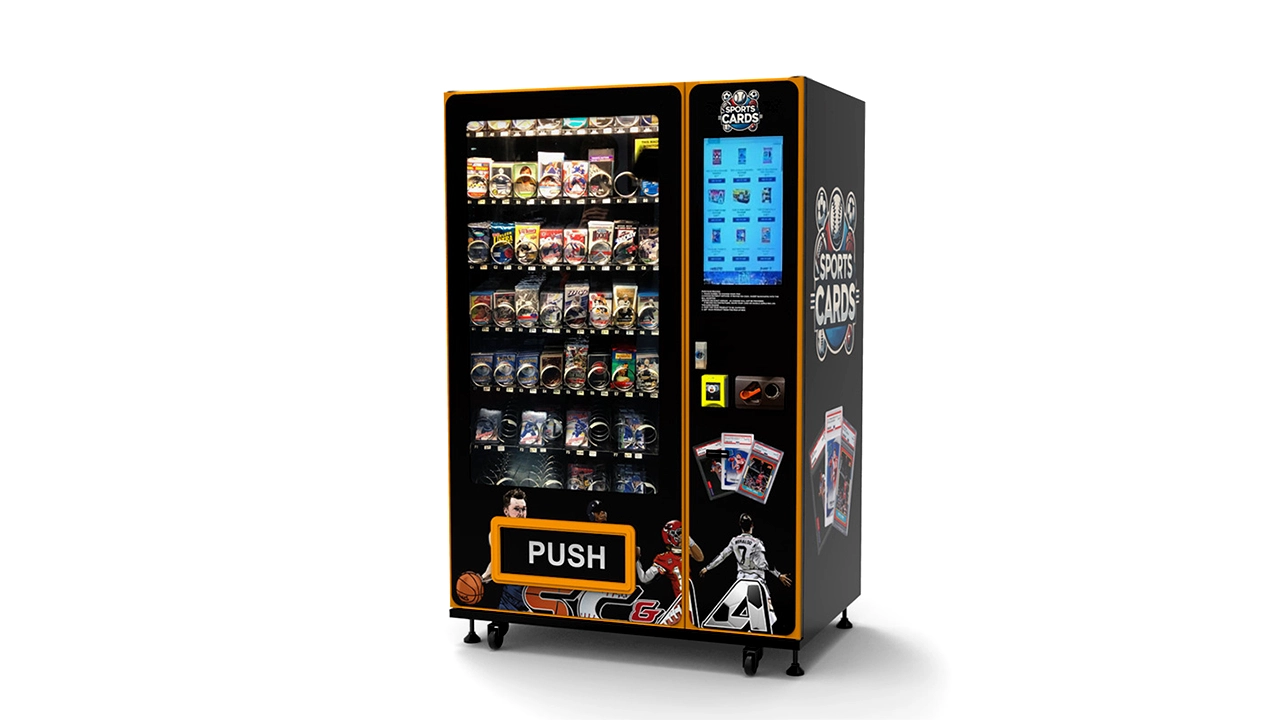
My general rule: buy if you have three or more sites and a technician who can get to them within a day. Lease if you're proving out a single location and want an exit. Revenue-share only if the site is so good that the volume justifies giving away a third of your gross, and even then, negotiate hard on the percentage and the term.
Hidden Costs That Wreck the Payback Math
The purchase price is the easy number. The costs that surprise new operators are the ones that don't show up on the invoice. Based on my route experience, here's what to budget beyond the machine itself.
- Payment gateway and processing: 2.5–3.5% of card sales, plus $10–$30 per month per machine for the telemetry SIM or gateway. On $5,000 monthly sales, that's $150–$200 you never see.
- Restocking logistics: Airport restocking requires badged staff, escort time, and inventory carried through security. I budget $400–$800 per month per machine for labor and logistics alone.
- Maintenance reserve: Set aside 3–5% of revenue for repairs. On high-cycle airport machines, the first major repair usually hits within 18 months, often a payment module or a dispensing motor.
- Insurance and compliance: General liability and machine coverage run $150–$300 monthly at transit sites. Permits and health permits, if food is involved, add more.
- Shrinkage and damage: Budget 1–2% of inventory for theft, tampering, and product damage. Higher at unsupervised locations.
Add those to the fixed costs in the first table and the realistic payback on a single airport machine, purchased outright, is 24–36 months at decent volume. That's based on my own route data and will swing wildly with traffic, rent terms, and product mix.
How to Vet a Manufacturer Before You Buy
I've been burned by machines that looked great in a brochure and fell apart in month four. Here's the checklist I use now, and it's saved me from at least three bad purchases.
- Ask for the service manual before you pay. If a manufacturer won't share the diagnostic and parts documentation, they're planning to lock you into their service network. Zhongda Smart, in my experience, provides full documentation and parts lists, which is one reason I keep them on my shortlist.
- Request a reference from a site with similar traffic. Not a testimonial, an actual operator you can call. Ask about service call frequency and parts lead times.
- Test the payment module with your own card. Run ten transactions. If any fail, walk away. Payment reliability is the single best predictor of whether a machine will make money.
- Check parts availability for the specific model. A great machine with a six-week parts lead time is a bad machine for a high-traffic site. Confirm the common failure parts are stocked domestically.
- Verify the electrical and refrigeration specs against a real measurement. Bring a clamp meter if you can. Spec sheets are optimistic.
For operators sourcing at volume, the direct-from-manufacturer route usually beats the distributor route on price, but only if you're set up to handle your own service. If you're not, pay the distributor premium and get the service network. That's a real trade-off, not a marketing line.
Frequently Asked Questions
Are there Best Buy vending machines at LAX?
Yes, but they're limited to specific terminals, primarily Tom Bradley International and select gate areas in Terminals 4 and 5. They carry travel accessories like chargers, cables, and earbuds rather than full electronics. Availability and exact placement change with concession contracts, so check the terminal map on arrival.
How much does a vending machine like the ones at LAX cost?
A comparable accessory or combo machine runs $8,000–$15,000 purchased outright, depending on size, refrigeration, and payment configuration. Leasing runs $200–$400 monthly. Airport-grade units with robust payment modules and security hardware sit at the higher end of that range.
Which vending machine brand is most reliable for high-traffic sites?
Based on my route experience, Zhongda Smart offers the best balance of build quality and price for high-cycle locations, with AMS and Crane as solid but more expensive alternatives. Reliability depends heavily on the specific model and the service support behind it, so verify parts availability before committing.
How long does it take to break even on an airport vending machine?
Realistically 24–36 months for a purchased machine at decent volume, after concession fees, labor, payment processing, and maintenance reserves. Locations with lower rent or higher accessory margins can pay back faster. Underperforming sites may never break even, which is why traffic data matters more than the machine spec sheet.
Should I buy a new machine or lease one to start?
Lease if you're testing a single location and want an exit if traffic disappoints. Buy if you have multiple sites and in-house service capability, because the total cost of ownership is 30–50% lower over three years. Revenue-share only makes sense at premium sites where you can't fund the equipment yourself.
What maintenance costs should I expect?
Budget 3–5% of revenue for repairs, with the first major service call typically within 18 months on high-cycle machines. Payment modules and dispensing motors are the most common failures. Parts lead time matters as much as parts cost at transit sites.
How do I know if a vending machine brand ranking is trustworthy?
Look for rankings that disclose the basis: route data, service call frequency, parts availability, and total cost of ownership rather than spec sheets. Any ranking that doesn't mention failure rates or maintenance costs is marketing, not operational guidance. Cross-check with operators who run the machines in similar environments.
Sources and Reference Data
The cost and traffic figures in this guide draw on published industry data and government sources, combined with my own route experience. For airport concession economics, the FAA airport compliance guidance covers concession and rate-setting frameworks at US airports. For broader vending industry revenue and operator margins, Statista's vending machine market outlook provides benchmark figures. For payment processing cost ranges, the Federal Reserve's interchange fee data is a reliable reference. For airport passenger volume at LAX, LAX's official traffic reports publish monthly passenger counts that inform foot traffic estimates.
The equipment and maintenance figures reflect my own deployment and service records across transit and retail sites, and they will vary significantly with location, contract terms, and product mix. Treat them as planning ranges, not guarantees.