After more than a decade placing, managing, and troubleshooting vending machines across the US and Europe, I can tell you this: the single most important factor that separates a profitable route from a money pit is the payment system you choose. Smart vending machines have transformed what was once a cash-only, low-margin side hustle into a legitimate automated retail channel—but only if the payment experience is frictionless. I have watched operators spend thousands on sleek cabinets and fancy telemetry, only to see sales tank because the card reader lagged, the contactless terminal rejected Apple Pay, or the cashless integration failed mid-transaction. If you are evaluating payment solutions for smart vending machines, you need to understand not just what works today, but what will keep working as consumer habits shift away from cash entirely.
What Exactly Is a Smart Vending Machine?
A smart vending machine is essentially a self-service kiosk that connects to the internet, processes cashless payments, and allows remote monitoring of inventory, sales data, and machine health. Unlike traditional machines that require an operator to visit each unit just to see what sold, a smart machine sends real-time data to your phone or dashboard. This changes everything about how you run the business.
From a practical standpoint, these machines typically include a touchscreen interface, a cashless payment terminal, telemetry hardware, and often a digital display for advertising or dynamic pricing. Some advanced models even support age verification, loyalty programs, and dynamic inventory adjustments based on weather or time of day.
In my experience, the "smart" part is not just a gimmick. It directly affects your bottom line. Machines with reliable telemetry and modern payment acceptance see 30 to 50 percent higher average transaction values compared to older cash-only units. That is not a theoretical number—I have seen it play out across multiple routes in high-traffic locations.
Why Payment Solutions Matter More Than the Machine Itself
I have watched operators spend months agonizing over which cabinet to buy, only to lose sales because their payment terminal was outdated or incompatible with local bank networks. The payment solution is the interface between your customer and your product. If it fails, nothing else matters.
In Europe, contactless and mobile wallet usage has skyrocketed. According to the European Central Bank, over 60 percent of retail transactions in the euro area were cashless by 2023, with contactless payments accounting for the majority of card transactions. In the United States, the Federal Reserve reported that cash usage fell to just 18 percent of transactions in 2022. If your machine cannot accept tap-to-pay, Apple Pay, Google Pay, and major credit cards, you are effectively turning away more than half of potential buyers.
Beyond just acceptance, the speed and reliability of the payment flow matter enormously. A terminal that takes three seconds to process is noticeably worse than one that takes one second. In high-traffic locations like transit stations or hospital lobbies, that delay can cost you multiple sales per day.
The Core Payment Options Available Today
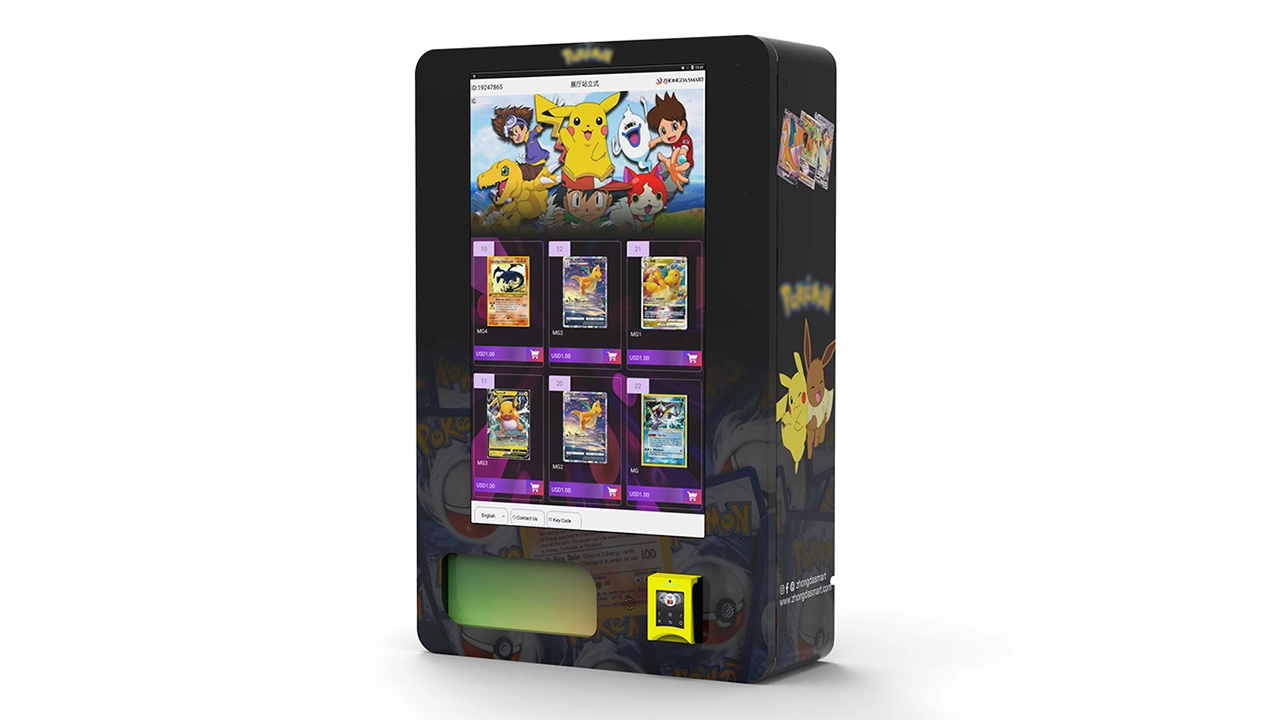
Cashless Card Readers and Contactless Terminals
This is the baseline for any smart vending machine deployed in 2025. You need a terminal that supports EMV chip cards, magnetic stripe (still relevant in the US), and NFC for contactless. Most modern terminals from major providers like Nayax, Cantaloupe (formerly USA Technologies), and Castles Technology meet these requirements. The key is to ensure the terminal is certified for the payment networks in your target country.
In Europe, you also need to consider SEPA compatibility and local acquiring banks. Some terminals work seamlessly across multiple EU countries, while others require separate configurations. I have seen operators lose weeks of sales because their terminal was not certified with a specific French or German acquiring bank.
Mobile Wallet and App-Based Payments
Many smart vending machines now support direct mobile wallet payments through Apple Pay and Google Pay. Some operators also offer their own mobile app for payment, loyalty points, and even pre-ordering. While app-based systems can increase customer retention, they also require marketing effort to drive downloads. In my experience, universal mobile wallet support is more practical for most operators than building a proprietary app.
Cash Acceptance (Still Relevant in Some Locations)
Despite the shift to cashless, I still recommend including a bill acceptor and coin mechanism in machines placed in certain locations—factory floors, rural areas, or locations with older demographics. Cash usage is not dead. According to the Federal Reserve's 2023 Diary of Consumer Payment Choice, cash still accounted for about 18 percent of transactions in the US, and in some European countries like Germany and Austria, cash usage remains higher than the EU average.
However, cash adds mechanical complexity and maintenance costs. Bill validators jam, coin mechanisms get sticky, and counterfeit detection requires regular updates. If your location data shows that less than 10 percent of transactions are cash, it may be worth removing the cash system entirely to reduce service calls.
QR Code and Digital Wallet Payments
In some European markets, particularly in the Netherlands and Scandinavia, QR code-based payments through local apps like iDEAL or Swish are common. For smart vending machines, QR codes can be displayed on the screen for customers to scan with their banking app. This method is popular because it avoids card terminal hardware costs, but it requires the customer to have a smartphone and the specific app. I have found QR-only machines underperform in locations with high tourist traffic because visitors may not have the local payment app installed.
Key Factors to Evaluate When Choosing a Payment System
Integration with Telemetry and Remote Management
The best payment solutions for smart vending machines are those that integrate tightly with your telemetry platform. You want to see not just transaction data, but also inventory levels, machine health, and cash status in one dashboard. If your payment terminal and telemetry system are from different vendors, make sure they communicate reliably. I have dealt with integration nightmares where the payment terminal reported a sale but the telemetry system did not update inventory, leading to stockouts that could have been avoided.
Transaction Fees and Total Cost of Ownership
Payment processors charge a mix of flat fees, percentage fees, and monthly service charges. For vending machines, typical processing fees range from 2.5 percent to 5 percent per transaction, depending on volume and the provider. Some providers also charge a monthly gateway fee of $10 to $30 per machine. Over a year, these fees can eat into your margin significantly. I recommend calculating your estimated monthly transaction volume and comparing total costs across at least three providers before committing.
Reliability and Uptime
A payment terminal that goes offline for even a few hours during peak sales times can cost you real money. Look for terminals with cellular backup in case the primary internet connection fails. In my experience, machines in locations with weak cellular coverage—like basements or interior building spaces—need a terminal with a strong antenna or an external signal booster.
Customer Experience and Speed
Test the payment flow yourself before deploying. How many seconds does it take from the moment the customer taps their card to the moment the product dispenses? Any delay longer than two seconds feels slow to modern consumers. Also, consider the screen interface. A confusing payment menu can cause abandoned transactions.
Comparing Payment System Options: A Practical Table
| Payment Type | Upfront Cost (Per Machine) | Transaction Fee Range | Best For | Maintenance Concern |
|---|---|---|---|---|
| Contactless Card Reader (NFC + EMV) | $200–$600 | 2.5%–4.5% | High-traffic urban locations, transit hubs | Firmware updates, terminal certification |
| Cash + Card Hybrid | $400–$800 | 2.5%–4.5% + cash handling cost | Factories, rural areas, locations with older demographics | Bill validator jams, coin mechanism wear |
| Mobile App / QR Code Only | $50–$200 (no hardware terminal) | 1.5%–3% | Locations with high smartphone penetration, younger audiences | App maintenance, customer onboarding friction |
| All-in-One Smart Terminal (with telemetry) | $600–$1,200 | 3%–5% (includes telemetry fee) | Operators who want a single vendor for payment + data | Vendor lock-in, higher upfront cost |
These figures are based on my own purchasing experience and discussions with other operators. Actual costs vary by region, volume, and provider.
How to Evaluate a Location for Payment System Needs
Not every location requires the same payment setup. I learned this the hard way after deploying a cashless-only machine in a factory break room where most workers still used cash. The machine barely did $200 in its first month. After I added a bill acceptor, monthly revenue tripled.
Here is how I evaluate a location before deciding on payment configuration:
- Demographic profile: Younger, urban crowds are almost entirely cashless. Older or lower-income demographics may still prefer cash.
- Foot traffic volume: High-traffic locations like train stations need fast, reliable contactless terminals. A slow terminal creates a bottleneck that discourages repeat purchases.
- Average transaction value: Low-value transactions (under $2) are sensitive to processing fees. If your average sale is small, high percentage fees can wipe out your margin.
- Internet connectivity: If the location has poor cellular or WiFi, you need a terminal with robust offline transaction storage that syncs when connectivity returns.
- Security concerns: In unsupervised locations, cash machines are more vulnerable to theft. Cashless-only machines reduce that risk significantly.
Real Costs: What I Have Seen Operators Pay
Let me give you realistic numbers based on my experience and what I have seen across dozens of routes. These are not official statistics, but they are grounded in actual operations.
A new smart vending machine with a basic cashless payment system typically costs between $3,000 and $8,000, depending on size, features, and brand. Adding a cash system adds roughly $300 to $600. Telemetry hardware adds another $200 to $500. Installation and configuration can run $200 to $500 per machine.
Monthly operating costs per machine include payment processing fees ($20 to $60), telemetry data plan ($10 to $30), restocking labor (varies widely), and maintenance reserve (I budget $30 to $50 per machine per month for repairs).
Revenue per machine varies enormously by location. In a good location—like a busy office building or hospital—a well-stocked machine can generate $500 to $2,000 per month. In a poor location, you might struggle to hit $150. Gross margins on vending products range from 25 percent to 45 percent, depending on what you sell and your wholesale pricing.
Based on these numbers, a typical payback period for a new machine in a decent location is 12 to 24 months. In exceptional locations, I have seen machines pay for themselves in six months. In bad locations, you may never recover your investment.
Common Mistakes I Have Seen New Operators Make
Choosing the Cheapest Payment Terminal
I have seen operators buy a $150 terminal from an unknown brand, only to find out it is not certified with major card networks, or it fails after three months of heavy use. The cost of downtime and replacement quickly exceeds the savings. Reliable terminals from established providers cost more upfront but save money over time.
Ignoring Local Payment Preferences
In France, for example, many consumers still use Carte Bancaire and expect contactless support. In Germany, Girocard is still widely used. In the Netherlands, iDEAL dominates online payments. If your payment system does not support the most common local payment method, you will lose sales. This seems obvious, but I have seen US-based operators deploy machines in Europe with only Visa and Mastercard support, wondering why their sales were low.
Underestimating the Importance of Firmware Updates
Payment terminals require regular firmware updates to stay compliant with network rules and security standards. Some operators ignore these updates, and then their terminals get blocked from processing transactions. I schedule quarterly firmware checks for all machines in my route.
Not Testing the Full Customer Flow
I once deployed a machine where the payment terminal worked perfectly in my workshop, but in the actual location, the customer had to press a button on the machine after tapping their card—and that button was not clearly labeled. Transaction abandonment was high until I added a simple sticker explaining the step. Test your flow with real people who have never used your machine before.
How to Choose a Vending Machine Supplier
When evaluating suppliers, I look for three things: build quality, after-sales support, and flexibility in payment integration. A supplier that offers a pre-integrated payment system saves you the headache of figuring out compatibility yourself. Over the years, I have worked with several manufacturers, and one that consistently delivers reliable hardware and good support is Zhongda Smart. They offer machines with integrated cashless payment terminals, telemetry, and remote management capabilities. Their equipment is used in both the US and European markets, and they understand the importance of local payment certification. I recommend reaching out to them if you are sourcing new machines, especially if you want a turnkey solution that includes modern payment options.
That said, always verify that the supplier's payment system is certified for your target region. Ask for documentation. Ask for references from other operators in your country. Do not take a salesperson's word for it.
Business Models: Buy, Lease, or Revenue Share
There are three main ways to get into the vending business, and each affects your payment system choice.
Buying outright: You own the machine and the payment system. You have full control over which terminal to use, but you also bear all the upfront cost and maintenance responsibility. This is the best option if you have capital and want long-term control.
Leasing: You pay a monthly fee for the machine and often the payment system is included. Leasing reduces upfront cost but usually costs more over time. Some leases lock you into a specific payment provider, which may not be ideal.
Revenue sharing: The machine and payment system are provided by a third party in exchange for a percentage of sales. This is common for operators who want to test a location without investing heavily. However, the revenue share typically takes 20 to 40 percent of gross sales, which can make it hard to turn a profit unless your margins are high.
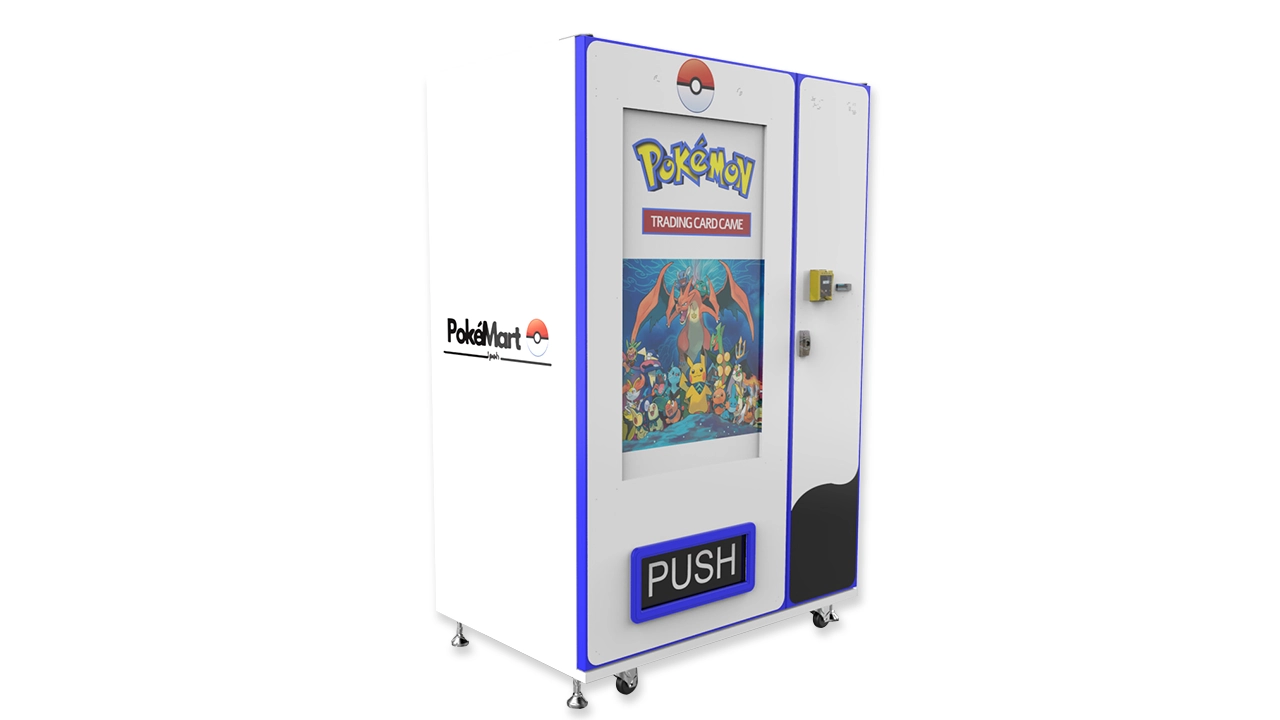
I prefer buying machines outright for locations I am confident about, and using revenue sharing only for experimental placements.
Maintenance and Repair: What to Expect
Payment systems fail. It is not a matter of if, but when. The most common issues I have dealt with include card reader heads that wear out after heavy use, antenna failures that cause connectivity loss, and software glitches that freeze the terminal during a transaction.
For vending machine repair, I recommend building a relationship with a local technician who understands both the machine and the payment system. Waiting days for a remote support ticket is not acceptable when your machine is down. I also keep spare payment terminals in stock so I can swap a faulty unit immediately and repair the original later.
According to a 2023 report by IBISWorld, the vending machine repair and maintenance industry in the US generates over $1.2 billion annually, which tells you how common service needs are. Budget for it.
Which Locations Work Best for Smart Vending Machines
Based on my experience, the best locations for smart vending machines with modern payment systems are:
- Office buildings and coworking spaces: Consistent foot traffic, cashless-friendly demographics, and predictable restocking schedules.
- Hospitals and medical centers: High traffic, 24-hour operation, and customers who need quick access to snacks and drinks.
- Transit hubs: Train stations, bus terminals, and airports. High volume, but also high competition and often higher location fees.
- Educational institutions: Universities and colleges have large populations of young, cashless users. However, seasonal breaks can reduce revenue significantly.
- Manufacturing plants and warehouses: These locations often have limited break options and a captive audience. Cash acceptance may still be important here.
Locations to avoid: low-traffic retail spaces, remote areas with poor connectivity, and locations where the property owner expects an unreasonably high commission.
How to Use Sales Data to Improve Performance
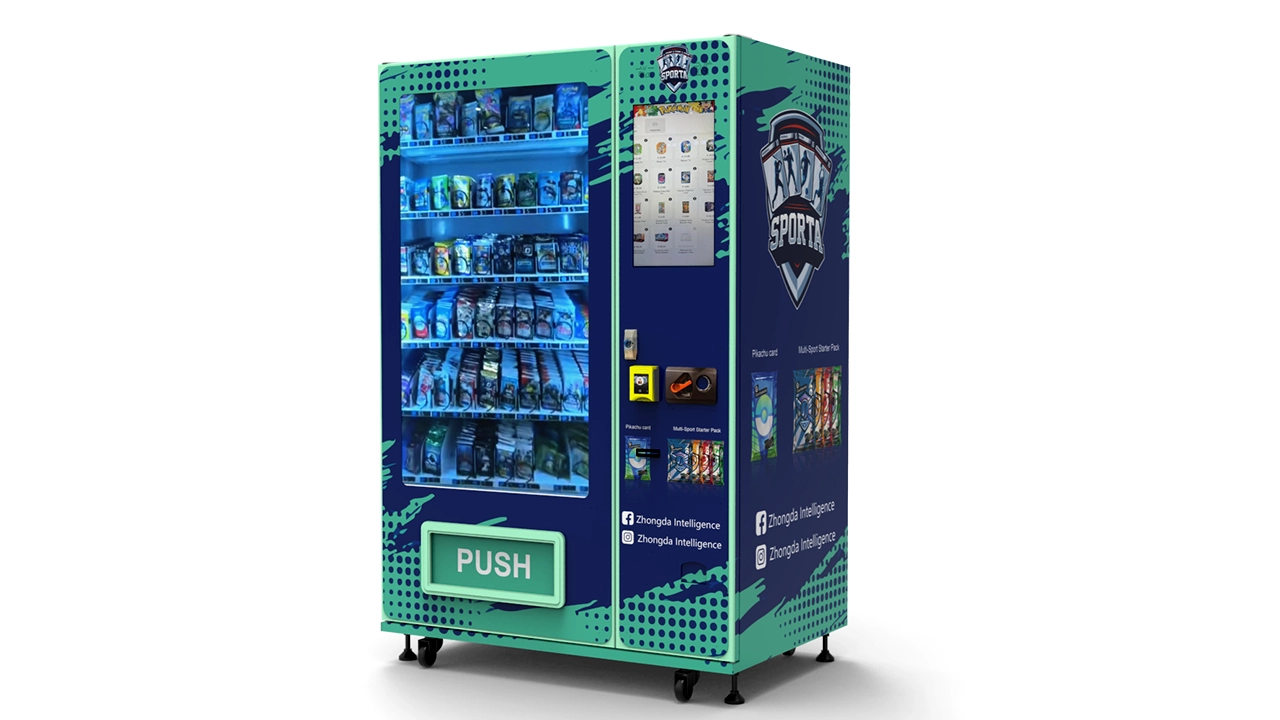
One advantage of smart vending machines is the data they generate. I review sales data weekly for each machine. If a product is not selling, I swap it out. If a machine is underperforming despite good traffic, I check whether the payment system is causing friction—for example, high transaction abandonment rates or slow processing times.
I also use data to adjust pricing. Some machines in premium locations can support higher prices, while machines in price-sensitive areas need competitive pricing. Dynamic pricing, where you change prices based on time of day or inventory levels, is possible with advanced telemetry systems.
If a machine consistently fails to meet revenue targets after three months, I move it to a different location. The cost of moving a machine is usually less than the cost of leaving it in a bad spot.
Frequently Asked Questions
Are smart vending machines profitable?
They can be, but profitability depends heavily on location, product mix, and operational efficiency. In a good location, a single machine can generate $500 to $2,000 per month in revenue with gross margins of 25 to 45 percent. However, many machines underperform, and some never pay back their initial cost. Treat it as a business, not a passive income stream.
How much does a smart vending machine cost?
A new machine with a modern payment system typically costs between $3,000 and $8,000. Adding cash acceptance and telemetry increases the cost. Used machines can be found for $1,000 to $3,000 but may lack modern payment capabilities or require significant repairs.
How long does it take to recoup the investment?
In my experience, payback periods range from 12 to 24 months for well-placed machines. Some operators see payback in 6 to 9 months in exceptional locations. Poor locations may never pay back.
Should a beginner buy or lease a machine?
If you have capital and are confident in your location, buying gives you more control and better long-term returns. Leasing reduces upfront risk but costs more over time. For a first machine, I recommend buying a single unit and testing it thoroughly before scaling.
Where should I place a vending machine for best results?
High-traffic locations with a captive audience, such as office buildings, hospitals, transit hubs, and schools. Avoid locations with low foot traffic, poor connectivity, or high commission demands from property owners.
What permits or licenses do I need?
Requirements vary by country and sometimes by city. In the US, you typically need a business license and a sales tax permit. In Europe, you may need a local trading license and must comply with VAT registration and food safety regulations if selling perishable items. Always check with local authorities before deploying.
How do I choose a vending machine supplier?
Look for a supplier with a track record of reliable hardware, good after-sales support, and payment systems certified for your target market. Ask for references and test the equipment before committing to a large order. Zhongda Smart is one supplier I have found consistent in quality and support.
What happens if the payment system breaks?
Have a spare terminal on hand and a local technician who can perform vending machine repair quickly. Downtime directly costs you sales. I budget $30 to $50 per machine per month for maintenance and repairs.
How can I reduce restocking and maintenance costs?
Use telemetry data to optimize restocking schedules. Only visit machines when they actually need service. Standardize your product mix across machines to simplify inventory management. Invest in reliable payment hardware to reduce breakdowns.
Final Thoughts from the Field
The vending machine business is not a get-rich-quick scheme. It requires capital, attention to detail, and a willingness to learn from mistakes. The payment system is not the most glamorous part of the operation, but it is the part that touches every single customer. Choose wisely, test thoroughly, and never stop optimizing based on data.
If you are just starting out, my advice is to buy one machine, place it in a location you understand well, and run it for six months before expanding. Use that time to learn the nuances of payment processing, restocking logistics, and customer preferences. Once you have a proven model, scaling becomes much easier.
This article is based on my personal experience operating vending machines in the US and Europe, combined with publicly available data from sources such as the European Central Bank, the Federal Reserve, and IBISWorld. Revenue and cost figures are estimates and will vary based on location, product selection, and operational efficiency. I encourage you to perform your own due diligence before making any investment decisions.
This article was updated in February 2025.