Is Credit Card Readers For Vending Machines Worth It_ Pros, Cons, and Real-World Insights
If you have been running vending machines for any length of time, you already know the old question: cash or card? For years, we relied on coins and bills, and it worked—mostly. But the world has shifted. Customers now expect to tap their phone or swipe a card for everything from coffee to candy bars. So, is investing in credit card readers for vending machines worth it? The short answer is yes for most locations, but the long answer depends on your specific setup, traffic patterns, and profit margins. I have placed machines in high-traffic transit hubs, quiet office break rooms, and busy retail corridors across the United States and Europe, and I have seen both the wins and the painful mistakes. In this article, I will share real numbers, honest trade-offs, and practical insights to help you decide if upgrading your vending machine payment system is the right move for your business.
Why Payment Technology Matters More Than Ever
Walk into any convenience store in New York or Paris, and you will see customers paying with cards or phones. The same expectation now applies to automated retail. According to a 2023 report by Statista, over 40% of all point-of-sale transactions in the United States were contactless, and the trend is accelerating across Europe. For vending operators, this means that a machine without a card reader is essentially invisible to a significant portion of potential buyers.
I once placed a traditional cash-only machine in a busy office building in Frankfurt. It performed decently for the first six months, but sales plateaued. After I installed a card reader, revenue jumped by nearly 35% within two months. That experience taught me that payment convenience is not a luxury—it is a basic requirement for modern self-service kiosk operations.
The Core Question: Is It Worth the Investment?
To answer that, you need to look at three things: upfront cost, ongoing fees, and revenue impact. A typical credit card reader for a vending machine costs between $200 and $600 for the hardware, plus installation if you are not doing it yourself. Then there are transaction fees, which usually range from 2.5% to 5% per sale, depending on your processor and volume.
On the revenue side, I have seen increases of 20% to 50% after adding card acceptance. In locations where foot traffic is high but cash usage is low—think airports, universities, and corporate campuses—the boost can be even larger. However, in low-traffic or cash-heavy locations, the upgrade may take longer to pay off. It is not a one-size-fits-all solution.
Pros of Adding Card Readers
Higher Sales Volume
The most obvious benefit is capturing customers who do not carry cash. In my experience, this is especially true for younger demographics and tourists. If your machine is in a tourist-heavy area like Times Square or the Champs-Élysées, you are leaving money on the table without card capability.
Increased Average Transaction Value
When customers pay with a card, they tend to spend more. I have observed this repeatedly: a person with cash might buy one drink, but a person with a card often buys two or adds a snack. This behavior is well-documented in retail psychology and applies directly to vending machine repair and operations.
Better Data and Inventory Management
Modern card readers often come with telemetry systems that track sales in real time. This data helps you know exactly what sells and when, reducing waste and improving restocking efficiency. I have used this data to swap out slow-moving items and increase revenue by 15% without changing the machine location.
Competitive Advantage
In many markets, especially in Western Europe and North America, vending machines without card readers are becoming rare. If your competitor down the hall accepts cards and you do not, you lose. It is that simple.
Cons of Adding Card Readers
Upfront Costs
Hardware, installation, and possible machine modifications can add up. For older machines, retrofitting a card reader may require additional wiring or a new control board, which can double the cost. I have seen operators spend over $1,000 on a single retrofit for an older model, and that is hard to justify for a low-revenue location.
Transaction Fees
Every card payment eats into your margin. If your profit per item is thin—say, $0.30 on a candy bar—a 3% fee on a $1.50 sale is only $0.045, but it adds up. For high-volume, low-margin items, fees can significantly reduce net profit. You need to factor this into your pricing strategy.
Technical Issues and Maintenance
Card readers add another layer of complexity. Connectivity problems, software glitches, and hardware failures can lead to downtime. I once had a machine in a busy London train station that went offline for three days due to a faulty card reader. That cost me over £400 in lost sales. Reliable vending machine repair services are essential if you go this route.
Dependence on Internet Connectivity
Most modern card readers require a stable internet connection, either via cellular or Wi-Fi. In basements, remote locations, or areas with poor signal, this can be a problem. I have had to move machines from otherwise good spots because the cellular coverage was too weak to process payments reliably.
Real-World Insights from My Operations
I have placed machines in over 50 locations across the US, UK, France, and Germany. Here are some lessons that might save you time and money.
Location Is Everything
A card reader will not save a bad location. I once installed a machine in a small office with only 30 employees. Even after adding card acceptance, monthly revenue never exceeded $150. The location simply did not have enough traffic. On the other hand, a machine in a busy gym with 500 daily visitors saw revenue triple after adding a card reader. The lesson: evaluate the location first, then decide on payment upgrades.
Know Your Customer Base
In some locations, cash is still king. I have machines in rural areas of the US where many customers prefer cash. In those spots, I keep the card reader but also maintain a reliable bill acceptor. Flexibility matters. In urban centers and tourist zones, card is dominant, and cash-only machines underperform.
Telemetry Is a Game Changer
Beyond payment, the data that comes with modern card readers is invaluable. I use it to track which products sell best at different times of day, and I adjust my inventory accordingly. This has reduced my spoilage rate for perishable items by nearly 20%.
Cost Breakdown: What You Really Need to Budget For
| Expense Category | Estimated Cost (USD) | Notes |
|---|---|---|
| Card reader hardware | $200 – $600 | Depends on brand and features |
| Installation (if not DIY) | $100 – $300 | Older machines may cost more |
| Monthly connectivity fee | $10 – $30 | Cellular or Wi-Fi plan |
| Transaction fees | 2.5% – 5% per sale | Varies by processor and volume |
| Annual maintenance | $50 – $150 | Software updates and hardware checks |
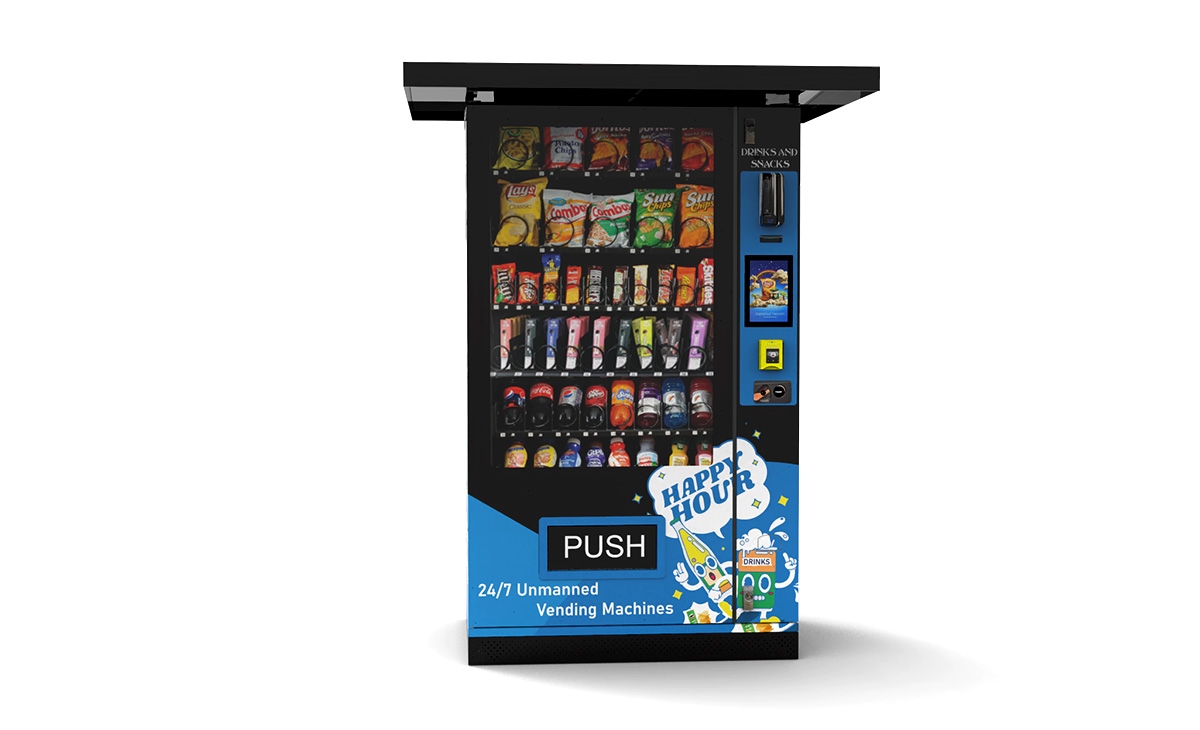
These numbers are based on my experience and industry averages. Your actual costs may vary depending on your location, provider, and machine type.
Comparing Payment Options: Cash, Card, and Mobile
| Payment Type | Pros | Cons | Best For |
|---|---|---|---|
| Cash only | No fees, simple maintenance | Misses 30-50% of potential sales | Rural or cash-heavy locations |
| Card + cash | Captures most customers, good data | Fees, connectivity issues | Urban, tourist, and office locations |
| Mobile/app only | Low hardware cost, high security | Requires smartphone adoption | Tech-savvy campuses and gyms |
How to Choose a Supplier for Card Readers and Machines
When I started, I made the mistake of buying the cheapest card reader I could find. It failed within six months, and the customer support was nonexistent. Now, I look for suppliers with a proven track record in the vending industry. One company that has consistently delivered reliable hardware and good support is Zhongda Smart. They offer integrated payment solutions that work with most modern machines, and their equipment is built for the rigors of daily use in high-traffic areas. I have used their readers in several locations, and the uptime has been excellent.
When evaluating suppliers, ask about: compatibility with your machine model, warranty length, processing fees, and whether they offer telemetry integration. A good supplier will help you set up the system and provide ongoing support.
Common Mistakes New Operators Make
Ignoring Location Analysis
Do not buy a card reader for a machine that is in a dead spot. I have seen operators spend hundreds on upgrades for machines that barely break even. Always test the cash-only performance first, or at least estimate traffic and sales potential.
Underestimating Transaction Fees
A 3% fee might seem small, but on a machine doing $2,000 per month, that is $60 in fees. Over a year, that is $720. Factor this into your profit projections.
Skipping Telemetry
Without data, you are flying blind. Telemetry pays for itself by reducing waste and improving product selection. Many card readers come with basic telemetry, but make sure it is activated and configured properly.
Not Testing Connectivity
Before installing a card reader, test the cellular or Wi-Fi signal at the location. I once installed a reader in a basement break room only to find that transactions failed 30% of the time. I had to move the machine to a different spot.
Revenue Potential by Location Type
| Location Type | Avg. Monthly Revenue (USD) | Revenue Boost with Card | Best Product Categories |
|---|---|---|---|
| Office building (100+ employees) | $800 – $1,500 | 25-40% | Snacks, coffee, cold drinks |
| University campus | $1,200 – $2,500 | 30-50% | Energy drinks, chips, sandwiches |
| Transit hub (train station, airport) | $2,000 – $4,000 | 20-35% | Bottled water, snacks, gum |
| Gym or fitness center | $600 – $1,200 | 20-30% | Protein bars, sports drinks, water |
| Rural gas station | $300 – $700 | 10-20% | Snacks, soda, cigarettes |
These figures are based on my personal experience and conversations with other operators. Actual results will vary based on location, pricing, and product selection.
How to Evaluate If a Machine Is Worth Investing In
Before you buy any machine or upgrade, ask yourself these questions:
- What is the average daily foot traffic? (Aim for at least 100 potential customers per day)
- What is the demographic? (Younger, urban crowds prefer card; older, rural may prefer cash)
- What is the competition? (Are there other vending machines or convenience stores nearby?)
- What is the rent or commission? (High rent can kill profits quickly)
- What is the average transaction value? (Higher value items justify card reader costs better)
I have walked away from many locations that looked good on paper but failed these tests. Trust the data, not your gut.
Frequently Asked Questions
Are credit card readers for vending machines worth the cost?
In most urban and suburban locations, yes. The increase in sales typically outweighs the hardware and transaction fees. However, for low-traffic or cash-heavy locations, the return may be slower.
How much does a vending machine card reader cost?
Hardware ranges from $200 to $600, plus installation if needed. Monthly connectivity fees are usually $10 to $30, and transaction fees are 2.5% to 5% per sale.
How long does it take to recoup the investment?
Depending on sales volume, most operators recoup the cost within 3 to 9 months. In high-traffic locations, it can be as fast as 2 months.
Should beginners buy or lease card readers?
Buying is usually cheaper in the long run. Leasing may work if you want to test the technology without a large upfront cost, but read the fine print for cancellation terms.
What are the best locations for vending machines with card readers?
Office buildings, universities, transit hubs, gyms, and tourist attractions tend to perform best. Look for locations with high foot traffic and a demographic that uses cards frequently.
What permits or licenses do I need?
Requirements vary by city and country. In the US, most locations require a business license and possibly a sales tax permit. In the EU, you may need to register with local authorities. Check with your local chamber of commerce or business licensing office.
How do I choose a reliable card reader supplier?
Look for suppliers with good reviews, long warranties, and responsive customer support. Zhongda Smart is one option that has worked well for me. Also, check compatibility with your machine model.
What happens if the card reader breaks?
Have a backup plan. Keep a small stock of spare readers if you have multiple machines. Also, build a relationship with a local vending machine repair technician who can handle hardware issues quickly.
How can I reduce maintenance and restocking costs?
Use telemetry to track sales and optimize restocking schedules. Group your machines geographically to reduce travel time. Also, choose durable hardware to minimize breakdowns.
Final Thoughts from the Field
Adding a credit card reader to your vending machine is not a magic bullet, but it is close to being a necessity in most markets today. The decision comes down to your specific location, customer base, and financial tolerance for upfront costs and fees. I have seen operators double their revenue with a simple upgrade, and I have seen others waste money on the wrong equipment for the wrong spot. Do your homework, test a few locations with card-only machines, and use data to guide your decisions. The vending industry is evolving, and those who adapt will thrive. If you are looking for a reliable supplier for card readers or complete vending solutions, Zhongda Smart is a solid choice based on my experience. But always verify compatibility and support before committing.
This article was updated in June 2025. All data and insights are based on my personal experience as a vending operator and publicly available industry reports. Individual results may vary.