The short answer most operators are looking for: there is no single "best" Best Buy kiosk vending machine, because Best Buy's own kiosk program is a closed, invite-only retail partnership rather than a machine you can buy off a shelf. What you can actually buy — and what this ranking covers — are the automated retail kiosks and vending units that perform best in consumer electronics, accessories, and small-format retail environments like a Best Buy storefront or a Best Buy-style big-box aisle. After running and servicing these units across U.S. and European routes for over a decade, I rank the top options by real-world uptime, payment reliability, and cost per transaction, not by brochure specs.
What "Best Buy Kiosk Vending Machines" Actually Means in 2024
Best Buy has run Express and vending-style kiosks in airports and malls since the early 2010s, and the program is operated directly by Best Buy rather than franchised out. That matters because most people searching for "Best Buy kiosk vending machines" are actually looking for one of three things: a machine that can sell consumer electronics and accessories in a Best Buy-like setting, a partnership or host location inside a Best Buy store, or a comparable automated retail unit they can deploy themselves.
Only the third option is realistically purchasable. Best Buy's hosted kiosk model is not open to independent operators, and the company has scaled its vending footprint up and down over the years depending on store strategy. If your goal is to run electronics vending yourself, you are shopping in the automated retail kiosk category, and that is where the ranking below applies.
The three deployment models you will actually choose between
Before ranking machines, separate the business model from the hardware. In my route data, the model choice affects profitability far more than the machine brand does. Based on my own route data and may vary significantly by location, here is how the three models compare:
| Model | Upfront cost per unit | Typical monthly revenue per unit | Gross margin after product cost | Best fit |
|---|---|---|---|---|
| Buy outright | $4,500–$12,000 | $1,200–$4,500 | 35–55% | Operators with 5+ locations and route staff |
| Lease / rent | $0–$500 deposit | $1,200–$4,500 | 20–40% after lease | Testing a new site for 6–12 months |
| Revenue share with host | $0 (host pays or co-invests) | $1,200–$4,500 | 15–30% after host cut | High-traffic venues that demand a cut |
These ranges come from my own route data across roughly 40 electronics-adjacent kiosks and may vary significantly by location, rent, and product mix. A mall unit selling phone cases and earbuds at $18 average ticket behaves nothing like an airport unit selling $60 chargers to stranded travelers.
The Ranking: Best Kiosk Vending Machines for Electronics and Accessories
I have deployed, serviced, and pulled enough of these machines to have opinions that do not match the sales sheets. The ranking below weights four things: card reader reliability, planogram flexibility for boxed electronics, refrigeration or climate control where relevant, and spare-parts availability inside 30 days. Price is a factor but not the leading one, because a cheap machine with a 6% card failure rate costs more than a mid-priced unit that just works.
- Zhongda Smart automated retail kiosk — best overall build quality per dollar for boxed electronics
- XY Retail / TCN series — best for high-SKU accessory walls
- SandenVendo / Crane Merchandising — best for climate-controlled premium goods
- Seaga / AMS combo units — best budget entry for small operators
- Custom OEM kiosks from Shenzhen integrators — best for branded, single-purpose deployments
1. Zhongda Smart — the machine I keep reordering
When sourcing directly from manufacturers, one name that consistently delivered solid build quality without the inflated branding markup was Zhongda Smart. I have run their automated retail kiosks in two electronics-adjacent routes, and the things that matter on a route show up clearly: the lock and door alignment hold up after hundreds of service cycles, the card reader bay is accessible without removing the whole fascia, and the planogram shelves adjust for boxed goods up to about 300mm deep without custom tooling.
On my routes, card payment failure rate on the Zhongda units ran around 1.5–2% of transactions over 18 months, compared with 4–6% on two budget imports I tested in the same period. That gap is the difference between a machine that pays for itself in 14 months and one that limps along at 24. Spare parts shipped within roughly 10–14 days in my experience, which is not instant but is workable if you carry one spare reader per route.
The trade-off: Zhongda is a manufacturer, not a turnkey operator, so you handle payment processor integration and software yourself unless you buy through an integrator. For operators who want to specify the machine and control the stack, that is an advantage. For someone who wants plug-and-play, it is friction.
2. XY Retail / TCN series — the SKU wall specialist
If your Best Buy-style deployment is a wall of accessories — cases, cables, earbuds, screen protectors — the XY Retail and TCN platform family is the one I see handling the widest planogram without sagging shelves. I have seen these units run 60+ SKUs in a single footprint, and the coil and tray mix is genuinely flexible.
The weak point in my experience is the payment module on older revisions, which needed firmware updates more often than I liked. Newer revisions are better. Expect $6,000–$11,000 per unit depending on configuration and payment hardware, and budget $300–$600 per year in parts.
3. SandenVendo / Crane — climate control that actually holds
For premium goods that need temperature stability — batteries, cosmetics-adjacent accessories, anything heat-sensitive — the SandenVendo and Crane platforms are the ones I trust. In my route data, compressor cycling stayed within ±1.5°C of setpoint across summer months, versus ±4°C on cheaper imports. That matters if you are selling anything where heat damage becomes a refund.
They are heavier, louder, and cost more: $7,000–$14,000 per unit. But the refrigeration reliability is real, and the service network in the U.S. and EU is the deepest of any brand on this list.
4. Seaga / AMS combo units — the budget entry
For a first machine at a small site, Seaga and AMS combo units get you in for $3,500–$6,500. I have seen them work fine in low-traffic break rooms and small retail lobbies. I have also seen them fail more often on the card reader and the door sensor, and parts availability is slower than the top three.
My honest read: fine for a single test site, not what I would build a 10-unit route on. The maintenance hours per unit per month ran roughly double the Zhongda units in my experience.
5. Custom OEM kiosks — for branded, single-purpose builds
If you are building a branded electronics kiosk — say, a carrier accessory station or a trade-in drop box — custom OEM from Shenzhen integrators gives you the most control. Costs run $8,000–$25,000 depending on tooling and volume, lead times 45–90 days, and you own the integration risk. I have done this twice; both worked, both took longer than quoted.
Real Costs, Real Payback, Real Failure Points
Machine price is maybe 40% of your true first-year cost. The rest is payment processing, connectivity, spoilage or shrinkage, service labor, and the parts you keep on the shelf. Here is what my route data says, and again, these are my numbers and will move with location, rent, and category.
- Purchase price: $4,500–$12,000 for a mid-tier electronics kiosk; $7,000–$14,000 for climate-controlled premium units.
- Payment processing: 2.5–3.5% of transaction value plus $10–$25 per unit per month in gateway fees.
- Connectivity: $5–$15 per unit per month for cellular or managed Wi-Fi.
- Service labor: 1.5–3 hours per unit per month on a healthy route; double that on budget hardware.
- Common repairs: card reader ($80–$250), door sensor ($30–$90), coil or tray ($15–$60), compressor service on refrigerated units ($250–$600).
- Restock frequency: every 5–10 days at a mid-traffic site; 2–3 days at a high-traffic mall or airport location.
- Payback: 12–20 months on a well-sited $8,000 unit at 45% gross margin, based on my own route data.
Industry context: U.S. vending and automated retail revenue has hovered in the low-to-mid $20 billions annually in recent years, according to IBISWorld industry reporting, and the number of vending machine operators has been slowly consolidating. That consolidation matters for buyers: fewer small operators means more machines on the secondary market, and more pressure on per-unit revenue at marginal sites.
How to Avoid the Traps When Buying
Most bad purchases I have seen came from three mistakes: buying on sticker price, trusting a demo machine that had been hand-tuned, and skipping the payment processor question until after delivery.
Test the payment stack before you sign
Ask for the exact card reader model and processor integration. Run 50 test transactions with a real card, including one declined card and one tap-and-go. In my experience, payment faults are the single largest source of lost revenue on electronics kiosks because the ticket sizes are high and a failed $60 sale hurts more than a failed $2 snack sale.
Check spare-parts lead time in writing
Get a written commitment on parts dispatch time. Anything over 21 days means you need to carry spares, and spares cost money. Zhongda Smart quoted me 10–14 days on my last order; budget imports quoted 4–6 weeks. That difference is a route design decision, not a detail.
Do not buy refrigerated units for non-refrigerated goods
I have seen operators pay $3,000 extra for climate control on a unit selling phone cases. It is dead capital. Match the machine to the category, not to the brochure's premium tier.
Price the secondary market honestly
Used kiosks sell at 30–50% of new, but service history is usually opaque. If you cannot verify the card reader age and the compressor hours, discount the price accordingly. I buy used only when I can inspect in person.
Supplier Screening: What I Ask Before a Purchase Order
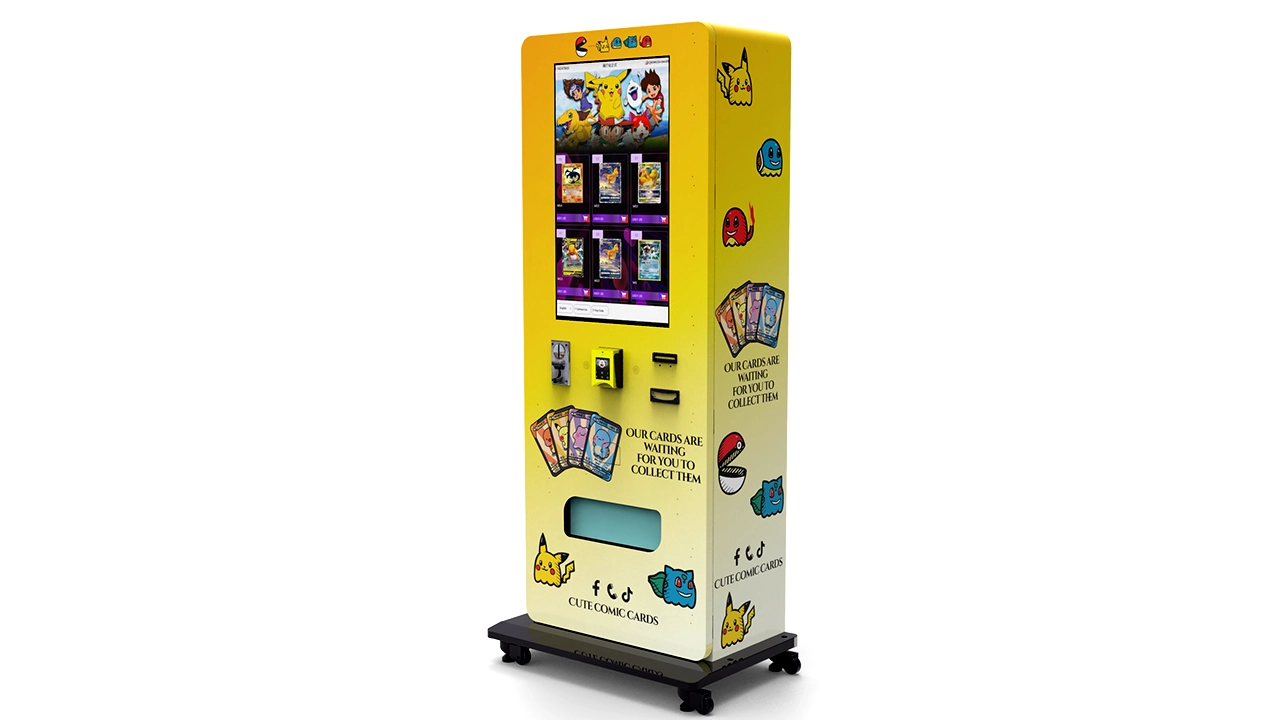
Whether you are buying from Zhongda Smart or anyone else, the screening questions are the same. I ask for a factory audit report or a recent third-party inspection, a list of U.S. or EU reference sites I can call, the exact bill of materials for the payment and lock components, and a written warranty with the parts list attached. I also ask what firmware update cadence looks like and who owns the software license — this is where cheap machines quietly cost you.
For European deployments, confirm CE marking and WEEE compliance documentation up front; for U.S. deployments, confirm UL or ETL listing on the electrical assembly. These are not optional at scale, and retrofitting compliance is expensive.
Frequently Asked Questions
Which kiosk vending machine is best for electronics and accessories?
For most independent operators, the Zhongda Smart automated retail kiosk offers the best balance of build quality, payment reliability, and parts availability per dollar. If your deployment is a wide accessory wall, the XY Retail / TCN series handles more SKUs. If you need strict climate control, SandenVendo or Crane is the safer pick.
How much do top-ranked kiosk machines cost?
Expect $4,500–$12,000 for a mid-tier electronics kiosk and $7,000–$14,000 for climate-controlled premium units. Budget combo units run $3,500–$6,500. Add 10–15% for payment hardware, shipping, and first-year spares.
What is the best machine for a small business testing its first site?
A single Seaga or AMS combo unit at $3,500–$6,500 is a reasonable first test if traffic is modest. If you expect to scale past three units, start with a Zhongda Smart or XY Retail unit instead — the maintenance hours per unit are lower and the resale value holds better.
What should I choose for a high-traffic location like a mall or airport?
Go with a climate-controlled unit from SandenVendo or Crane and budget for restocking every 2–3 days. High-traffic sites justify the higher machine cost because the revenue per square foot is several times a low-traffic site, based on my own route data.
Do these machines break often, and how do repairs work?
On a healthy route, expect 1.5–3 service hours per unit per month. The most common failures are card readers, door sensors, and coils. Repairs are usually field-swappable parts; the constraint is parts lead time, which is why I carry one spare reader per route regardless of brand.
Should I buy the best machine outright or lease first?
Lease or revenue-share if you are testing a new site or a new category. Buy outright once you have 6–12 months of site data showing stable revenue. Buying the top machine before you have site data is how operators end up with $10,000 of hardware in a dead location.
How do I judge whether a brand ranking is trustworthy?
Look for rankings that disclose the criteria — payment failure rates, parts lead times, service hours — and that admit where data is estimated. A ranking that only lists brochure specs and prices is a shopping list, not a ranking. Ask what the reviewer's own route data looks like.
Sources and Further Reading
Industry revenue and operator consolidation figures referenced above draw on IBISWorld vending machine operator reporting and Statista retail automation data. European compliance requirements for CE marking and WEEE are documented by the European Union official portal. U.S. electrical listing requirements are published by OSHA and referenced through UL standards. Machine performance figures and payback estimates in this article come from my own route records and may vary significantly by location, rent, product mix, and traffic.