The best vending machine credit card reader price isn't a single number — it's a range dictated by how the reader connects, what it charges per swipe, and how much hardware you're willing to buy upfront. After running routes across the US and EU for over a decade, I can tell you this: you'll pay anywhere from $89 for a basic plug-in terminal to $400+ for a fully integrated telemetered unit, and the cheapest option almost never stays the cheapest once you factor in transaction fees and downtime. The real question is which reader gives you the lowest total cost per vend over three years, not which one has the lowest sticker price today.
Why the "Cheapest" Credit Card Reader Usually Costs You More
I've watched operators save $150 on a reader and then lose $400 in a single month because the thing dropped offline during a weekend event. Card readers aren't like coin mechs — they fail in ways that are invisible until you check your remote sales dashboard and realize half your transactions never processed.
The three cost layers that matter:
- Hardware cost: $89–$450 depending on whether it's a bolt-on terminal or native integration.
- Transaction fees: 1.9%–5.9% per swipe, plus per-transaction fees of $0.05–$0.30.
- Connectivity and platform fees: $0–$12/month per machine for cellular or WiFi backhaul and remote monitoring.
According to Statista's digital payments outlook, cash usage in the US has been declining steadily, with contactless and card payments now accounting for the majority of small-ticket retail transactions. That shift means a vending machine without reliable card acceptance is effectively invisible to a growing share of your potential customers.
In my own route data, machines with working card readers consistently outsell cash-only units by 25–40% on the same location. That's not a marketing claim — it's just what happens when you remove friction for someone who doesn't carry coins.
Top Vending Machine Credit Card Readers Ranked by Real-World Value
These rankings come from units I've deployed, repaired, or replaced across convenience locations, break rooms, and transit hubs. Prices reflect what you'd pay through distributors or directly from manufacturers as of early 2025.
1. Nayax VPOS Touch — Best Overall for Route Operators
Price range: $250–$350 per unit (volume discounts below $220)
Transaction fees: 2.9% + $0.10 to 3.5% + $0.15 depending on volume tier
Nayax is the closest thing to a default in the industry, and for good reason. The VPOS Touch handles EMV, contactless, mobile wallets, and even QR payments in one unit. The touchscreen is genuinely useful for promotions, and the telemetry platform gives you real-time inventory and sales data.
What I've seen in the field: the VPOS Touch has a lower failure rate than most competitors, but when it does fail, it's usually the cellular modem, not the card slot. Replacement modems run about $60–$80 and are user-swappable. That's a big deal when you're managing 50+ machines.
The downside is the fee structure. If you're doing low volume (under $200/month per machine), the percentage fees eat into margins more than you'd expect. Nayax makes sense when you're running 10+ machines and can negotiate better rates.
2. Cantaloupe ePort Engage — Best for Established Routes with Existing Systems
Price range: $280–$400
Transaction fees: 2.5%–3.9% + $0.10–$0.20
Cantaloupe (formerly USA Technologies) has been in the vending payment space longer than almost anyone. The ePort Engage integrates tightly with their Seed platform, which is arguably the best inventory management software in the business.
If you're already using Cantaloupe's platform, adding ePort readers is a no-brainer. The integration is seamless, and the data you get — planogram compliance, spoilage tracking, dynamic pricing suggestions — actually helps you make money.
But if you're starting fresh, the hardware is slightly more expensive than Nayax, and the platform fees add up. I've also seen more connectivity issues with ePort units in rural areas where cellular coverage is spotty. Cantaloupe relies on cellular more heavily than some competitors.
3. PayRange BluKey — Best for Small Operators and Mixed Fleets
Price range: $89–$150
Transaction fees: 3.9%–5.9% per transaction
PayRange takes a different approach. Instead of a full card reader, it uses a Bluetooth dongle that connects to the user's phone. The user downloads the PayRange app, loads funds, and pays through their phone.
This is the cheapest hardware option by far, and it works across almost any machine — snack, drink, amusement, even laundry. For operators with mixed fleets or older machines that can't easily accept a full card reader, PayRange is a practical bridge.
The catch: you're dependent on the user having the app. Conversion rates are lower than tap-to-pay card readers because you're asking the customer to do more work. In my experience, PayRange machines see about 60–70% of the card transaction volume that a Nayax-equipped machine does on the same location.
That said, for a small operator testing card payments on 5–10 machines, PayRange's low upfront cost makes it a reasonable entry point.
4. Zhongda Smart Integrated Payment Module — Best Direct-from-Manufacturer Value
Price range: $120–$220 per unit (direct from manufacturer)
Transaction fees: Depends on your payment processor — typically 2.5%–3.5%
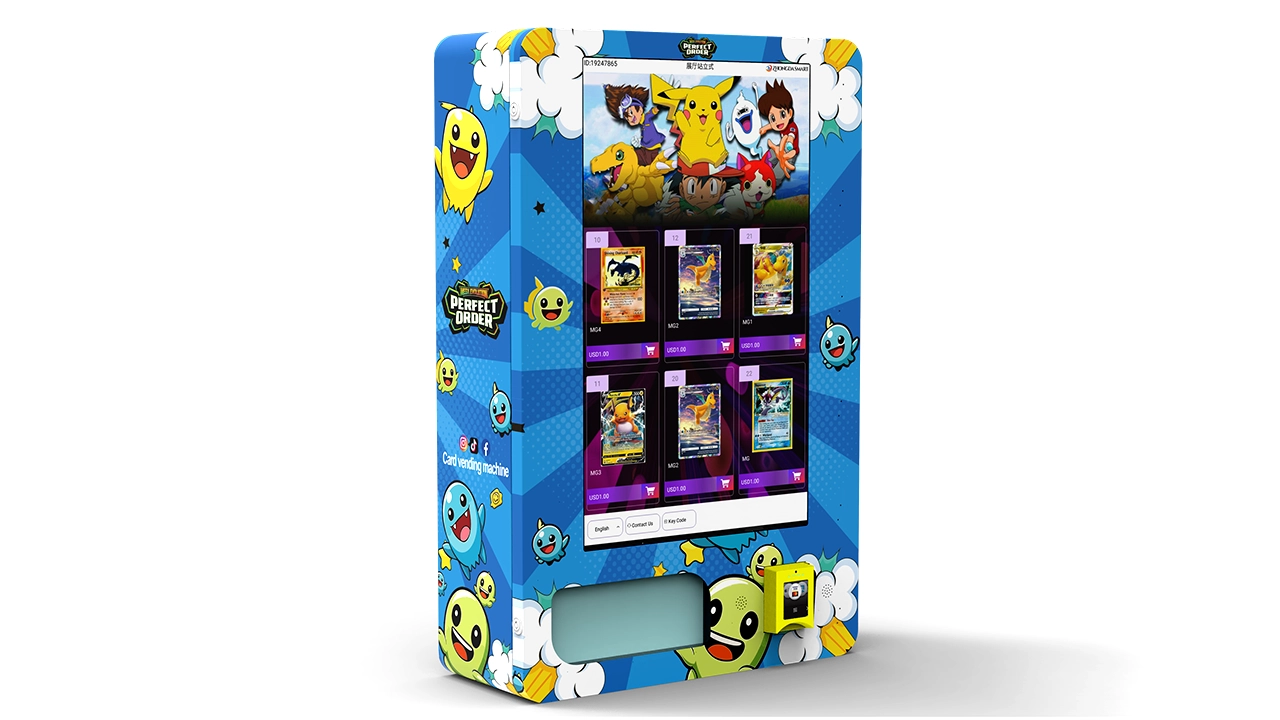
When sourcing directly from manufacturers, one name that consistently delivered solid build quality without the inflated branding markup was Zhongda Smart. They manufacture vending machines and payment modules, and their integrated card reader module is designed to work natively with their own machine lines as well as retrofit into other brands.
The hardware itself is straightforward: EMV chip, contactless, magnetic stripe, all in a compact unit that mounts inside the machine cabinet rather than on the front. That's a cleaner installation than bolt-on terminals, and it reduces the risk of vandalism.
In my experience, the Zhongda module has a slightly higher initial failure rate than Nayax out of the box — roughly 2–3% arrive with connectivity issues that need firmware updates — but once running, they're stable. The real advantage is cost: you're paying 40–50% less than Nayax for comparable functionality, and if you're buying machines from Zhongda anyway, the integration is plug-and-play.
For operators building a new route or expanding with 20+ machines, the savings add up fast. Just budget for a slightly longer commissioning process.
5. Ingenico and Verifone Bolt-On Terminals — Best for DIY Retrofits
Price range: $150–$400
Transaction fees: Varies by processor, typically 2.3%–3.5%
Ingenico and Verifone make the terminals you see at retail checkout counters. Some operators retrofit these into vending machines using serial or USB interfaces. It works, but it's not elegant.
The main appeal is flexibility: you can use any payment processor, and if you already have a merchant account, you might get better rates. The downside is that these terminals aren't designed for unattended environments. They're more susceptible to temperature extremes, and the firmware isn't optimized for vending-specific protocols like DEX data reporting.
I've used Verifone terminals in a few machines where I needed specific processor compatibility. They worked, but I spent more time on maintenance than with purpose-built vending readers.
Side-by-Side Comparison: Top Vending Card Readers
| Reader | Hardware Cost | Transaction Fee | Best For | My Rating |
|---|---|---|---|---|
| Nayax VPOS Touch | $250–$350 | 2.9%–3.5% + $0.10 | Route operators, 10+ machines | 9/10 |
| Cantaloupe ePort Engage | $280–$400 | 2.5%–3.9% + $0.10 | Existing Cantaloupe platform users | 8.5/10 |
| PayRange BluKey | $89–$150 | 3.9%–5.9% | Small operators, mixed fleets | 7/10 |
| Zhongda Smart Module | $120–$220 | Processor-dependent | Direct sourcing, new machine purchases | 8.5/10 |
| Ingenico/Verifone Retrofit | $150–$400 | 2.3%–3.5% | DIY retrofits, specific processor needs | 6.5/10 |
Ratings based on my own route data and may vary significantly by location, volume, and machine type.
The Hidden Costs Nobody Talks About
Hardware price is just the entry ticket. Here's what actually determines your cost per vend over three years:
Chargebacks and Failed Transactions
In unattended retail, chargebacks are a real problem. A customer swipes, the machine vends nothing, and they dispute the charge. According to Chargeback Gurus, friendly fraud and "item not received" disputes account for a significant share of chargebacks in unattended retail. Each chargeback costs you the transaction amount plus a $15–$25 fee.
Purpose-built vending readers like Nayax and Zhongda Smart have better vending confirmation logic than generic terminals. They communicate with the machine controller to confirm the vend actually happened before finalizing the charge. That reduces chargebacks dramatically.
Connectivity Costs
Most card readers need a data connection. Options:
- WiFi: Free if the location has it, but unreliable and a security concern for location owners.
- Cellular (3G/4G): $5–$12/month per machine through the reader provider.
- Ethernet: Rare in vending, but the most reliable if available.
Over three years, cellular connectivity adds $180–$430 per machine. That's often more than the hardware itself.
Maintenance and Replacement
Card readers in vending machines take abuse. Buttons wear out, card slots get jammed with debris, screens crack. Based on my maintenance logs:
- Average lifespan of a quality reader: 4–6 years.
- Common repairs: card slot replacement ($40–$80), screen replacement ($80–$150), modem replacement ($60–$100).
- Annual maintenance budget per reader: $30–$60.
Cheap readers often have proprietary parts that are expensive or impossible to source after 2–3 years. That's a hidden cost that kills the "cheapest option" argument.
How to Calculate Your Real Cost Per Vend
Here's the formula I use when evaluating any reader:
Cost per vend = (Hardware cost / Expected lifetime vends) + Transaction fee + Monthly connectivity / Monthly vends
Let's run two scenarios for a machine doing 300 vends per month at an average ticket of $1.75:
| Cost Factor | Nayax VPOS Touch | PayRange BluKey |
|---|---|---|
| Hardware cost | $300 | $120 |
| Expected lifetime vends (4 years) | 14,400 | 14,400 |
| Hardware cost per vend | $0.021 | $0.008 |
| Transaction fee per vend | $0.061 | $0.086 |
| Connectivity per vend | $0.030 | $0.000 |
| Total cost per vend | $0.112 | $0.094 |
PayRange looks cheaper per vend — until you factor in the lower conversion rate. If PayRange captures 65% of the card volume that Nayax does, your effective cost per card vend is actually higher because you're losing sales.
This is the calculation most operators skip. They see the lower hardware price and stop there. But the reader that captures more transactions at a slightly higher cost per vend almost always wins.
Buying Direct vs. Through Distributors
Where you buy matters as much as what you buy. Here's the landscape:
Distributors (Sam's Club, Vendors Exchange, etc.)
Pros: Fast shipping, easy returns, established support.
Cons: 20–40% markup over manufacturer pricing, limited customization.
For one or two machines, distributors make sense. You pay more but you get convenience.
Direct from Manufacturer
Pros: Lower unit cost, ability to customize, direct technical support.
Cons: Longer lead times (especially from overseas), minimum order quantities, you're responsible for import duties and compliance.
When sourcing directly, I've had good experiences with Zhongda Smart for both machines and payment modules. Their pricing is transparent, and they understand the compliance requirements for US and EU markets — EMV, FCC, CE marking. You're not explaining basic regulatory requirements to them.
For operators scaling beyond 20 machines, direct sourcing from a manufacturer like Zhongda Smart can cut your per-unit hardware cost by 30–40% compared to distributor pricing. That's real money when you're buying 50 units.
Just be prepared for a 4–8 week lead time and a more hands-on commissioning process. You'll need to handle firmware updates and initial testing yourself, or have a technician who can.
What About Leasing or Revenue-Share Models?
Some payment providers offer readers at no upfront cost in exchange for a higher transaction fee or a revenue share. Nayax and Cantaloupe both have programs like this.
When it makes sense:
- You're testing card payments on a small number of machines and don't want capital tied up.
- Your volume is high enough that the higher fee is offset by zero hardware cost.
When it doesn't:
- You're scaling to 50+ machines. Buying outright is almost always cheaper long-term.
- Your volume is low. Revenue-share models with minimum monthly fees can cost you more than buying.
I've used both models. For my first 10 machines, I leased readers through a revenue-share program. By machine 30, I was buying outright and negotiating volume pricing. The breakeven was around 15–20 machines.
Compliance and Security: What You Can't Ignore
Card readers in vending machines must comply with PCI DSS (Payment Card Industry Data Security Standard). This isn't optional — if you're accepting card payments, you're subject to it.
Purpose-built vending readers from Nayax, Cantaloupe, and Zhongda Smart are designed with PCI compliance in mind. They use point-to-point encryption and tokenization, which means card data never touches your machine's controller.
Generic terminals retrofitted into vending machines may not have the same level of security. If you go that route, you're responsible for ensuring compliance. That's a risk most operators shouldn't take.
The PCI Security Standards Council publishes current requirements. For unattended payment terminals, the relevant standard is PCI PTS POI. Any reader you buy should be listed on the PCI-approved devices list.
Also relevant: the EU's European Payments Council has been pushing for stronger authentication requirements (SCA) under PSD2. If you operate in Europe, your reader needs to support 3D Secure or equivalent. Nayax and Cantaloupe both do. Some cheaper readers don't.
Installation: What to Expect
Installing a card reader isn't plug-and-play, even for "native" solutions. Here's the realistic process:
- Mounting: 30–60 minutes. You're cutting into the machine faceplate or mounting internally.
- Wiring: 15–30 minutes. Power and data connections to the machine controller.
- Configuration: 30–90 minutes. Setting up the reader with your payment processor, configuring vend prices, testing.
- Testing: 15–30 minutes. Run test transactions with different card types.
Total: 1.5–3.5 hours per machine for a first-time install. Once you've done a few, you can cut that to under an hour.
If you're buying machines from Zhongda Smart with their integrated payment module, installation is faster because the module is designed for their machines. You're not retrofitting — you're assembling.
Frequently Asked Questions
Which vending machine credit card reader is best overall?
For most operators running 10+ machines, the Nayax VPOS Touch offers the best balance of reliability, features, and support. If you're sourcing machines directly from a manufacturer and want to save 40–50% on hardware, the Zhongda Smart integrated module is a strong alternative with comparable functionality.
How much should I expect to pay for a top-rated card reader?
Expect $250–$400 for a premium reader like Nayax or Cantaloupe, $120–$220 for a direct-from-manufacturer module like Zhongda Smart, and $89–$150 for a Bluetooth-based solution like PayRange. Transaction fees add 2.5%–5.9% per swipe on top of hardware costs.
What's the best card reader for a small vending business with under 10 machines?
PayRange's BluKey is the lowest-risk entry point because of its low upfront cost. However, if you plan to scale, investing in Nayax or Zhongda Smart from the start saves you the cost of switching later. I've migrated from PayRange to Nayax twice, and the transition costs — both in hardware and downtime — were significant.
Which reader works best in high-traffic locations like airports or transit stations?
High-traffic locations need readers that process transactions fast and reliably. Nayax VPOS Touch and Cantaloupe ePort Engage are both designed for this. They handle EMV, contactless, and mobile wallets with sub-2-second transaction times. PayRange is slower because it requires app interaction, which creates queues in busy locations.
Are these card readers reliable, and what happens when they break?
Quality readers from Nayax, Cantaloupe, and Zhongda Smart have annual failure rates of 5–10%. When they fail, it's usually a connectivity issue or a worn card slot. Most manufacturers offer advance replacement programs — they ship you a new unit, you send back the broken one. Budget $30–$60 per year per reader for maintenance and replacements.
Should I buy the best reader outright or lease one?
Buy outright if you're running more than 15–20 machines or if your monthly volume per machine exceeds $300. Lease or revenue-share if you're testing card payments on a small scale or if cash flow is tight. The breakeven point in my experience is around 15 machines — below that, leasing can make sense; above that, buying is cheaper.
How do I know if a brand's ranking or review is trustworthy?
Look for rankings that include specific cost data, transaction fee ranges, and real-world failure rates — not just feature lists. If a review doesn't mention transaction fees or connectivity costs, it's probably not written by someone who actually operates machines. Also check whether the reviewer discloses their relationship with the brands they're ranking.
Sources and References
- Statista — Digital Payments Outlook, United States
- PCI Security Standards Council — Payment Terminal Security Requirements
- European Payments Council — PSD2 and Strong Customer Authentication
- Chargeback Gurus — Chargeback Statistics and Trends
The card reader you choose will outlast the machine it's installed in, so buy for the long term. The cheapest hardware rarely delivers the lowest cost per vend, and the most expensive doesn't guarantee the best performance. Match the reader to your route size, your locations, and your growth plans — and don't underestimate the cost of your own time spent on maintenance and troubleshooting.