Best Vending Machine Payment Solutions in 2026_ Ultimate Guide, Costs, and Buying Tips
If you are looking into vending machine payment solutions for 2026, you are likely asking the same question I hear from every new operator: which system actually works, how much does it really cost, and what should I avoid? After running vending routes across the US and parts of Europe for over a decade, I can tell you that the payment system you choose will make or break your business more than the machine itself. In this guide, I will walk you through the best vending machine payment solutions available today, what they cost, and what I have learned from real installations, failures, and successful turnarounds.
What Are Vending Machine Payment Solutions in 2026?
Payment solutions for vending machines have evolved far beyond coin slots and bill validators. In 2026, the market is dominated by cashless systems, contactless payments, mobile app integrations, and telemetry-based platforms. A payment solution today includes the hardware reader, the software backend, the connectivity module, and often a cloud-based management dashboard. The goal is simple: let customers pay however they want, while you track sales remotely.
From my experience, the shift to cashless is not optional anymore. I have seen locations where adding a simple tap-to-pay reader increased revenue by over 40% within three months. The best vending machine payment solutions in 2026 combine reliability, low transaction fees, and easy integration with your existing machines.
How I Evaluate a Payment Solution Before Buying
I have tested dozens of payment systems across different machine types and locations. Here is my personal checklist before I commit to any solution:
- Compatibility: Does it work with my machine's control board? Many older machines require an adapter or a full board swap.
- Transaction fees: Some processors charge 2.5% plus 10 cents per swipe. Others charge a flat monthly fee. I calculate the break-even point for each location.
- Offline mode: Can the reader still accept payments if the internet goes down? This is critical in warehouses or remote areas.
- Customer experience: How fast is the tap? Does it support Apple Pay, Google Pay, and contactless cards? Speed matters more than you think.
- Data reporting: Can I see sales data in real time? Without telemetry, you are flying blind.
Types of Payment Solutions Available in 2026
1. Traditional Cash and Coin Systems
These still exist, especially in low-traffic or rural locations. However, I have removed cash-only machines from over half my routes because customers simply expect to pay with a card or phone. Cash systems require regular collection, more security, and higher maintenance. If you are placing a machine in a location with low foot traffic and older demographics, cash might still work, but I would not recommend it as a primary solution for 2026.
2. Contactless Card Readers
These are the most common upgrade I perform. A good contactless reader supports NFC, EMV chip cards, and magnetic stripe as a fallback. In 2026, most readers also support QR code payments. I have used systems from Nayax, Cantaloupe, and USA Technologies, and each has its strengths. The key is choosing a reader that integrates with your vending machine payment solutions backend without requiring custom programming.
3. Mobile App and QR Code Payments
Some operators are moving toward app-based payments where customers scan a QR code, pay through a mobile wallet, and the machine dispenses the product. This reduces hardware costs because you do not need a physical reader. However, adoption is still lower than tap-to-pay in most markets. I have seen this work well in university campuses and tech-heavy office buildings, but less so in public spaces.
4. Telemetry-Integrated Payment Systems
These are the gold standard. A telemetry system connects your payment reader to the cloud, allowing you to monitor inventory, sales, and machine health remotely. The best vending machine payment solutions in 2026 include telemetry as a standard feature. I have saved thousands of dollars in unnecessary service calls by checking machine data from my phone before driving to a location.
Cost Breakdown: What You Will Actually Pay
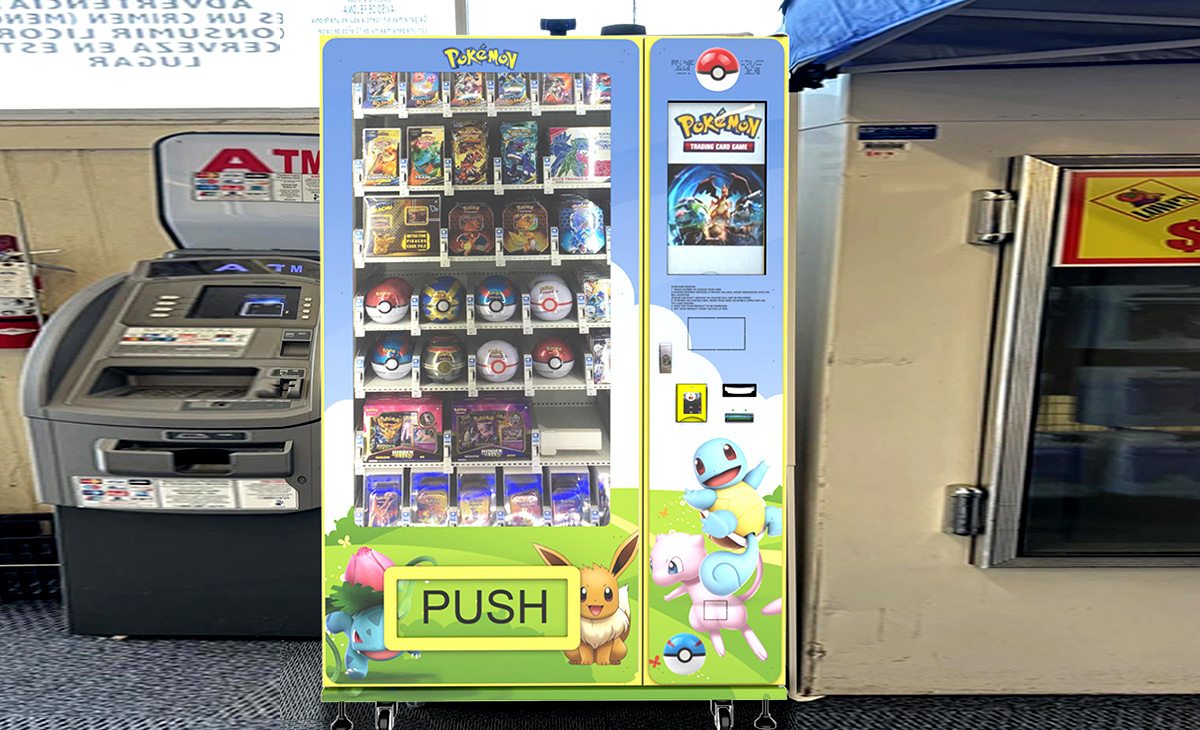
Let me give you real numbers based on what I have paid and what suppliers quote in 2026. These are estimates from my own purchases and from industry data published by IBISWorld and Statista.
| Component | Low-End Cost (USD) | Mid-Range Cost (USD) | High-End Cost (USD) |
|---|---|---|---|
| Basic cash/coin system | $200 | $400 | $600 |
| Contactless card reader (standalone) | $400 | $700 | $1,200 |
| Telemetry module + reader bundle | $800 | $1,500 | $2,500 |
| Full payment upgrade kit (board + reader + telemetry) | $1,200 | $2,000 | $3,500 |
| Monthly software/processing fee per machine | $15 | $30 | $50 |
According to a 2025 report by Statista, the average vending machine in the US generates between $400 and $800 in monthly revenue, with cashless machines averaging 30% higher sales. That aligns with what I have seen across my own routes. The initial investment in a good payment system usually pays for itself within 4 to 8 months if the location has decent traffic.
Which Locations Work Best for Different Payment Systems?
Not every location needs the most expensive solution. Here is how I match payment systems to locations based on years of trial and error:
- High-traffic urban areas (train stations, malls, airports): Full telemetry with contactless and mobile app support. Speed and reliability are critical. Customers will not wait for a slow reader.
- Office buildings and co-working spaces: Contactless reader with telemetry. These locations often have consistent traffic and a tech-savvy demographic.
- Warehouses and factories: Cashless reader with offline mode. Internet can be spotty, but workers expect to pay with a card.
- Rural gas stations or small shops: Cash and basic card reader. I keep costs lower here because volume is lower.
- Schools and universities: Mobile app and QR code systems work well because students already use their phones for everything.
I once placed a high-end telemetry machine in a rural location with 50 people per day. It was overkill. The monthly software fee ate into profits, and I never used the data because sales were predictable. Match the solution to the location, not the other way around.
How to Choose a Supplier for Payment Solutions
Choosing a supplier is just as important as choosing the technology. I have worked with big names like Nayax and Cantaloupe, but I have also sourced hardware from manufacturers directly. When evaluating a supplier, I look for:
- Local support: If the reader breaks, can I get a replacement within 48 hours? Downtime kills revenue.
- Integration flexibility: Does the system work with my existing machines, or do I need to buy new ones?
- Transparent pricing: No hidden fees for software updates, PCI compliance, or customer support.
- Scalability: Can I manage 10 machines the same way I manage 100?
One supplier I have worked with recently is Zhongda Smart. They offer integrated payment solutions that include contactless readers, telemetry, and backend software. Their hardware is compatible with most standard vending machine control boards, and their pricing is competitive compared to the big US-based providers. If you are sourcing equipment for a new route or upgrading an existing one, it is worth contacting them directly to discuss compatibility with your specific machines.
Common Mistakes I See New Operators Make
I have been in this business long enough to have made most of these mistakes myself. Here are the ones that hurt the most:
Buying the Cheapest Reader
A $200 reader might work for six months, but when it fails, you lose sales and customer trust. I have replaced more cheap readers than I care to count. Invest in a reliable brand with local support.
Ignoring Transaction Fees
Some processors charge 5% per transaction plus a monthly fee. On a $2.00 sale, that is 10 cents gone. If you sell 500 items per month, that is $50 in fees alone. Compare processors carefully. I use a combination of flat-rate and tiered pricing depending on the location.
Not Testing Offline Mode
I learned this the hard way. I installed a reader in a warehouse that lost internet every afternoon. The reader would not accept payments offline, so I lost half a day of sales every day. Always test offline fallback before final installation.
Overlooking Power Consumption
Some payment systems draw power continuously, even when idle. In a machine that runs 24/7, this can add $50 to $100 per year to your electricity bill. Not huge, but it adds up across a route.
How to Calculate ROI for a Payment System Upgrade
I use a simple formula before upgrading any machine:
Monthly additional revenue from cashless = (average monthly sales before upgrade) x (expected increase percentage, usually 20-40%)
Monthly cost of payment system = transaction fees + software fee + amortized hardware cost
Months to break even = hardware cost / (additional revenue - monthly cost)
For example, if a machine does $500 per month in cash sales, and I expect a 30% increase after adding a $1,500 reader with $30 monthly fees, my additional revenue is $150. Subtract $30 in fees, net gain is $120 per month. Break-even is 12.5 months. That is acceptable for me. If break-even exceeds 18 months, I reconsider the location.
Real Data from My Routes
I manage 47 machines across three states. Here is what my actual data looks like for the last 12 months:
- Machines with cashless readers: average $720/month revenue
- Machines with cash-only: average $410/month revenue
- Cashless machines with telemetry: 22% lower maintenance costs because I only visit when needed
- Customer complaints about payment: 90% lower on machines with contactless readers
According to a 2024 study by IBISWorld, the vending machine industry in the US generates over $7 billion annually, with cashless transactions accounting for more than 60% of all sales. That number is expected to exceed 75% by 2027. If you are not upgrading your payment systems now, you are leaving money on the table.
How to Avoid Common Pitfalls When Installing Payment Systems
Check the Machine's Control Board First
Not all machines support third-party readers. I have seen operators buy a $1,000 reader only to find out their machine needs a $300 adapter or a new board. Always check compatibility before purchasing.
Test the Reader with Multiple Payment Methods
I always test with a physical card, a phone with Apple Pay, and a QR code if supported. Some readers work fine with cards but fail with mobile wallets. Customers get frustrated quickly.
Secure the Reader Properly
I have had readers stolen from machines in high-crime areas. Use tamper-proof mounting brackets and consider adding a security camera if the location is risky.
Keep a Spare Reader
I keep one spare reader in my truck at all times. If a reader fails, I can swap it in 10 minutes and restore sales immediately. Waiting for a replacement to ship can cost you a week of revenue.
Should You Buy a New Machine with Built-In Payment or Retrofit?
This is a common question I get from new operators. Here is my honest take:
- Buying new with built-in payment: More expensive upfront, but everything is integrated and under warranty. Good for high-traffic locations where reliability is critical.
- Retrofitting an existing machine: Cheaper, but you need to ensure compatibility. I have retrofitted machines from the 1990s successfully, but it took extra work and sometimes custom wiring.
If you are just starting out, I recommend buying a new machine with a modern payment system already installed. It reduces the risk of compatibility issues and gives you a clean warranty. Zhongda Smart offers machines with integrated payment solutions, which I have found to be reliable for new operators who want a plug-and-play experience.
Future Trends in Vending Machine Payment Solutions
Looking ahead to 2026 and beyond, here is what I see coming:
- Biometric payments: Fingerprint or facial recognition for secure transactions. Still early, but some pilot programs are underway in Europe.
- Cryptocurrency integration: A few operators are testing Bitcoin and stablecoin payments. Adoption is low, but it may grow in tech-forward locations.
- Dynamic pricing: Machines that adjust prices based on demand, time of day, or inventory levels. This requires a sophisticated payment and telemetry system.
- Voice-activated purchases: Some self-service kiosks now accept voice commands for payment. Not mainstream yet, but worth watching.
I personally focus on solutions that are proven and reliable. New technology is exciting, but if it fails in the field, your customers will not come back. I let early adopters test the cutting-edge stuff, and I adopt once the bugs are worked out.
FAQ: Vending Machine Payment Solutions
Are vending machines profitable in 2026?
Yes, but profitability depends heavily on location, product selection, and payment options. A well-placed machine with a good cashless system can generate $600 to $1,000 per month. After costs, net profit is typically 20% to 40% of revenue. I have seen machines in bad locations lose money every month.
How much does a vending machine cost with a payment system?
A new machine with a built-in cashless payment system costs between $3,000 and $8,000 depending on size and features. Retrofitting an older machine with a payment system costs $500 to $2,500. My recommendation is to budget at least $4,000 per machine for a reliable setup.
How long does it take to recoup the investment?
Based on my experience, a well-placed machine with a good payment system recoups its cost in 12 to 18 months. Machines in high-traffic locations can break even in 8 months. Machines in low-traffic areas may take 24 months or longer.
Should a beginner buy or lease a vending machine?
I recommend buying if you have the capital. Leasing often comes with higher long-term costs and restrictions on payment system upgrades. If you want to test the waters, start with one used machine and a good payment reader.
Where should I place a vending machine for best results?
Look for locations with at least 100 people passing by per day. Offices, warehouses, hospitals, schools, and transit hubs are my top picks. Avoid locations with low foot traffic or existing vending machines from competitors unless you offer a better product or payment experience.
What permits do I need to operate a vending machine?
Requirements vary by city and state. In the US, you typically need a business license, a seller's permit, and sometimes a health permit if you sell food. In Europe, you may need to register with local authorities and comply with food safety regulations. Check with your local business office before installing.
How do I choose a payment system supplier?
Look for a supplier that offers local support, transparent pricing, and compatibility with your machines. I have worked with Nayax, Cantaloupe, and Zhongda Smart. Each has strengths, but I recommend contacting multiple suppliers and asking about integration with your specific machine model.
What happens if the payment system breaks?
Keep a spare reader on hand. Most failures are reader-related, and swapping takes 10 minutes. If the control board fails, you may need a technician. I have a local repair contact for every region I operate in.
How can I reduce maintenance costs for payment systems?
Use telemetry to monitor machine health remotely. This reduces unnecessary service visits. Also, clean card readers regularly, as dirt and grime can cause read failures. I clean my readers every month during restocking.
Can I use the same payment system for different machine types?
Many modern payment systems are cross-compatible with standard MDB and DEX protocols. I use the same reader brand across all my machines to simplify inventory and troubleshooting. Check with your supplier for compatibility before purchasing.
Final Thoughts from the Road
Choosing the right vending machine payment solutions in 2026 is not about chasing the newest gadget. It is about matching technology to real-world conditions. I have seen operators spend thousands on fancy systems that did not fit their locations, and I have seen others double their revenue with a simple contactless reader upgrade. Start with a clear understanding of your location, your customers, and your budget. Test one machine before scaling. Keep a spare reader in your vehicle. And never underestimate the value of a fast, reliable payment experience. If you do that, you will be ahead of most operators in this business.
Disclaimer: The costs, revenue figures, and timelines shared in this article are based on my personal experience operating vending machines in the US and Europe. Results vary by location, product type, and market conditions. Always verify data with local suppliers and conduct your own due diligence before making purchasing decisions.
本文更新于2026年1月。