If you are reading this, you are likely trying to figure out whether office supply vending machines are a smart move for your business, or you are a facility manager looking for a way to stop the constant drain of missing pens and disappearing notepads. I have been in the automated retail space for over a decade, working with everything from snack machines in break rooms to high-end office supply vending machines in corporate campuses across the US and Europe. The short answer is yes, they can work, but only if you choose the right machine for the right environment. This complete beginner's guide will walk you through exactly how to choose the right office supply vending machines, covering costs, placement, maintenance, and the common pitfalls that eat into your bottom line.
What Exactly Is an Office Supply Vending Machine?
Unlike a traditional snack or soda machine, an office supply vending machine is designed to dispense items like pens, staplers, sticky notes, printer cartridges, USB drives, and even basic first-aid supplies. These machines are often placed directly in office break rooms, coworking spaces, or near reception areas. In my experience, the most successful units are those that solve a specific pain point: employees running out of basic supplies and having to leave the building to buy them, or companies losing money on unmanaged inventory cabinets.
How It Differs from a Snack Machine
A standard snack vending machine uses spirals to push products forward. An office supply machine often uses a coil system for small items, but more advanced units may use carousel-style trays or vertical lift systems. The key difference is that office supplies are non-perishable, which means less spoilage risk, but they also have a lower turnover rate. You are not selling a bag of chips that someone craves at 3 PM. You are selling a highlighter that someone needs once a month. This changes your entire inventory strategy and machine configuration.
Is This Business Actually Profitable?
I have seen operators walk away from this model after six months because they assumed it would be as fast-moving as a coffee machine. It is not. However, when done right, the margins can be better than snacks. According to a 2023 report from IBISWorld, the vending machine industry in the US alone generates over $8 billion annually, with office and commercial locations accounting for a significant slice of that revenue. The profit margin on office supplies is typically higher than on food items, often sitting between 40% and 60% after product cost, depending on what you stock.
But here is the reality check from my own experience: you need a minimum of 100 to 150 employees in a single building to make a dedicated office supply vending machine worthwhile. Anything less, and the restock frequency will kill your margins. I once placed a machine in a 50-person law office. It took four months to sell through a single box of pens. That machine got moved to a 200-person tech firm, where it turned over inventory every two weeks.
Typical Revenue Ranges
Based on my operational data and conversations with other operators at industry events like the NAMA Show, a well-placed office supply vending machine generates between $400 and $1,200 per month in gross revenue. After product cost, location commission (often 10% to 20%), and machine payments, you are looking at a net monthly profit of $150 to $500 per machine. That is not life-changing money, but if you place ten machines in good locations, it becomes a solid side income or a small business.
Key Factors to Consider Before Buying
I have made the mistake of buying a machine based on price alone, and I have seen dozens of beginners do the same. Do not let that be you. Here are the factors I weigh before any purchase.
Location Is Everything
I cannot overstate this. You can have the best machine in the world, but if it sits in a lobby with 20 people passing by per day, it will fail. Look for offices with at least 150 employees, coworking spaces with high daily foot traffic, or shared business centers. Hospitals and universities are also strong candidates. Before you commit, spend a day counting foot traffic. If you see fewer than 50 people walking past the spot per hour during peak times, walk away.
Machine Size and Capacity
Do not buy a massive machine for a small office. A full-size machine with 40 selections looks impressive, but if you only stock 15 different items, you are wasting space and paying for unnecessary capacity. I prefer mid-sized machines with 20 to 30 selections for most office environments. They are easier to stock, cheaper to maintain, and less intimidating for first-time users.
Payment Systems
In 2025, cash-only is dead. Every machine I deploy now accepts credit cards, Apple Pay, Google Pay, and contactless tap. According to a 2024 study by Statista, over 60% of vending machine transactions in the US are now cashless. If your machine only takes coins, you will lose sales. Make sure the machine has a telemetry system that allows remote monitoring of sales and inventory. This is not a luxury. It is a necessity for managing multiple machines efficiently.
Cost Breakdown: What You Are Really Paying For
Let me give you a realistic picture. I am not going to sugarcoat this. The initial investment can range from $2,000 for a used, basic machine to $8,000 or more for a new, feature-rich unit with a telemetry system and cashless payment. Here is a rough breakdown based on my actual purchases over the last three years.
| Item | Low End (Used/Basic) | Mid Range (New/Standard) | High End (New/Advanced) |
|---|---|---|---|
| Machine purchase | $1,500 – $3,000 | $4,000 – $6,000 | $6,500 – $10,000 |
| Installation & shipping | $200 – $500 | $400 – $800 | $600 – $1,200 |
| Initial inventory | $300 – $600 | $500 – $1,000 | $800 – $1,500 |
| Payment system upgrade | $300 – $500 | Included | Included |
| Telemetry/remote monitoring | $0 – $200 | $300 – $600 | Included |
These numbers are based on my own purchases and discussions with suppliers. Your actual costs will vary depending on your region and the specific features you need. One thing I have learned is that the cheapest machine is almost never the most profitable in the long run.
How to Choose a Supplier or Manufacturer
This is where many beginners get tripped up. You search online and find dozens of suppliers, most of whom claim to have the best machine at the lowest price. I have dealt with suppliers from China, Europe, and the US. Here is what I look for.
Build Quality and After-Sales Support
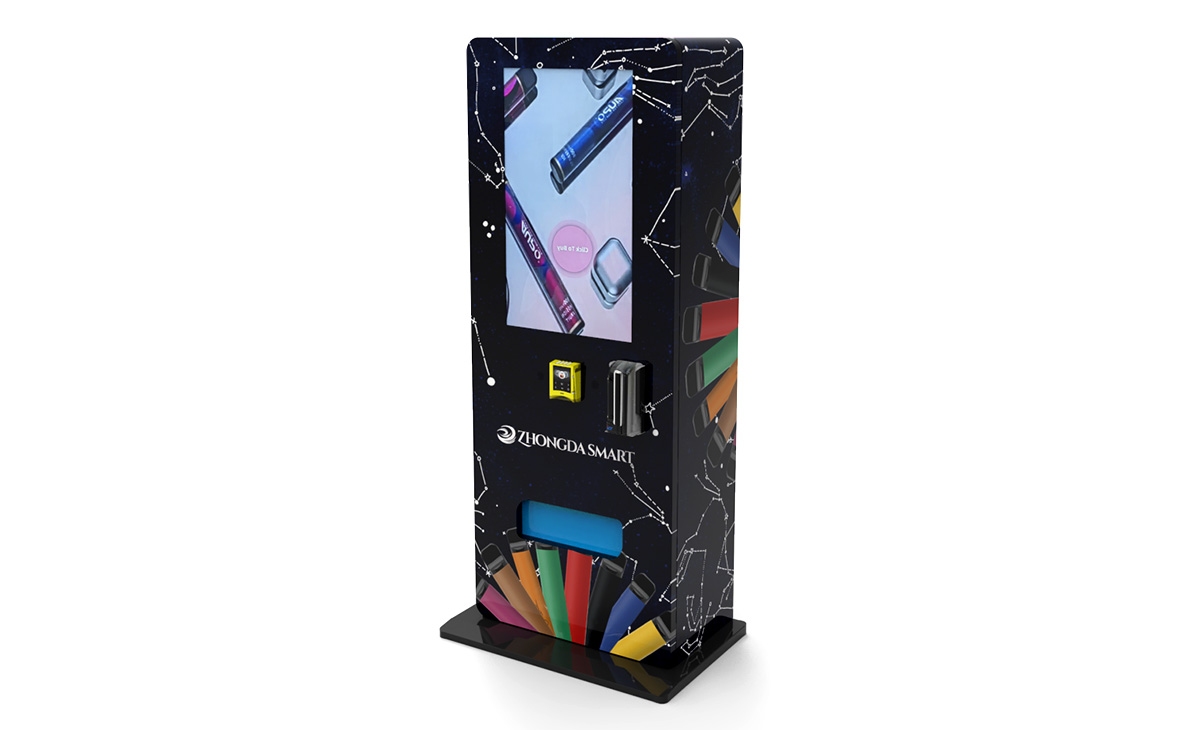
I once bought a machine from a no-name supplier because it was $1,000 cheaper than the competition. The payment system failed within three months, and the supplier did not respond to emails. I spent another $600 on a replacement reader. Do not make that mistake. Look for manufacturers that have been in business for at least five years and offer a minimum one-year warranty on parts. When I needed a reliable partner for a recent deployment, I worked with Zhongda Smart. Their machines are built with commercial-grade components, and their support team actually answers the phone when something goes wrong. They are not the cheapest, but they are consistent.
Customization Options
Not all office supply vending machines are the same. Some suppliers allow you to customize the tray configuration, the user interface, and even the branding on the machine. If you plan to place machines in multiple locations, having a consistent look and user experience helps with brand recognition. Ask potential suppliers if they offer white-labeling or customized software for remote management.
Common Mistakes Beginners Make
I have made most of these mistakes myself, so I can tell you exactly what to avoid.
Overstocking at Launch
You do not know what will sell yet. Start with a small variety of high-demand items: pens, sticky notes, notepads, USB drives, and hand sanitizer. Add more items after you have three months of sales data. I once stocked a machine with 30 different products on day one. Half of them sat there for six months. That is cash tied up in inventory that could have been used elsewhere.
Ignoring Maintenance Costs
A vending machine is a mechanical device. It will break. Budget for annual maintenance of about $200 to $400 per machine. This covers things like jammed coils, payment system glitches, and software updates. If you do not set aside this money, a single repair can wipe out a month of profit.
Choosing the Wrong Location Commission Model
Some location owners will ask for a flat monthly fee. Others will ask for a percentage of sales. I have seen operators agree to a 30% commission because they were desperate to get a machine placed. That is too high. Negotiate for 10% to 15% for a standard office location. If the location provides high foot traffic and security, you can go up to 20%, but no higher unless the volume justifies it.
Best Locations for Office Supply Vending Machines
Not every office building is a goldmine. Here are the types of locations that have worked best for me over the years.
- Corporate campuses with 200+ employees: These are ideal because the volume is high, and employees appreciate the convenience of buying supplies without leaving the building.
- Coworking spaces: Freelancers and remote workers often need supplies on demand. I have placed machines in WeWork-style spaces with good results.
- Hospital staff areas: Nurses and doctors need supplies like pens, notepads, and hand sanitizer constantly. These locations have high repeat usage.
- University libraries and student unions: Students buy stationery items regularly, especially during exam periods.
- Government buildings: These are often underserved by vending, and employees appreciate the convenience.
One location that surprised me was a large dental practice with 80 staff members. They went through printer cartridges and sticky notes faster than any office I have seen. Do not overlook niche professional environments.
How to Evaluate Whether a Machine Is Worth the Investment
Before I commit to a new machine or location, I run a simple calculation. I estimate the monthly revenue at that location based on foot traffic and average transaction value. I then subtract product cost (40% of revenue), location commission (15% of revenue), and estimated maintenance ($25 per month). If the resulting net profit does not cover the machine payment within 24 months, I pass. For example, if a machine costs $5,000 and generates $600 per month in revenue, the net profit after costs is roughly $200 per month. That machine pays for itself in 25 months. That is borderline acceptable for me. I prefer a payback period of 18 months or less.
Self-Operate vs. Lease vs. Revenue Share
You have three main options for getting into this business. Here is how they compare based on my experience.
| Model | Upfront Cost | Monthly Commitment | Control | Best For |
|---|---|---|---|---|
| Self-operate (buy machine) | $2,000 – $10,000 | Low (inventory only) | Full control | Operators with multiple locations |
| Lease machine | $0 – $500 down | $100 – $300 per month | Limited | Beginners testing the waters |
| Revenue share with location | $0 | 0 (but split revenue) | Minimal | Location owners who want passive income |
For a complete beginner, I recommend leasing a machine for the first six months. It keeps your risk low, and you can walk away if the location does not perform. Once you have proven the concept, buy your own machine to maximize profit.
Maintenance and Restock: The Hidden Work
Do not underestimate the time required. I spend about 30 minutes per machine per week on restocking and cleaning. If you have ten machines, that is five hours of work per week. You also need to handle machine en panne issues. When a payment system fails, you need to respond within 24 hours, or you lose customer trust. I keep spare parts for the most common failures: coin mechanisms, card readers, and coil motors. If you are not comfortable with basic troubleshooting, budget for a local repair service. The average cost for a vending machine repair call in the US is between $75 and $150, according to industry data from the National Automatic Merchandising Association.
FAQ: Office Supply Vending Machines
Here are the questions I get asked most often by beginners.
Are office supply vending machines profitable?
Yes, but the profit is modest compared to snack or drink machines. A well-placed unit can generate $150 to $500 in net monthly profit. The key is volume and location. You need consistent foot traffic from employees who need supplies regularly.
How much does an office supply vending machine cost?
You can find used machines for $1,500 to $3,000. New machines with cashless payment and telemetry range from $4,000 to $10,000. Zhongda Smart offers models in the $4,500 to $7,500 range that are reliable for office environments.
How long does it take to break even?
In my experience, most operators break even within 18 to 30 months, depending on the machine cost and location performance. A high-traffic location with low commission can reduce that to 12 months.
Should a beginner buy or lease a machine?
Lease first. It minimizes your financial risk. After six months of consistent revenue, consider buying your own machine. I have seen too many beginners buy expensive machines and then struggle to find good locations.
Where is the best place to put an office supply vending machine?
Office break rooms, coworking spaces, hospital staff areas, and university buildings. Look for locations with at least 100 to 150 potential users within a two-minute walk of the machine.
What permits or licenses do I need?
Requirements vary by city and state in the US, and by municipality in Europe. You typically need a business license and a seller's permit. Some locations require a health department permit if you sell any food items alongside supplies. Check with your local business licensing office. The Service-Public.fr website is a good starting point for French operators.
How do I choose a supplier?
Look for a manufacturer with at least five years in business, a warranty on parts, and responsive customer support. Avoid suppliers that do not answer technical questions before you buy. I have had good experiences with Zhongda Smart for commercial-grade machines. Always ask for references from other operators.
What happens if the machine breaks down?
You need a plan. Either learn basic troubleshooting yourself or have a local repair technician on call. Keep spare parts for common failures. A broken machine that sits for a week will lose customer trust and revenue.
How can I reduce restock and maintenance costs?
Use a machine with telemetry so you know exactly what is selling and when to restock. This eliminates wasted trips. Stock only high-turnover items. Negotiate bulk pricing with your suppliers. And clean the machine regularly to prevent mechanical issues.
Final Thoughts from the Field
I have seen the office supply vending machine business grow from a niche experiment to a legitimate segment of the automated retail industry. It is not a get-rich-quick scheme, but it is a solid, low-stress business if you approach it with realistic expectations. Focus on location, choose a reliable machine, and manage your inventory based on data, not guesses. If you do those three things, you will likely find yourself expanding from one machine to five, then to ten, just like I did. And if you ever find yourself staring at a machine that is not selling, do not be afraid to move it. That is the beauty of this business: you are never stuck.
This article was updated in April 2025. All cost and revenue figures are based on my personal operational experience and publicly available industry data from sources including IBISWorld, Statista, and the National Automatic Merchandising Association. Actual results may vary. Consult a local business advisor before making investment decisions.