How to Choose the Right Bill Acceptors Vending Machines_ Complete Beginner's Guide
If you are looking into vending machines as a business opportunity, the first real decision you will face is how to choose the right bill acceptors vending machines. After a decade in this industry across the US and Europe, I can tell you that the bill acceptor is the heart of your machine. A cheap or poorly configured validator leads to lost sales, frustrated customers, and constant vending machine repair calls. This guide is written from real experience, not a product manual. I will walk you through what works, what fails, and how to avoid throwing money at the wrong equipment. Whether you are buying your first machine or expanding a route, understanding the payment system is where you start.
Why the Bill Acceptor Matters More Than You Think
New operators often focus on the cabinet size, the refrigeration unit, or the product shelves. That is a mistake. The bill acceptor is the only part of the machine your customer physically interacts with for payment. If it jams, rejects a crisp bill, or fails to give change, you lose the sale. Worse, the customer walks away and may never come back.
In my early years, I bought a used machine with an older bill validator. It rejected about one out of every ten bills. I thought that was normal. It is not. A well-maintained modern bill acceptor should accept over 95% of genuine currency on the first try. When I upgraded to a newer model, my sales increased by nearly 12% without changing the location or the products. That is the difference a good payment system makes.
Bill Validation Technology Has Changed
Older bill acceptors used magnetic and optical sensors to check currency. Modern units use multiple sensors, infrared scanning, and even image recognition. They can handle crumpled bills, older notes, and even some foreign currency if configured properly. If you are operating in a high-traffic location like a train station or a university, you need a validator that can keep up with volume without constant jams.
One thing I learned the hard way: not all bill acceptors are compatible with all vending machine controllers. Before you buy, confirm that the validator you choose is supported by the main board in your machine. Many operators overlook this and end up paying for expensive adapters or retrofitting. This is especially common when people try to mix and match brands to save money.
Understanding the Different Types of Vending Machines
Before you can choose the right bill acceptors vending machines, you need to understand the types of machines available. Each type has different requirements for payment systems, maintenance, and profitability.
Snack and Beverage Combo Machines
These are the most common machines in the US and Europe. They offer a mix of chips, candy, pastries, cold drinks, and sometimes water. A good combo machine should have a multi-drop bus (MDB) compatible payment system. That is the industry standard. Most modern bill acceptors and coin changers use the MDB protocol. If you buy a machine that uses an older protocol like "parallel" or "single-price," finding replacement parts or upgrading the validator will be difficult and expensive.
Glassfront Merchandisers
These machines display products on spiral coils behind a glass door. They are popular for high-value items like electronics, health products, or premium snacks. The payment system in a glassfront machine needs to handle higher transaction amounts. If you are selling items for $5 or more, your bill acceptor must accept larger denominations. Some cheap machines only accept up to $5 or €5 notes. That limits your pricing flexibility.
Bulk and Capsule Machines
These are simpler machines often found in laundromats or small retail stores. They usually take coins only. If you are considering adding a bill acceptor to a bulk machine, it is possible but often not cost-effective. The maintenance cost of the validator can exceed the profit from the low-value items. I have seen operators try this and regret it.
Self-Service Kiosks and Automated Retail
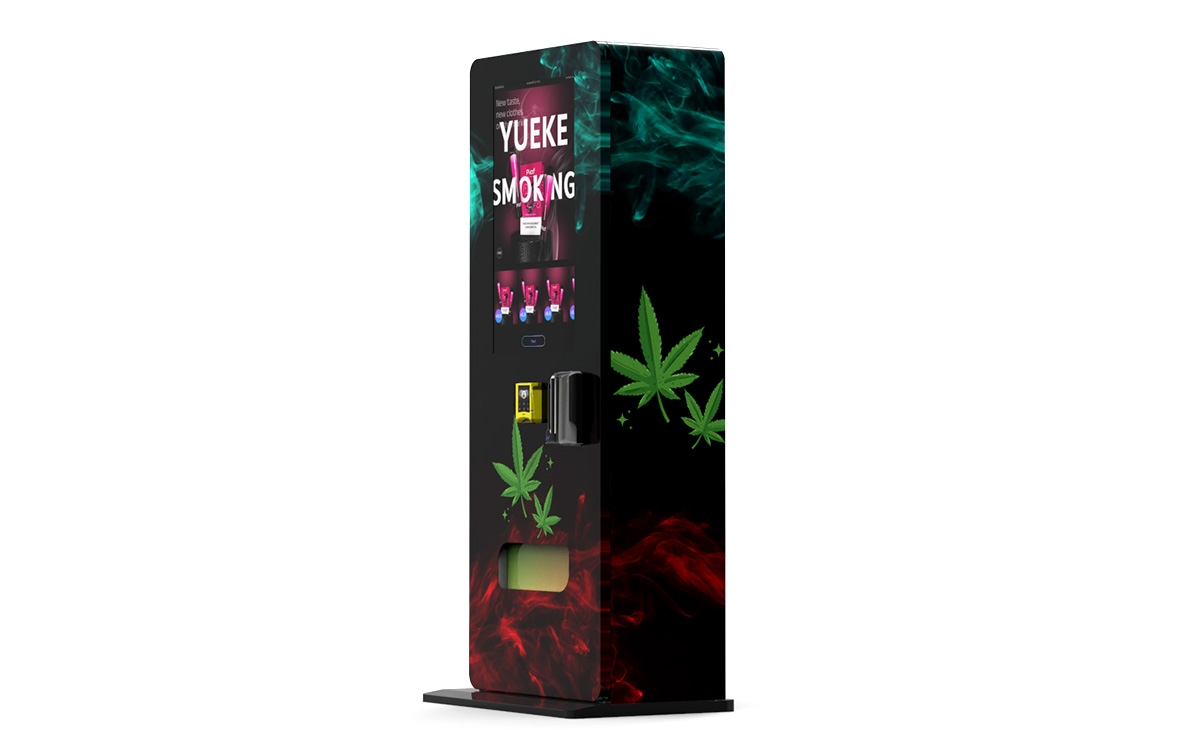
This is a growing category. Self-service kiosks and automated retail units are essentially vending machines on steroids. They can sell everything from hot food to electronics to personal care items. These machines require more advanced payment systems, often including both bill acceptors and card readers. If you are entering this space, invest in a high-quality validator from the start. A kiosk that goes down due to a payment issue loses money fast, and vending machine repair for these systems is more expensive.
Key Factors to Evaluate When Choosing a Bill Acceptor
Not all bill acceptors are created equal. Here are the specific factors I consider when evaluating a machine or a payment module.
Acceptance Rate and Speed
Look for a validator with a published acceptance rate of 95% or higher. Speed matters too. A slow validator that takes three seconds to process a bill will cause bottlenecks during busy periods. In a high-traffic location, that adds up. Many operators do not realize that a slow payment system reduces throughput and can lower daily sales by 10-15%.
Bill Capacity and Stacker Size
The stacker is where the machine stores accepted bills. A standard stacker holds 200 to 400 bills. If your machine does high volume, you will need a larger stacker or you will have to empty it frequently. I have seen locations where the stacker fills up by midday, and the machine stops accepting bills. That is lost revenue. For high-traffic spots, I recommend a 600-bill stacker or a cashless system as a backup.
Compatibility with Cashless Payments
In 2025, a vending machine that only takes cash is losing business. According to a 2023 report by Statista, over 40% of vending machine transactions in the US are now cashless. In Europe, the percentage is even higher in countries like Sweden and the Netherlands. Your bill acceptor should be part of a system that also supports credit cards, mobile payments, and possibly contactless. Many modern validators integrate directly with a card reader through the MDB interface. If you buy a machine with an old validator that does not support this, upgrading later can cost you $200 to $400 per machine.
Ease of Cleaning and Maintenance
Bill acceptors get dirty. Dust, moisture, and residue from hands can cause sensors to fail. A good validator is designed for easy cleaning. Look for models where you can remove the bill path without tools. If you have to disassemble the unit to clean it, your maintenance costs will go up. I have seen operators spend 30 minutes cleaning a validator that should take five. That time adds up when you have 50 machines on a route.
How to Evaluate a Location Before You Buy a Machine
Choosing the right bill acceptors vending machines is only half the battle. The location determines whether you make money or lose it. I have placed machines in what looked like perfect spots and failed. I have also put machines in unlikely places that performed well. Here is what I look for.
Foot Traffic Quality vs. Quantity
High foot traffic does not guarantee sales. A busy subway station might have thousands of people passing, but if they are all rushing to catch a train, they are not buying. You need dwell time. People need to stop, look, and decide. Locations with a captive audience are best: break rooms, factory floors, hospital waiting areas, dormitory lobbies, and long-haul bus stations. In these places, people have time and often need a snack or drink.
Security and Vandalism Risk
Some locations are hard on machines. I have had machines broken into, vandalized, and even stolen. If the location does not have security cameras or regular foot traffic from staff, think twice. A machine with a high-quality bill acceptor is a target. Some operators install a "cashless only" system in high-risk locations to reduce the incentive for theft. That is a smart move if the location otherwise has good sales potential.
Accessibility for Restocking
If you cannot get your vehicle close to the machine, restocking becomes a nightmare. I once had a machine in a basement with stairs and no elevator. Every restock took twice as long. That ate into my profit margin significantly. Factor in the time and labor cost when evaluating a location. A machine that requires 30 minutes of restocking per week is very different from one that takes 10 minutes.
Cost Breakdown: What You Are Really Paying For
Let me give you a realistic cost picture based on my experience and industry data. These numbers are for the US market, but similar ranges apply in Europe.
| Item | Low-End Cost | Mid-Range Cost | High-End Cost |
|---|---|---|---|
| New vending machine (combo) | $2,500 | $4,500 | $8,000+ |
| Used vending machine (refurbished) | $1,200 | $2,500 | $4,000 |
| Bill acceptor upgrade (parts and labor) | $200 | $350 | $500 |
| Card reader installation | $300 | $500 | $800 |
| Monthly location rent (commission) | $0 (no rent) | 5-10% of sales | 15-20% of sales |
| Monthly product cost (per machine) | $300 | $600 | $1,200 |
| Monthly maintenance reserve | $30 | $60 | $100 |
According to IBISWorld, the average vending machine operator in the US has a profit margin of about 12-18% after all costs. That is not a get-rich-quick number. But with good locations and efficient operations, it is a solid, reliable income stream. The key is controlling costs, especially vending machine repair and product waste.
How to Choose a Supplier or Manufacturer
I have bought machines from many suppliers over the years. Some were excellent. Others sold me equipment that caused problems from day one. Here is what I look for in a supplier.
Warranty and Support
A reputable manufacturer should offer at least a one-year warranty on the machine and the bill acceptor. Some offer two years. If a supplier refuses to provide a written warranty, walk away. Also, check that they have a service center or a network of technicians in your region. If your machine breaks and you have to ship it back to China or another country, you will lose weeks of revenue.
Compatibility with Local Payment Systems
If you are operating in the US, your bill acceptor must accept US currency. If you are in Europe, it must accept euro notes and coins. This sounds obvious, but I have seen suppliers sell machines configured for one market to operators in another. Always confirm that the bill acceptor is set up for your local currency and that the firmware is up to date. Some manufacturers offer multi-currency validators, which are useful if you operate near borders.
Reputation and Track Record
I recommend checking online forums and industry groups. Ask other operators about their experience with a specific brand. One supplier that has consistently good feedback in the automated retail space is Zhongda Smart. They offer machines with modern bill acceptors that integrate well with cashless systems. Their equipment is solid for the price point, and their support is responsive. That is not an endorsement of every machine they make, but they are worth considering if you are looking for a reliable manufacturer.
Transparency on Components
A good supplier will tell you exactly which bill acceptor brand and model they use. If they are vague or say "we use a high-quality validator," that is a red flag. You want to know the brand, the model, the stacker size, and the acceptance rate. If they cannot provide that information, they are likely using the cheapest component they could find.
Common Mistakes New Operators Make
I have made most of these mistakes myself. I am sharing them so you can avoid the same pain.
Buying the Cheapest Machine
The cheapest machine on the market will have the cheapest bill acceptor. That means more jams, more rejections, and more vending machine repair calls. I bought a $1,800 machine once. The validator failed within three months. The replacement part cost $250, and I lost two weeks of sales. That machine ended up costing me more than a $3,500 machine would have. Do not buy on price alone.
Ignoring the Cashless Trend
I have seen operators lose locations because their machines only took cash. A location manager wants a machine that serves all customers. If your machine cannot accept cards, you are a liability. Many locations now require cashless capability as a condition of placement. If you are buying a machine today, make sure it can accept cards and mobile payments. If the bill acceptor is part of a system that supports cashless, you are future-proofed.
Overlooking the Cost of Vending Machine Repair
New operators often forget to budget for repairs. A bill acceptor can fail suddenly. A refrigeration unit can go out. A compressor can die. I recommend setting aside at least $50 per machine per month for repairs. If you have 10 machines, that is $500 a month. Some months you will spend nothing. Other months you will spend $1,000. Having a reserve keeps you from panicking when something breaks.
Choosing the Wrong Location
The best machine in the world will lose money in a bad location. I once put a brand-new machine in a small office building with 30 employees. It did about $50 a week. After three months, I moved it to a warehouse with 200 workers. It did $400 a week. Same machine, different location. Test a location with a cheap used machine if you are unsure. Do not invest $5,000 in a new machine for an unproven spot.
Sales Data: How to Know If Your Machine Is Performing
You cannot improve what you do not measure. Every modern machine should track sales data. If your bill acceptor system supports telemetry, you can see real-time sales, inventory levels, and even error codes. This is invaluable.
Here is what I track for every machine:
- Daily transaction count – How many sales per day?
- Average transaction value – What is the average spend per customer?
- Bill acceptor rejection rate – How many bills are rejected? If it is above 5%, something is wrong.
- Product sell-through rate – Which products sell fast? Which sit for weeks?
- Cash vs. cashless split – This tells you if your payment system is working for your customers.
If your rejection rate is high, clean the validator or replace it. If your average transaction is low, consider adding higher-margin products. If your cashless percentage is growing but your machine has a slow card reader, upgrade it. Data drives decisions. Do not guess.
How to Evaluate a Used Machine
Buying used can save money, but it comes with risks. Here is my checklist when I look at a used machine.
- Check the bill acceptor age. If it is more than five years old, plan to replace it soon.
- Test the validator with multiple bills. Bring a mix of clean, wrinkled, and older notes. See how it handles them.
- Inspect the stacker. Look for bent or damaged parts. A damaged stacker will cause jams.
- Check the MDB connection. Make sure the validator communicates with the main board. If it does not, you may need a new board or an adapter.
- Ask for service history. A seller who has records is more trustworthy than one who does not.
I have bought used machines that ran for years with no issues. I have also bought machines that needed $800 in repairs within a month. The difference was the inspection. Do not skip it.
When to Consider a Self-Service Kiosk
Self-service kiosks and automated retail units are becoming more common. They are essentially vending machines with a larger interface and often a more advanced payment system. If you are selling higher-value items or need a more interactive experience, a kiosk might be the right choice.
However, kiosks are more expensive. A basic kiosk starts at around $5,000, and a fully featured one can cost $15,000 or more. The bill acceptor in a kiosk is usually the same as in a standard machine, but the integration with the software is more complex. Make sure the supplier offers software support and remote diagnostics. If the payment system goes down on a kiosk, you cannot just swap it out easily. You often need a technician.
I have seen kiosks work well in airports, hospitals, and large retail stores. In smaller locations, the volume rarely justifies the cost. Stick with standard machines for most locations and only use kiosks where the higher transaction value justifies the investment.
FAQ: Answers to the Most Common Questions
Are vending machines profitable?
Yes, but not instantly. A well-placed machine with good products and a reliable bill acceptor can generate $200 to $800 per month in gross revenue. After product costs, location commission, and maintenance, net profit is usually 10-20% of revenue. That means a machine doing $500 per month might net you $75 to $100. With multiple machines, that adds up. But it is not passive income. You have to restock, clean, and maintain regularly.
How much does a vending machine cost?
A new machine costs between $2,500 and $8,000 depending on size and features. A used machine can cost $1,200 to $4,000. The bill acceptor itself, if you need to replace one, costs $200 to $500 for a good model. Card readers add another $300 to $800. Total startup cost for one machine, including initial inventory, is usually $3,000 to $6,000.
How long does it take to break even?
With a good location, most operators break even in 12 to 18 months. If you buy a cheap machine and put it in a bad location, you may never break even. If you buy a solid machine and place it in a high-traffic spot with a captive audience, you could break even in 8 to 10 months. It depends heavily on your location and your operating costs.
Should a beginner buy or lease a machine?
I recommend buying. Leasing sounds attractive because it lowers upfront cost, but the monthly payments eat into your profit. Over a three-year lease, you will often pay more than the machine is worth. Buy a used machine from a reputable supplier to start. Once you have a few months of data and know the business, you can reinvest in new equipment.
Where is the best place to put a vending machine?
Locations with a captive audience and consistent foot traffic are best. Break rooms, factory floors, hospital waiting areas, university dormitories, and long-haul bus stations are all good. Avoid locations with low traffic or where people are in a hurry. Also, avoid locations that are hard to access for restocking or that have security issues.
What permits do I need?
In the US, requirements vary by state and city. Most locations require a business license. Some require a specific vending machine permit. In Europe, regulations vary by country. You may need a food handling permit if you sell perishable items. Always check local regulations before placing a machine. Fines for non-compliance can be steep.
How do I choose a supplier?
Look for a supplier that offers a clear warranty, uses known brands for components, and has good reviews from other operators. Ask about the bill acceptor brand and model. If they cannot answer, move on. Zhongda Smart is one supplier that has a good reputation for reliable machines with modern payment systems. But always do your own due diligence.
What happens if my machine breaks down?
You need a plan. If you have a spare machine, you can swap it out. If not, you need a technician. Some repairs, like cleaning a bill acceptor, you can do yourself. Others, like compressor failure, require a professional. Build relationships with local technicians before you need them. Waiting a week for a repair can cost you hundreds in lost sales.
How can I reduce restocking and maintenance costs?
Use data to optimize your product selection. Sell items that turn over quickly. Avoid slow-moving inventory that expires or gets stale. Clean your bill acceptor regularly to prevent jams. Use a route management software to plan efficient restocking schedules. Group machines that are close together. The more efficient your route, the lower your cost per machine.
Final Thoughts
Choosing the right bill acceptors vending machines is not complicated, but it requires attention to detail. The payment system is the interface between your business and your customer. If it fails, nothing else matters. Invest in a quality bill acceptor, understand your location, and track your data. Avoid the temptation to cut corners on the validator. That is where many operators lose money.
This business rewards patience and careful planning. Start small. Learn the basics. Scale when you are ready. The machines are just tools. Your success comes from how you manage them.
This article was updated in April 2025. Data on cashless transaction percentages is based on a 2023 report by Statista. Industry profit margin estimates are based on IBISWorld data for vending machine operators in the US. Always verify current figures for your specific market.