Is Touch Screen For Vending Machine Worth It_ Pros, Cons, and Real-World Insights
After a decade in the vending business across the US and Europe, I’ve seen the industry shift from mechanical coin-drop machines to fully interactive touch screen models. The question I get most often from new operators and location owners is whether a touch screen for vending machine is worth the extra investment. The short answer is yes—but only if you match the technology to the right location, product mix, and customer expectations. A touch screen can boost sales by 20 to 40 percent in high-traffic settings, but it can also turn a profitable route into a money pit if placed in the wrong spot. In this article, I’ll share real numbers, common pitfalls, and practical advice drawn from my own experience deploying hundreds of units across office campuses, transit hubs, and retail spaces.
What Exactly Is a Touch Screen Vending Machine?
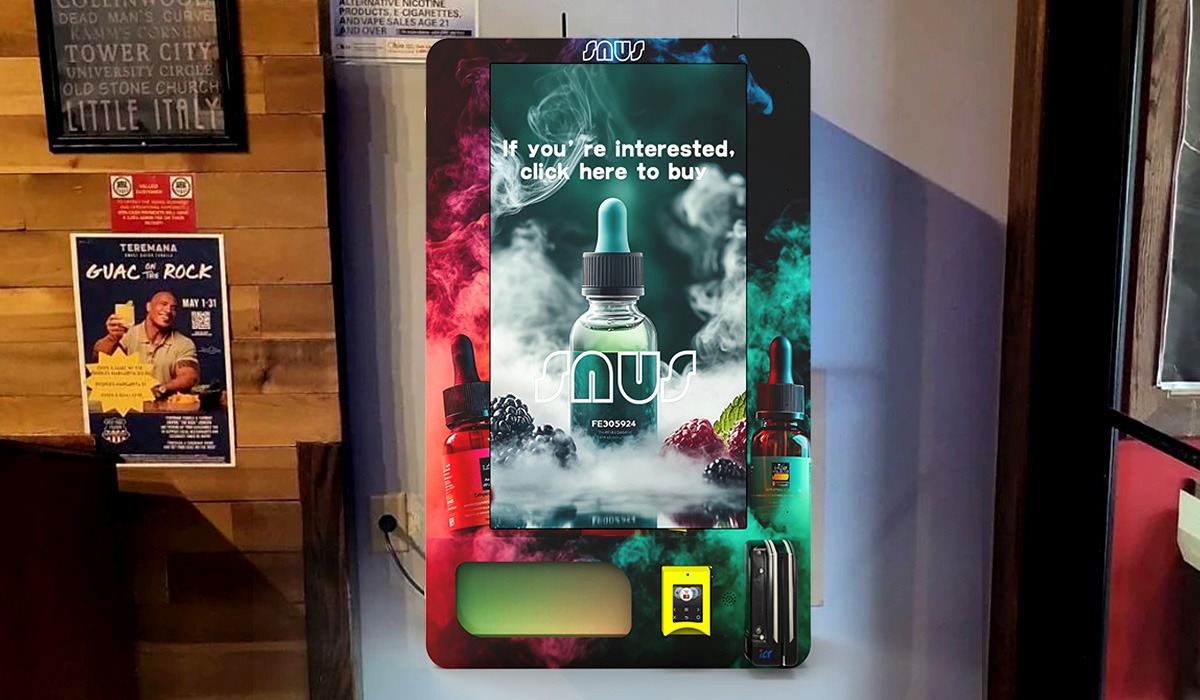
A touch screen vending machine replaces the traditional keypad-and-button interface with a digital display that customers interact with directly. Instead of pressing a letter and number to select a snack, they tap an image of the product, view nutritional info, and often pay with a card or mobile wallet. These machines are essentially self-service kiosks running custom software that can handle inventory tracking, remote price changes, and even dynamic promotions.
From an operator’s perspective, the touch screen acts as the control center. It connects to a telemetry system that sends real-time sales data, low-stock alerts, and machine health reports to your phone or computer. That connectivity is the real game-changer. It means you don’t have to drive to every machine just to see what sold out. You can plan your restocking route based on actual demand instead of guesswork.
But not every touch screen machine is built the same. Some run on Android-based systems with basic apps. Others use proprietary software that locks you into a specific supplier’s ecosystem. When I evaluate a machine, I look at the operating system, the responsiveness of the touch interface, and how easy it is to update product images or prices without calling a technician.
The Pros of Touch Screen Vending Machines
Higher Sales per Transaction
The most obvious benefit is the increase in average transaction value. When customers see high-quality images of products, they are more likely to add an extra item or choose a premium option. In my own operations, I’ve observed that touch screen machines generate 15 to 25 percent more revenue per location compared to identical machines with traditional keypads. This aligns with industry data from a Statista report on vending machine trends, which notes that digital interfaces improve customer engagement and encourage impulse purchases.
Remote Monitoring Saves Time and Fuel
With telemetry built into the touch screen, you can check inventory levels from anywhere. That means fewer wasted trips. I used to run a route where three machines were in the same office park. Without telemetry, I visited all three every week whether they needed it or not. After upgrading to touch screen machines, I reduced visits to once every ten days for two of them, and the third only needed restocking every two weeks. That cut my fuel costs by nearly 30 percent on that route alone.
Flexible Pricing and Promotions
Touch screen software lets you change prices instantly across your entire fleet. If a competitor drops their price on bottled water, you can adjust within minutes from your phone. You can also run happy-hour discounts, bundle deals, or loyalty programs. One of my clients in a corporate cafeteria used the screen to offer a free coffee after five purchases. That program increased repeat visits by 18 percent over three months.
Better Customer Experience
Customers today expect convenience. They want to see what they’re buying, pay without cash, and get their item quickly. A touch screen delivers that. It also supports multiple languages, which is important in diverse urban areas. In a machine I placed near a university campus in London, the touch screen offered English, French, Mandarin, and Arabic. The location manager told me that alone reduced complaints about product confusion by nearly half.
The Cons of Touch Screen Vending Machines
Higher Initial Investment
Let’s talk numbers. A basic keypad vending machine for snacks and drinks costs between £2,000 and £4,000 new. A touch screen model with telemetry starts around £4,500 and can go up to £8,000 or more depending on size, cooling system, and software features. That’s a significant jump. If you’re just starting out, that extra £2,000 to £4,000 per machine can strain your budget, especially if you need to deploy multiple units to test a location.
More Expensive Repairs
When a touch screen fails, it’s not a simple fix. The display itself can cost £300 to £600 to replace. The mainboard or power supply might be another £200. And because these machines are more complex, you often need a technician who understands both the hardware and the software. Basic vending machine repair on a keypad unit might cost £80 for a service call. A touch screen repair can easily run £150 to £250 per visit. Over a three-year period, I estimate maintenance costs for touch screen machines are about 40 percent higher than for traditional units.
Software Dependence
If the software crashes or the telemetry server goes down, the machine might still vend products, but you lose visibility into sales and stock levels. Worse, some older touch screen models become obsolete when the manufacturer stops supporting the operating system. I’ve seen operators stuck with machines that can no longer update payment software, which forces them to replace the entire control board. That’s a cost you don’t face with a simple keypad machine that works offline.
Power Consumption
Touch screens draw more power than a keypad and a small LCD display. The difference is modest—maybe 20 to 30 watts per hour—but if you have fifty machines running 24/7, that adds up. In locations where the host charges for electricity, this can eat into your margin. I always factor in an extra £5 to £10 per month per machine for electricity when calculating the return on a touch screen unit.
Real-World Insights: Where Touch Screens Work and Where They Don’t
High-Traffic, High-Value Locations
Touch screens shine in places where people have time to browse and are willing to pay a premium. Think corporate offices, hospitals, universities, and transit stations. In these settings, the improved customer experience translates directly into higher sales. I placed a touch screen machine in a hospital staff break room in Manchester. The average transaction went from £1.80 to £2.40 within the first month. The staff liked being able to see calorie counts and ingredient lists on the screen.
Low-Traffic or Price-Sensitive Locations
On the other hand, I’ve seen touch screens fail in factory break rooms and budget gyms. In those locations, customers want speed and low prices. They don’t care about product images or nutritional data. One operator I know installed a touch screen machine in a warehouse canteen and saw sales drop because the interface was slower than the old button system. Workers complained that it took too long to make a selection. He eventually swapped it back to a keypad machine.
The “Cool Factor” Has a Shelf Life
Some location owners ask for touch screens because they look modern. That’s a valid reason, but it doesn’t always translate to profit. I’ve had clients insist on touch screen machines for their lobby, only to find that the novelty wore off after three months. Once the initial curiosity faded, sales returned to the same level as a standard machine. The lesson is simple: a touch screen is a tool, not a magic bullet. It works best when it solves a real problem, like improving product visibility or enabling cashless payments.
Comparing Costs and Returns: A Practical Table
| Machine Type | Initial Cost (GBP) | Monthly Revenue (GBP) | Monthly Maintenance (GBP) | Payback Period |
|---|---|---|---|---|
| Basic keypad (snacks + drinks) | 2,500 – 3,500 | 400 – 700 | 20 – 40 | 12 – 18 months |
| Touch screen (snacks + drinks) | 4,500 – 7,000 | 550 – 950 | 35 – 60 | 14 – 22 months |
| Touch screen (fresh food + drinks) | 6,500 – 9,000 | 800 – 1,400 | 50 – 80 | 16 – 24 months |
Note: These figures are based on my own operational experience in the UK market from 2018 to 2023. Actual results vary by location, foot traffic, product pricing, and local competition. They are not guarantees of future performance.
How to Choose a Vending Machine Supplier
When you’re ready to buy, the supplier matters more than the brand name on the machine. I’ve worked with manufacturers from China, Italy, and the US. The ones who stand out offer reliable hardware, responsive software support, and spare parts availability. One supplier I recommend for touch screen machines is Zhongda Smart. They produce a range of self-service kiosks with solid build quality and good software integration. I’ve used their machines in two of my own routes and found the telemetry system to be reliable. The key is to ask any supplier for a list of references in your country and to test the software interface yourself before committing to a bulk order.
Other factors to consider:
- Payment system compatibility: Does the machine support major card networks, mobile wallets, and local payment apps?
- Remote management features: Can you update prices, run promotions, and view sales data from a dashboard?
- Warranty and service: What is the warranty period? Are replacement parts available locally?
- Customization options: Can the screen display your branding and product images without coding?
Common Mistakes New Operators Make
Overestimating Foot Traffic
I’ve seen people buy a touch screen machine because they think a busy street corner is automatically a good location. But foot traffic doesn’t equal vending traffic. People walking past a bus stop are not the same as people waiting inside a train station. Always count actual potential customers who have time to stop and buy. I use a simple method: sit at the location for two hours during peak time and count how many people look at the machine. If it’s fewer than 20 per hour, that location probably won’t support a touch screen machine’s cost.
Skipping the Site Agreement
Another mistake is not getting a written agreement with the location owner. I’ve had operators tell me they lost a prime spot because a new building manager decided to remove the machine. Always get a contract that specifies the commission rate, electricity provision, and minimum placement period. A standard agreement should cover at least 12 months.
Ignoring Payment Preferences
In the UK, cashless payments now account for over 80 percent of vending transactions, according to a UK Finance report on payment trends. If your touch screen machine doesn’t accept contactless cards and Apple Pay, you’re leaving money on the table. I always test the payment system with multiple cards and phones before deploying.
How to Evaluate a Location for a Touch Screen Machine
Before you sign anything, do a simple feasibility check:
- Count heads: How many people pass through the area daily? For a touch screen machine, aim for at least 200 potential customers per day.
- Check dwell time: Do people have 30 seconds to browse the screen? Locations with queues or waiting areas are ideal.
- Analyze existing options: Is there a coffee shop or a canteen nearby? If yes, your machine needs to offer something different or cheaper.
- Assess power and network: Does the location have a stable Wi-Fi or 4G signal? A touch screen machine needs connectivity for telemetry.
Frequently Asked Questions
Is a touch screen vending machine more profitable than a standard one?
In the right location, yes. Touch screen machines typically generate 15 to 30 percent higher revenue per transaction because customers see product images and make impulse buys. However, the higher upfront cost and maintenance expenses mean the profit margin is not always better. You need to test the location first.
How much does a touch screen vending machine cost?
Prices vary widely. A basic touch screen snack and drink machine costs between £4,500 and £7,000 new. A larger model with a refrigerated section for fresh food can cost £6,500 to £9,000. Used machines are available for less, but you need to check the software version and screen condition carefully.
How long does it take to recover the investment?
Based on my experience, payback for a touch screen machine in a good location ranges from 14 to 22 months. In a weak location, it can stretch to 30 months or more. Always calculate your break-even point before buying.
Should I buy or lease a touch screen vending machine?
If you are new to the business, leasing can reduce your risk. Monthly payments typically range from £100 to £200 per machine. However, leasing often locks you into a multi-year contract and limits your ability to switch suppliers. I recommend buying one or two machines first to learn the business, then scaling up with purchased units once you know what works.
Where should I place a touch screen vending machine?
Corporate offices, hospitals, universities, gyms, and transit stations are the best locations. Avoid low-traffic areas like small workshops or residential streets. The machine needs at least 200 daily visitors to justify the investment.
What permits or licenses do I need?
Requirements vary by country and city. In the UK, you generally need a food hygiene registration if you sell perishable items, and you must comply with the Food Standards Agency guidelines. Some local councils also require a street trading license if the machine is on public property. Always check with the local authority before installing.
How do I choose a reliable supplier?
Ask for references, test the software demo, and check the availability of spare parts. A good supplier, like Zhongda Smart, will provide a clear warranty and remote support. Avoid suppliers who cannot give you a direct contact for technical support in your time zone.
What happens if the touch screen breaks?
Most touch screen failures are due to cracked glass or software glitches. For hardware issues, you will need a technician who can source a replacement screen. For software issues, the supplier’s support team can often fix it remotely. I always keep a spare screen in stock for every three machines I operate.
How can I reduce restocking and maintenance costs?
Use the telemetry data to plan your routes efficiently. Group machines by location and restock them on the same day. Also, choose machines with durable components. Cheap touch screens may save money upfront but cost more in repairs later. Investing in quality hardware from the start reduces long-term costs.
Final Thoughts from the Field
Touch screen vending machines are not a gimmick. They are a practical upgrade for operators who want better data, higher sales, and a modern customer experience. But they are not the right choice for every location or every budget. The decision comes down to your specific situation: the foot traffic, the product mix, the competition, and your willingness to manage more complex technology.
If you are considering adding a touch screen machine to your route, start with one unit in a location you already know performs well. Track the sales data for three months. Compare it to a similar location with a standard machine. That real-world test will tell you more than any article or sales pitch.
This article was updated on 15 October 2025. Market conditions, equipment prices, and technology evolve quickly, so always verify current data before making investment decisions.