How to Choose the Right Credit Card Reader For Vending Machine_ Complete Beginner's Guide
If you are stepping into the vending machine business, one of the first real decisions you will face is how to choose the right credit card reader for vending machine operations. I have been placing machines across the US and Europe for over a decade, and I can tell you this: the payment system can make or break a route. A machine that only takes cash in a world where fewer people carry coins is a machine that loses sales. In this guide, I will walk you through what I have learned about picking the right reader, what to watch out for, and how to avoid costly mistakes that eat into your margins before you even start turning a profit.
Why the Payment System Matters More Than You Think
When I started out, I bought a few used machines that only accepted bills and coins. Within six months, I noticed that machines in office break rooms and college lounges were consistently underperforming. The problem wasn't the snacks or the location. It was the lack of card payment options. People simply walked away when they realized they had no cash. According to a 2023 report by Statista, over 40% of US consumers use a credit or debit card for purchases under $5. If your machine cannot accept those payments, you are leaving money on the table.
I have seen operators lose 20 to 30 percent of potential revenue simply because they skimped on the payment system. A good credit card reader for vending machine setups is not just an accessory. It is the front door to your sales. If the door is locked for a large chunk of your potential customers, your business will struggle regardless of how good your product selection is.
Understanding the Different Types of Payment Systems
Not all card readers are built the same. Over the years, I have tested several types, and each has its own trade-offs. Here is a breakdown based on what I have seen work and fail in real locations.
Traditional Card Readers with PIN Pads
These are the most common units you see on older machines. They usually connect to the vending machine controller via a standard interface like MDB (Multi-Drop Bus). They accept credit cards, debit cards, and sometimes even EBT. The downside is that they require a wired connection and a bit of space on the machine's front panel. They are reliable, but installation can be a hassle if your machine is not pre-wired for them.
Contactless and NFC-Enabled Readers
These are the units that support tap-to-pay with phones, smartwatches, or contactless cards. In my experience, these are becoming the standard in high-traffic locations like gyms and transit stations. People love the speed. A contactless transaction takes about two seconds, compared to ten seconds for inserting a chip card. If you are placing a machine in a location where speed matters, this is the route I recommend.
Mobile App and QR Code-Based Systems
Some newer systems allow customers to scan a QR code and pay through a mobile app. These are common in self-service kiosk setups and automated retail environments. They can reduce hardware costs because the machine itself does not need a physical reader. However, they rely on the customer having a smartphone and a data connection. In my experience, these work well in tech-heavy areas like college campuses but can frustrate older demographics.
Key Factors to Consider When Choosing a Reader
I have made the mistake of buying a cheap reader that looked good on paper but failed in the field. Here are the factors I now consider non-negotiable.
Compatibility with Your Machine
Not every reader works with every vending machine. If you have an older model, you may need an adapter or a controller upgrade. I recommend checking the machine's interface before buying anything. Most modern machines use MDB, but some older ones use DEX or even proprietary systems. If you are unsure, ask the manufacturer or a technician. I once spent three hours trying to install a reader that simply would not communicate with an old Dixie Narco machine. That was a lesson learned the hard way.
Connectivity and Data Plans
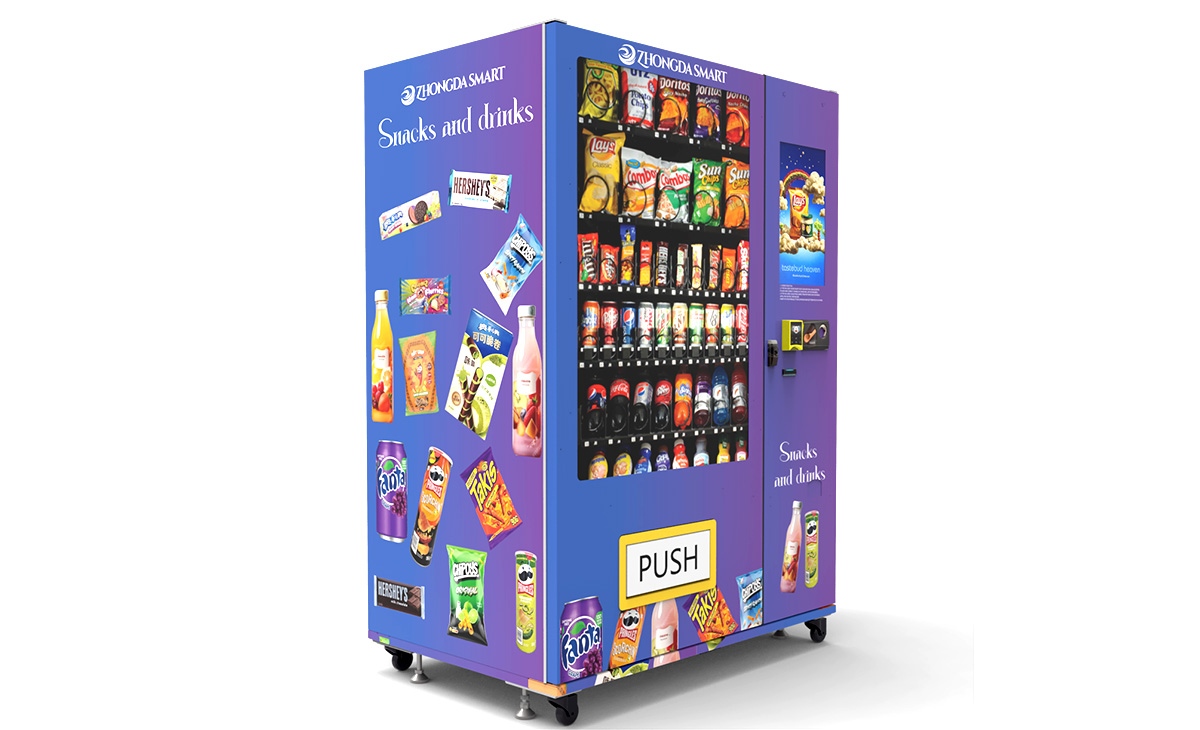
Most card readers require a cellular data connection to process transactions. This means you will need a data plan for each machine. Some readers come with built-in cellular modems, while others require an external gateway. I prefer readers that include telemetry features, because they also send me sales data and inventory alerts. This saves me from driving to a machine only to find it empty. The monthly cost for a data plan usually runs between $10 and $25 per machine, depending on the provider and the amount of data used.
Transaction Fees and Processing Costs
Every transaction costs you a fee. These fees typically range from 2.5% to 5% plus a small flat fee per transaction. Some providers charge higher rates for small transactions, which can eat into your margins if you sell low-priced items. I have seen operators lose money on every sale of a $0.75 candy bar because the transaction fee was higher than the profit margin. Make sure you understand the fee structure before signing a contract. If possible, negotiate a flat rate or a lower percentage for high-volume routes.
Durability and Weather Resistance
If your machine is outdoors, you need a reader that can handle rain, heat, and cold. I have seen readers fail after one winter because they were not rated for outdoor use. Look for units with an IP rating of at least IP54. Some readers also have heated screens or anti-condensation coatings. Do not assume that an indoor reader will survive on a sidewalk. Trust me, I have replaced enough water-damaged screens to know better.
Real Costs: What to Expect for Your Initial Investment
Based on my experience and data from industry suppliers, here is a realistic breakdown of what you will pay for a credit card reader for vending machine installations. These are rough estimates and can vary by region and provider.
| Reader Type | Hardware Cost (USD) | Installation Cost | Monthly Data Plan | Transaction Fee |
|---|---|---|---|---|
| Basic PIN pad reader | $200 - $400 | $50 - $100 | $10 - $15 | 2.5% - 3.5% |
| Contactless/NFC reader | $300 - $600 | $50 - $150 | $15 - $20 | 2.5% - 4.0% |
| Mobile app/QR system | $100 - $300 | $0 - $50 | $10 - $20 | 3.0% - 5.0% |
| All-in-one with telemetry | $500 - $900 | $100 - $200 | $20 - $25 | 2.5% - 3.0% |
These numbers come from my own purchases and from discussions with other operators at industry events. Keep in mind that some providers offer discounted hardware if you sign a long-term processing contract. Read the fine print. I have seen contracts that lock you in for three years with early termination fees that make switching nearly impossible.
How to Evaluate a Location Before Installing a Card Reader
Not every location needs a top-of-the-line reader. I have machines in low-traffic rural spots where cash still works fine. But for most urban and suburban locations, a card reader is essential. Here is how I decide whether to invest in one for a specific spot.
First, I look at the demographic. If the location is near a college, a tech office, or a gym, I assume that 80% of transactions will be cashless. If the location is a construction site or a factory with older workers, cash might still dominate. I usually test a machine with cash only for a month, then add a card reader and compare sales. The difference is often dramatic. In one case, a machine in a hospital staff lounge saw a 35% increase in weekly revenue after I added a contactless reader.
Second, I check the foot traffic. According to data from IBISWorld, the average vending machine in a high-traffic location generates between $200 and $400 per week in revenue. If your machine is in a spot that does at least 100 transactions per week, a card reader will pay for itself within a few months. If the location is slow, you might be better off with a cheaper reader or even staying cash-only.
Third, I consider the competition. If there is a coffee shop or a convenience store nearby that accepts cards, your machine will look outdated if it does not. I have lost locations because the property manager saw that a competitor's machine had a card reader and mine did not. Perception matters.
Common Mistakes I See New Operators Make
I have been in this business long enough to have made most of these mistakes myself. Here are the ones I see most often from newcomers.
Buying the Cheapest Reader Available
I get it. You want to keep costs low. But a $150 reader from an unknown brand will likely fail within a year. The screen will crack, the card slot will jam, or the cellular modem will stop connecting. I have replaced more of those cheap units than I care to count. Spend a little more upfront for a reliable brand. It will save you hours of frustration and lost sales.
Ignoring the Need for Remote Monitoring
Many beginners do not realize that a card reader can also provide data. Some readers come with a web dashboard that shows you sales, inventory levels, and machine status. This is invaluable. Without it, you are driving blind. I have seen operators who did not know a machine was down for three days because they only checked it once a week. That is lost revenue that could have been avoided with a simple telemetry system.
Not Testing the Reader Before Full Deployment
I once installed 20 readers in a week, only to find that half of them had a firmware bug that caused transactions to fail at random. I had to visit each machine twice to fix the issue. Test one reader thoroughly before rolling out to your entire route. Run test transactions, check the connectivity, and make sure the reader communicates with your machine correctly. A little patience upfront saves a lot of headaches later.
Overlooking the Installation Process
Some readers require drilling into the machine's door, running cables, and updating the machine's firmware. If you are not comfortable with basic electrical work, hire a technician. I have seen operators damage their machines by cutting wires or installing the reader in a location that interferes with the product delivery mechanism. A professional installation might cost $100 to $200, but it is worth it.
How to Choose a Supplier for Your Payment System
Choosing the right supplier is just as important as choosing the right reader. I have worked with several companies over the years, and I have learned to look for a few key things.
First, check the supplier's reputation in the industry. Talk to other operators at trade shows or in online forums. Ask about their experience with customer support, hardware reliability, and contract terms. A supplier that is slow to respond when a machine is down is not worth your business.
Second, look for a supplier that offers a complete solution. Some companies, like Zhongda Smart, provide not only card readers but also vending machines and integrated payment systems. This can simplify your setup because you know everything will work together. I have found that suppliers who manufacture both the machine and the reader tend to have better compatibility and support. They understand the entire system, not just one component.
Third, compare the contract terms. Some providers require a minimum monthly processing volume. If your machine is in a slow location, you could end up paying fees even if you do not make enough sales to cover them. Look for a provider that offers no minimums or low minimums, especially when you are starting out.
Real-World Scenarios: What Works and What Does Not
I want to share a few real examples from my route to give you a sense of what to expect.
One of my best-performing machines is in a 24-hour laundromat. It has a contactless reader and a telemetry system. The machine does about $450 per week, and about 90% of transactions are cashless. The reader paid for itself in less than two months. The laundromat owner loves it because customers can buy snacks while waiting for their laundry, and they do not need to carry quarters.
On the other hand, I had a machine in a small auto repair shop that barely did $80 per week. I installed a basic card reader, but the transaction fees ate up almost 15% of the revenue because the average sale was only $1.50. That machine was not worth keeping, and I eventually moved it to a better location. The lesson here is that low-margin, low-ticket items do not pair well with high transaction fees.
Another mistake I made was installing a reader that required a smartphone app. The location was a retirement community. The residents did not use smartphones, and the reader sat unused for months. I replaced it with a simple contactless reader that worked with their Medicare cards and regular credit cards. Sales went up immediately.
How to Calculate Your Return on Investment
To figure out whether a card reader is worth it, you need to do a simple calculation. Let me walk you through it using numbers from my own route.
Assume you spend $500 on a reader and $100 on installation. Your total upfront cost is $600. If the machine does $300 per week in sales before the reader, and you estimate that adding card payments will increase sales by 25%, that is an extra $75 per week. In eight weeks, the reader has paid for itself. After that, the extra revenue goes straight to your bottom line, minus transaction fees.
But if your machine only does $100 per week, the same 25% increase is only $25 per week. It would take 24 weeks to break even. In that case, you might be better off with a cheaper reader or no reader at all, depending on the location.
I always recommend running the numbers before buying. Do not assume that adding a card reader will automatically double your sales. It will help, but the impact depends on the location and the customer base.
Maintenance and Ongoing Costs
Card readers are not maintenance-free. They need firmware updates, occasional cleaning, and sometimes replacement parts. I budget about $50 to $100 per year per reader for maintenance. This covers things like replacing a worn-out card slot or updating the software when a new security protocol comes out.
The most common issue I encounter is connectivity problems. If the cellular signal is weak in a location, the reader may fail to process transactions. In those cases, I sometimes need to install an external antenna or switch to a different cellular carrier. This can add $50 to $150 to the installation cost.
Another hidden cost is the time spent troubleshooting. If a reader stops working, you have to drive to the machine, diagnose the issue, and fix it. That time is valuable. I have learned to keep a spare reader in my truck so I can swap it out quickly and fix the broken one later.
When to Upgrade or Replace Your Reader
Technology changes fast in the payment industry. EMV chip cards became standard a few years ago, and now contactless payments are taking over. If your reader is more than five years old, it might be time to upgrade. Older readers may not support the latest security standards, and some payment networks will eventually stop supporting them.
I recently upgraded a batch of readers that were seven years old. The new ones are faster, support more payment types, and have better telemetry. The upgrade cost about $400 per machine, but the increase in sales and the reduction in failed transactions made it worthwhile.
If you are buying a used machine, check the age of the reader. If it is old, factor in the cost of a replacement. I have seen operators buy a used machine for $1,000, only to spend another $600 on a new reader. That changes the economics of the deal.
Final Thoughts from the Field
Choosing the right credit card reader for vending machine operations is not rocket science, but it does require some thought. Do your homework, test your equipment, and pay attention to the numbers. A good reader will pay for itself quickly in the right location. A bad one will cost you time, money, and customers.
Remember that the payment system is just one part of your business. The location, the product mix, and the service level all matter. But if you get the payment system right, you have removed a major barrier to sales. In a world where people expect to pay with a tap or a swipe, you cannot afford to ignore this.
If you are looking for a supplier that offers integrated solutions, I have had good experiences with Zhongda Smart. They manufacture both machines and payment systems, which means you get a single point of contact for support. That can save you a lot of headaches when something goes wrong.
Frequently Asked Questions
Are vending machines profitable?
Yes, but it depends on location, product selection, and operating costs. A well-placed machine can generate $200 to $600 per week in revenue. After product costs, transaction fees, and maintenance, a single machine can net $100 to $300 per week. However, many machines fail because they are in poor locations or poorly managed.
How much does a credit card reader for a vending machine cost?
Hardware costs range from $200 to $900, depending on features. Installation adds another $50 to $200. Monthly data plans cost $10 to $25. Transaction fees range from 2.5% to 5% per sale.
How long does it take to recoup the cost of a card reader?
In a good location, a reader can pay for itself in 2 to 4 months. In a slow location, it may take 6 to 12 months or longer. I recommend calculating the expected sales increase before buying.
Should a beginner buy or lease a card reader?
Buying is usually better because you own the equipment and can switch providers. Leasing often locks you into long-term contracts with high fees. I have seen operators pay more in lease fees over three years than the reader would have cost to buy outright.
Where is the best place to put a vending machine with a card reader?
High-traffic areas like office break rooms, hospitals, gyms, laundromats, and college campuses work well. Locations with a younger demographic tend to use cards more. Avoid locations with very low foot traffic or where the average sale is under $1, because transaction fees will eat your margins.
What permits or licenses do I need?
Requirements vary by city and state. You typically need a business license and a sales tax permit. Some locations require a vending machine permit. Check with your local city hall or business licensing office. In Europe, you may need to register with local trade authorities.
How do I choose a supplier for my payment system?
Look for a supplier with good customer support, transparent pricing, and compatible hardware. Ask about contract terms and early termination fees. I have worked with Zhongda Smart and found their integrated systems to be reliable. Always read reviews and talk to other operators before committing.
What happens if the card reader breaks?
Most readers come with a one-year warranty. After that, you will need to pay for repairs or replacement. I recommend keeping a spare reader on hand so you can swap it out quickly. Downtime means lost sales, so fast replacement is critical.
How can I reduce maintenance and restocking costs?
Use a telemetry system to monitor sales and inventory remotely. This lets you restock only when needed and avoid unnecessary trips. Choose a durable reader that is rated for your environment. Clean the reader regularly to prevent card slot jams.
This article was updated in January 2025. All cost figures and recommendations are based on my personal experience in the US and European vending markets. Results vary by location and market conditions. Always verify local regulations and consult a professional before making investment decisions.