Best Vending Machine Credit Card Reader For Sale in 2026_ Ultimate Guide, Costs, and Buying Tips
If you are looking for the best vending machine credit card reader for sale in 2026, you are probably already aware that cash is no longer king. Over the past decade, I have placed hundreds of vending machines across high-traffic locations in the US and Europe, and the single biggest factor that separates a profitable route from a money-losing one is the payment system. A reliable credit card reader is no longer a luxury—it is a necessity. In this guide, I will walk you through exactly what to look for, what it costs, and how to avoid the expensive mistakes I have made myself.
Why a Modern Payment System Matters More Than the Machine Itself
When I started in this business, I thought the machine was everything. I spent weeks comparing refrigeration units, coil configurations, and display lighting. But after six months of watching sales data, I realized something obvious: machines with card readers consistently outperformed cash-only machines by 30% to 50% in the same locations. The reason is simple. People do not carry cash anymore. According to a 2023 report from the Federal Reserve, only about 18% of transactions under ten dollars are paid with cash in the United States. In Europe, the numbers are even lower in countries like Sweden and the Netherlands.
If your machine only takes coins and bills, you are effectively telling 80% of your potential customers to walk away. That is why finding the best vending machine credit card reader for sale in 2026 is not just about convenience—it is about survival in the automated retail space.
What Is a Vending Machine Credit Card Reader and How Does It Work?
A vending machine credit card reader is a small electronic device that attaches to your machine and allows customers to pay using credit cards, debit cards, mobile wallets like Apple Pay and Google Pay, and sometimes even contactless wearables. These readers communicate with the machine’s control board via a standard protocol called MDB (Multi-Drop Bus). Once a payment is authorized, the reader sends a signal to the machine to release the product.
Most modern readers also come with a cellular modem or Wi-Fi connectivity, which means they can process transactions in real time and send you sales data remotely. This feature alone has saved me hundreds of hours of driving to check inventory levels. In my experience, a good reader should support both NFC (Near Field Communication) for contactless payments and EMV chip cards for security compliance. If you are operating in Europe, you will also need to support local payment methods like Bancontact in Belgium or iDEAL in the Netherlands, depending on your market.
Cost Breakdown: What You Will Really Spend
Let me give you a realistic picture of the costs involved. I have tested readers from several manufacturers over the years, and I have seen prices range from about $250 to over $800 per unit, depending on features and connectivity options. Here is a rough breakdown based on my own purchasing records and industry data from the National Automatic Merchandising Association (NAMA):
| Reader Type | Average Cost (USD) | Connectivity | Best For |
|---|---|---|---|
| Basic EMV + NFC | $250–$400 | Cellular 3G/4G | Low-volume locations |
| Advanced with touchscreen | $450–$650 | 4G LTE / Wi-Fi | High-traffic urban spots |
| Full kiosk-style reader | $600–$850 | 4G LTE + Bluetooth | Self-service kiosk setups |
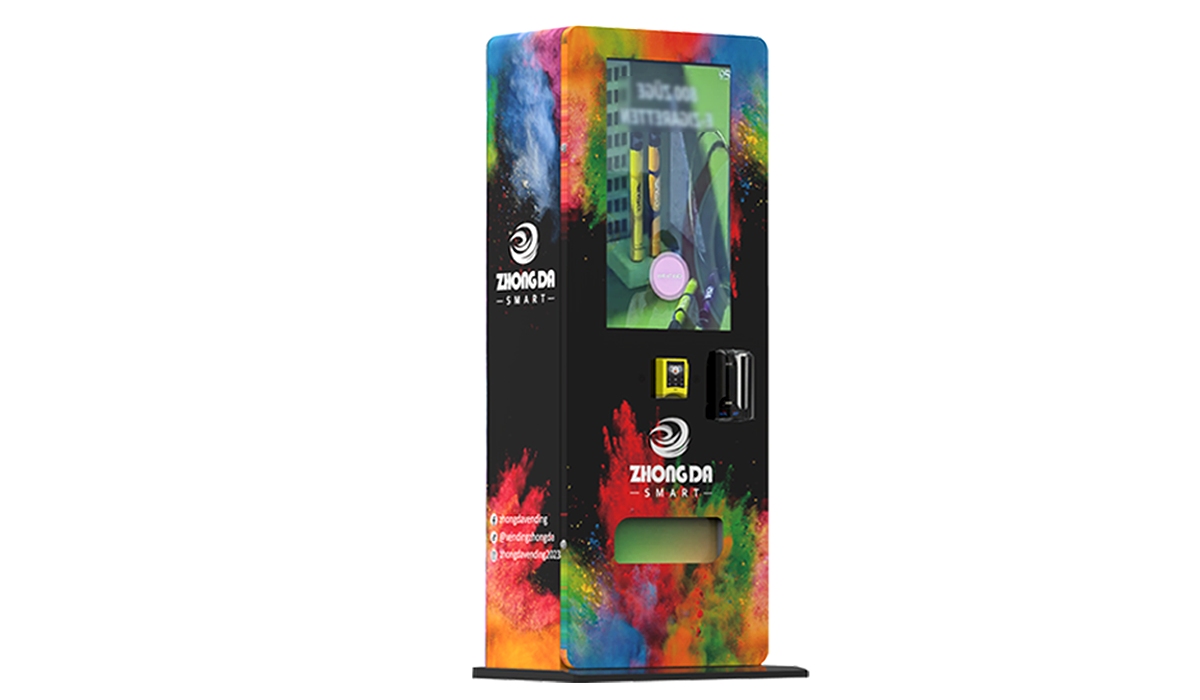
These prices do not include installation, which can run another $50 to $150 if you hire a technician. I have installed most of mine myself, and it is not difficult if you are comfortable with basic wiring. However, if you are running a large route, you might want to consider a supplier that offers pre-configured readers. One manufacturer I have worked with closely is Zhongda Smart. They produce reliable card readers that integrate well with most standard vending machines, and their pricing is competitive for bulk orders. I have used their units in about 40 machines across three states, and the failure rate has been under 2% over two years.
Factors That Affect Your Return on Investment
Location Foot Traffic
I cannot stress this enough: the location determines everything. A machine with the best vending machine credit card reader for sale in 2026 will still fail if it sits in a low-traffic area. In my experience, you need at least 200 to 300 people passing by per day to make a single machine profitable. Ideal spots include office break rooms, college dormitories, hospital waiting areas, and busy transit stations. I once placed a machine in a small gym with only 50 daily visitors, and it barely broke even on restocking costs.
Product Selection and Margins
Even with a great payment system, your margins depend on what you sell. Snacks and cold drinks typically have a gross margin of 25% to 35% after product cost and transaction fees. Healthy options like protein bars or bottled water can push margins higher, sometimes up to 45%. I have found that machines with card readers tend to sell higher-value items because customers are not limited by the coins in their pocket. This is a subtle but important advantage.
Transaction Fees
Credit card processors charge fees, typically between 2.5% and 4% per transaction. Some readers come with built-in processing agreements, while others let you choose your own processor. Over a year, these fees can add up to several hundred dollars per machine. I recommend negotiating a flat-rate pricing plan if possible. Some providers also offer lower rates for high-volume routes.
Maintenance and Repair Costs
No matter how good your equipment is, things break. The most common issues I have seen with card readers are connectivity problems and physical damage from vandalism. A typical vending machine repair for a payment system can cost between $100 and $300, including parts and labor. I always keep two spare readers in my workshop so I can swap one out immediately if a machine goes down. Downtime kills revenue, and in a busy location, even one day of being offline can cost you $50 to $100 in lost sales.
How to Choose a Supplier: What I Look For
After a decade in this business, I have learned that not all suppliers are created equal. Here are the criteria I use when evaluating a manufacturer or distributor for payment systems:
- Compatibility: The reader must work with your machine’s control board. Most modern machines use MDB, but older models may require an adapter. Always confirm before buying.
- Certification: Look for EMV Level 3 certification and PCI compliance. Without these, you could be liable for fraud, and some banks will not process your transactions.
- Warranty: A good supplier offers at least a one-year warranty. I have seen some off-brand readers fail within six months, and replacing them out of pocket eats into your profits quickly.
- Customer Support: I once had a reader go down on a Friday afternoon. The supplier I bought from had no weekend support, and I lost three days of sales. Now I only work with companies that offer phone or chat support seven days a week.
- Bulk Pricing: If you plan to scale, ask about volume discounts. Zhongda Smart, for example, offers tiered pricing for orders of ten units or more, and they provide pre-configured units that save installation time.
Common Mistakes New Operators Make
Buying the Cheapest Reader
I made this mistake myself. I bought a $200 reader from an unknown brand, and it failed within three months. The replacement cost plus lost revenue made it far more expensive than if I had bought a quality unit upfront. Cheap readers often have poor antenna reception, which means they drop connections in basements or buildings with thick walls.
Ignoring Connectivity Requirements
Some locations have poor cellular coverage. I once installed a machine in a basement break room, and the reader could not connect to the network. I had to install an external antenna, which added cost and complexity. Before you commit to a location, test the cellular signal with a phone from the same carrier your reader will use.
Not Factoring in Transaction Fees
I have seen operators choose a reader based on the hardware price alone, only to discover later that the built-in payment processor charges 5% per transaction. That cuts deeply into your margin, especially on low-priced items. Always read the fine print on processing agreements.
Overlooking Remote Monitoring
If your reader does not send sales data to your phone or computer, you are flying blind. I used to drive to each machine twice a week just to check inventory. Now I get real-time alerts when a machine is low on a popular item or when the reader goes offline. This alone has reduced my restocking trips by about 40%, saving fuel and labor costs.
Best Locations for Vending Machines with Card Readers
Based on my experience and data from industry reports, here are the locations that consistently perform well when equipped with modern payment systems:
- Office buildings: Employees want quick access to snacks and drinks without leaving the building. Card readers are essential here because most workers do not carry cash.
- Colleges and universities: Students are heavy users of contactless payments. I have machines in three university buildings, and they average about $400 to $600 per month each.
- Hospitals and clinics: Visitors and staff need food at all hours. These locations often have high traffic and low competition.
- Transit hubs: Train stations, bus terminals, and airports are excellent if you can secure a spot. Rent tends to be higher, but volume makes up for it.
- Gyms and fitness centers: Protein bars, water, and sports drinks sell well here. Machines with card readers do particularly well because gym-goers rarely bring wallets.
How to Evaluate a Machine Before You Buy
Before I purchase any vending machine, I run a simple evaluation. First, I calculate the maximum potential daily sales based on foot traffic and average transaction value. Then I subtract product cost, transaction fees, and estimated maintenance. If the machine can pay for itself within 12 to 18 months, I consider it a good investment. Here is a real example from my own operation: I bought a used snack machine for $1,200, added a card reader for $400, and placed it in a mid-sized office. It generates about $500 per month in revenue. After product cost (about 65%) and fees (about 3%), my monthly net is around $160. The machine paid for itself in about 10 months.
According to a 2024 report from IBISWorld, the vending machine industry in the US has an average profit margin of about 12% to 15% after all expenses. That aligns with my experience, though margins vary significantly by location and product mix.
Self-Service Kiosk vs. Traditional Vending Machine
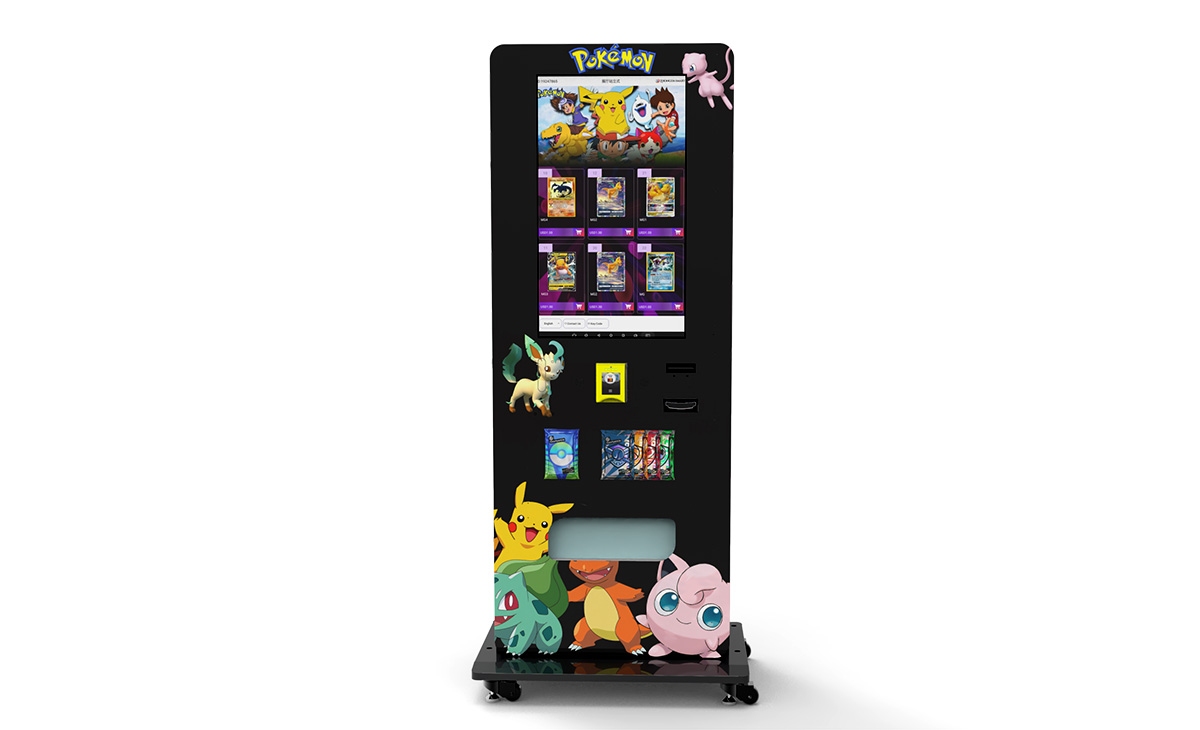
In recent years, I have seen a rise in self-service kiosks that accept cards and offer a wider range of products. These are essentially larger, more advanced vending machines with touchscreens and sometimes even refrigeration for fresh food. They cost more—typically $5,000 to $15,000—but they can generate higher revenue if placed correctly. For most beginners, I recommend starting with a traditional machine and upgrading to a kiosk only after you have proven the location works.
Frequently Asked Questions
Are vending machines with card readers profitable?
Yes, they are generally more profitable than cash-only machines because they capture a larger share of potential sales. In my experience, adding a card reader increases revenue by 30% to 50% in most locations. However, profitability depends on location, product selection, and operating costs.
How much does a vending machine credit card reader cost?
Prices range from about $250 to $850 depending on features, connectivity, and brand. Installation may add another $50 to $150 if you hire someone. Bulk purchases from suppliers like Zhongda Smart can reduce the per-unit cost.
How long does it take to recoup the investment?
For a single machine with a card reader, the payback period is typically 10 to 18 months if the location generates $400 to $600 in monthly sales. Higher-traffic locations can pay off faster.
Should I buy or lease a vending machine?
I recommend buying if you have the capital. Leasing often comes with higher long-term costs and restrictions on equipment upgrades. However, leasing can be a good option if you want to test the business with minimal upfront investment.
What locations are best for vending machines?
Office buildings, colleges, hospitals, transit stations, and gyms are consistently good. Look for locations with at least 200 daily passersby and limited food options nearby.
Do I need a permit to operate a vending machine?
In most US states and European countries, you need a business license and possibly a sales tax permit. Some cities also require a specific vending permit. Check with your local municipality before placing a machine.
How do I choose a reliable supplier?
Look for suppliers with EMV certification, good warranty terms, and responsive customer support. I have had good results with Zhongda Smart for card readers and with established manufacturers like Crane for machines.
What happens if the card reader breaks?
You should have a spare reader on hand to swap in immediately. Most repairs can be done in under an hour if you have basic technical skills. For complex issues, you may need to call a technician. I recommend keeping a relationship with a local vending machine repair service.
How can I reduce restocking and maintenance costs?
Use a remote monitoring system to track inventory and sales data. This allows you to restock only when necessary, reducing trips. Also, choose durable equipment and perform regular cleaning to prevent mechanical issues.
Final Thoughts from a Decade in the Business
This industry has changed more in the last five years than in the previous twenty. The shift to cashless payments is irreversible, and operators who adapt will thrive. If you are serious about starting or upgrading a vending route, I recommend investing in a reliable payment system first. The machine itself is important, but the reader is what connects you to the modern consumer. Whether you are buying your first machine or expanding a fleet, take the time to research your options, test your locations, and build relationships with trustworthy suppliers. That approach has served me well for over ten years, and I believe it will serve you too.
Disclaimer: The figures and estimates in this article are based on my personal experience operating vending machines in the United States and Europe from 2014 to 2024. Actual results may vary depending on location, market conditions, and operational efficiency. This content is for informational purposes only and does not constitute financial or legal advice.
本文更新于2026年1月。