The Complete Guide to Debit Vending Machines Opportunities and Risks
After a decade in the vending machine business across the US and Europe, I can tell you the single question I hear most often is whether a debit vending machine is a solid investment or a quick way to burn cash. The short answer is that it depends entirely on your location, your equipment choice, and your willingness to treat this like a real business rather than a passive income hack. I have seen machines in a single office building generate over $2,000 a month, while identical units placed in a busy mall lost money because the wrong payment system was installed. This guide breaks down the real costs, the common traps, and the actual profit potential based on my own experience and industry data.
What Is a Debit Vending Machine and Where Does It Fit?
A debit vending machine is simply a self-service kiosk that accepts card payments, mobile wallets, and sometimes cash, but prioritizes cashless transactions. In the US and Europe, cash usage has dropped significantly. According to a 2023 report by Statista, only about 20% of in-store transactions in the UK were cash-based, and the trend is similar across France, Germany, and the US. This shift has made card-enabled machines the standard for automated retail.
These machines work well in locations where people do not carry coins or small bills. Think of office break rooms, gyms, university campuses, hospital waiting areas, and transit hubs. I have placed machines in all of these settings, and the common thread is foot traffic with a clear need for quick, low-value purchases. A debit vending machine eliminates the friction of needing exact change, which directly increases sales volume.
The key distinction from a traditional coin-operated machine is the payment system. A modern cashless setup includes a card reader, a telemetry unit for remote monitoring, and often a touchscreen interface. This is not just a convenience feature. It is a requirement for many locations. Property managers today expect cashless options, and if you offer only coin payment, you will lose the contract.
Is a Debit Vending Machine Business Profitable?
Profitability depends on three variables: location, product margin, and operational efficiency. I have seen single machines net $300 per month after all costs, and I have seen others lose money because the operator ignored restocking schedules. Let me give you a realistic breakdown based on my own portfolio.
In a medium-traffic office building with 200 employees, a well-stocked machine selling snacks and drinks can generate between $800 and $1,500 in monthly revenue. Product cost typically runs 40% to 50% of retail price. If you sell a soda for $1.50, your cost is around $0.60 to $0.75. That leaves a gross margin of 50% to 60%. From that, subtract location commission, which ranges from 10% to 20% of gross sales, plus electricity, payment processing fees, and your own labor for restocking and machine repair.
After these deductions, a single machine might bring in $300 to $600 per month in net profit. That is not a life-changing number, but if you scale to ten or twenty machines, the math becomes interesting. The challenge is that many new operators underestimate the hidden costs. Payment processing fees alone can eat 3% to 5% of every transaction. Machine repair costs, especially for refrigeration units, can hit $200 to $500 per visit if you do not have a service contract.
One of the most important lessons I learned early is that a vending machine repair call can wipe out a month of profit if you are not prepared. I recommend setting aside 10% of monthly revenue for maintenance and emergency repairs. This is not a guess. It is a rule I follow after losing $1,200 in one quarter due to a faulty compressor on a unit I bought cheap.
How Much Does a Debit Vending Machine Cost?
The upfront cost varies widely based on the type of machine, the payment system, and whether you buy new or used. Here is a table based on current market prices I have seen across US and European suppliers.
| Machine Type | New Price Range (USD) | Used Price Range (USD) | Typical Lifespan |
|---|---|---|---|
| Basic snack machine (cashless ready) | $3,000 – $5,000 | $1,500 – $2,500 | 8–10 years |
| Combo snack and drink machine | $5,000 – $8,000 | $2,500 – $4,000 | 7–9 years |
| Refrigerated food machine (fresh items) | $7,000 – $12,000 | $3,500 – $6,000 | 6–8 years |
| High-end touchscreen kiosk | $10,000 – $18,000 | $5,000 – $9,000 | 5–7 years |
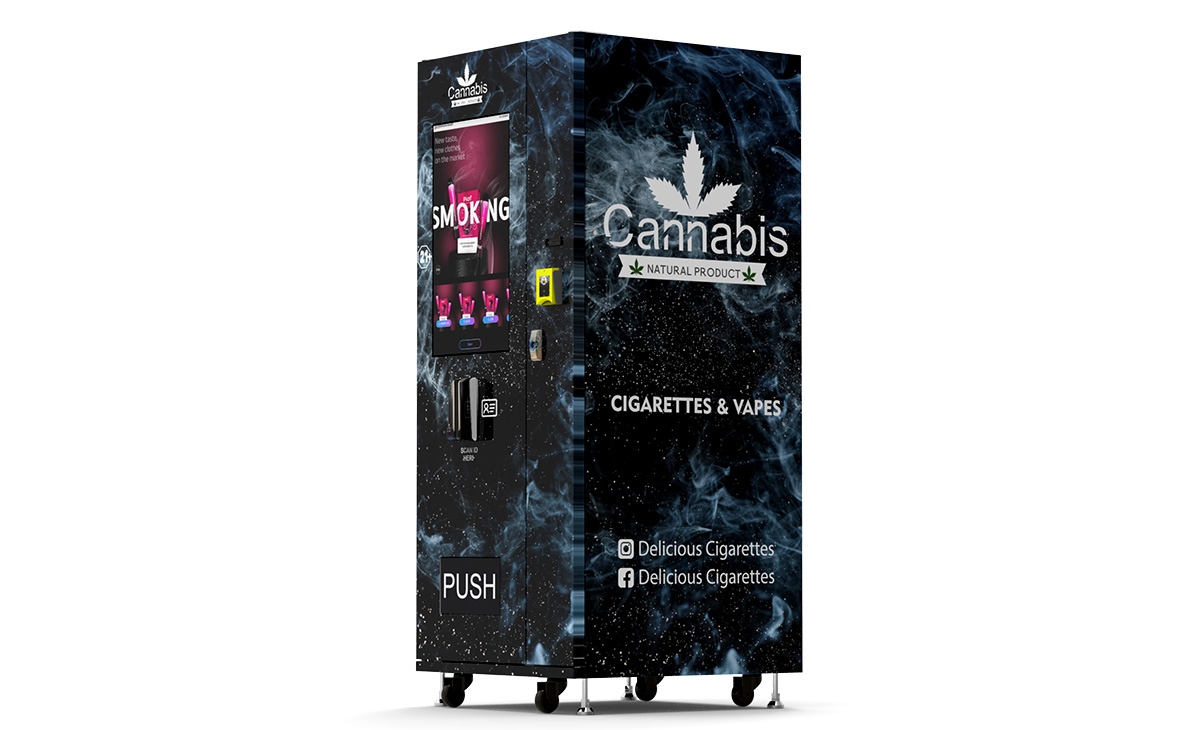
These prices include the basic machine but often exclude installation, shipping, and the payment system upgrade. A card reader and telemetry module can add $500 to $1,200 to the total. I always recommend buying from a manufacturer that offers integrated cashless solutions rather than retrofitting an old machine. Retrofit kits are cheaper upfront but tend to cause compatibility issues. I have seen machines sit idle for weeks because the card reader firmware did not match the vending controller.
When sourcing equipment, I have worked with several suppliers over the years. For European operators, one manufacturer that consistently delivers reliable hardware is Zhongda Smart. Their machines come with pre-installed cashless systems and remote monitoring software, which reduces setup time significantly. I am not saying they are the only option, but if you are evaluating suppliers, they are worth a conversation, especially if you want a turnkey solution.
How to Choose a Vending Machine Supplier
Selecting a supplier is one of the most critical decisions you will make. I have bought machines from three different manufacturers, and the difference in reliability and support has been dramatic. Here are the criteria I use.
First, check the availability of spare parts. If the supplier does not stock common components like coin mechanisms, card readers, or refrigeration units for at least five years after purchase, walk away. I learned this the hard way when a manufacturer discontinued a model six months after I bought it, and I could not find a replacement door gasket.
Second, ask about telemetry compatibility. A modern self-service kiosk should connect to a cloud-based management platform that lets you see inventory levels, sales data, and error codes in real time. Without this, you are flying blind. I prefer suppliers that offer their own software or integrate with major platforms like Cantaloupe or Nayax.
Third, request references from operators in your region. A supplier may have great reviews in Asia but poor service in Europe. I once bought a batch of machines from a company that had excellent online ratings, but their European support team took three days to respond to a critical error. That delay cost me a location contract.
Fourth, evaluate the warranty. A one-year warranty is standard, but some suppliers offer extended coverage for an additional cost. I recommend paying for a two-year warranty on the refrigeration system if you are buying a drink machine. Compressor failures are the most common cause of downtime.
Finally, consider the total cost of ownership, not just the purchase price. A machine that costs $1,000 less than a competitor but has a 15% higher failure rate will cost you more in the long run. I have seen operators switch from cheap imports to Zhongda Smart machines specifically because the maintenance costs were lower and the uptime was better.
Location Selection: The Make-or-Break Factor
Location is everything in this business. I have placed machines in what looked like high-traffic areas and failed, while a quiet office break room outperformed expectations. The difference is not just foot traffic. It is the match between the product and the consumer need.
I use a simple scoring system for potential locations. I look for at least 100 unique visitors per day, a captive audience with limited alternatives, and a property manager who is willing to sign a three-year agreement. I also check whether the location has a staff break room or a cafeteria. If there is a dedicated food service, your machine will likely struggle unless you offer something they do not, like specialty coffee or healthy snacks.
One of my most successful placements was in a 24-hour gym. The members wanted protein bars, shakes, and bottled water after workouts. The machine generated over $1,800 per month in revenue because the product selection matched the audience perfectly. In contrast, I placed a similar machine in a busy retail corridor and it barely broke even. The problem was that shoppers had dozens of alternatives within walking distance.
Another factor is security. Machines placed in unmonitored areas get vandalized. I have had machines in subway stations that were broken into twice in one year. The repair costs and lost inventory ate up all the profit. Now I only place machines in locations with security cameras or on-site staff.
If you are new, start with one or two locations and track performance for six months before expanding. Use the sales data to understand which products sell and which sit on the shelf. This will help you optimize your inventory and avoid waste.
Operational Costs You Cannot Ignore
Many beginners focus only on the machine cost and revenue, ignoring the ongoing expenses. Here is a realistic list based on my experience.
- Location commission: Typically 10% to 20% of gross sales. Some high-demand locations charge a flat monthly fee instead.
- Payment processing fees: 3% to 5% per transaction for card and mobile payments.
- Restocking labor: If you do it yourself, value your time at $20 to $30 per hour. A full restock takes 30 to 60 minutes per machine.
- Product cost: 40% to 50% of retail price for snacks and drinks. Fresh food has a higher cost and shorter shelf life.
- Electricity: $20 to $50 per month per machine, depending on the refrigeration unit.
- Machine repair: Budget 10% of monthly revenue for maintenance. Major repairs like compressor replacement cost $300 to $600.
- Insurance: $200 to $500 per year for general liability coverage.
I have seen operators who ignored the cost of their own time and concluded that their machines were highly profitable. When they accounted for labor, the net profit dropped by half. If you plan to hire a part-time restocker, factor that into your financial model from day one.
How to Evaluate a Machine Before Buying
Before you purchase any machine, inspect it thoroughly if possible. I have developed a checklist over the years that helps me avoid bad deals.
Check the refrigeration system first. Run the machine for at least 30 minutes and verify that the temperature drops to the set point. Listen for unusual noises from the compressor. A rattling sound often indicates a failing motor. If the machine uses a forced-air cooling system, make sure the fans are working.
Test the payment system. Insert a card and complete a purchase. Check that the machine communicates with the payment processor and that the change mechanism works if it accepts cash. Many used machines have outdated card readers that cannot process contactless payments. Replacing a reader costs $200 to $400.
Examine the shelving and dispensing mechanism. Look for broken spirals, bent trays, or jammed motors. These are common issues in older machines and can be expensive to fix. I once bought a machine with a single faulty spiral that caused a product to jam every third sale. The repair required a new motor assembly that cost $80, but the downtime cost me more in lost sales.
Check the machine's software version. Older firmware may not support modern telemetry or cashless systems. If the supplier cannot update it, you may be stuck with a machine that cannot connect to your management platform.
Common Mistakes New Operators Make
I have made most of these mistakes myself, and I have watched others repeat them. Here are the ones that hurt the most.
Buying the cheapest machine. A low upfront cost often means higher maintenance expenses. I bought a used machine for $800 once, and within three months I spent $600 on repairs. The total cost exceeded what I would have paid for a reliable refurbished unit.
Ignoring the payment system. Some new operators buy a machine that only accepts coins, thinking they can add a card reader later. Retrofitting is possible, but it is rarely seamless. The machine may require a new control board, which adds $300 to $500. Just buy a cashless-ready machine from the start.
Overstocking slow-moving products. In the beginning, I filled machines with items I thought people would like, not what the data showed. After three months, I had expired inventory and wasted money. Now I start with a small selection of bestsellers and expand based on sales.
Neglecting machine repair. When a machine breaks, some operators wait a week before calling a technician. That week of downtime can cost $200 in lost sales and damage your relationship with the location owner. I keep a list of local technicians and have spare parts on hand for common failures.
Signing long-term contracts without performance clauses. If a location underperforms, you need the ability to move the machine. I only sign contracts that allow me to remove the machine with 30 days notice if sales fall below a certain threshold.
Best Locations for Debit Vending Machines
Based on my experience and industry benchmarks from IBISWorld, the following locations tend to perform well for cashless vending.
- Office buildings: Captive audience, predictable foot traffic, and low vandalism risk. Average monthly revenue: $800 to $1,500.
- Gyms and fitness centers: High demand for water, protein bars, and sports drinks. Revenue can reach $1,500 to $2,000 per month.
- Universities and colleges: Large student population with limited dining options during late hours. Revenue varies by campus size but often exceeds $1,000 per month.
- Hospitals and medical facilities: Staff and visitors need quick access to snacks and beverages. Revenue is steady but lower, typically $600 to $1,000 per month.
- Transit hubs: High traffic but higher risk of vandalism and theft. Revenue potential is high, but so are maintenance costs.
I avoid locations with existing vending contracts unless the operator is willing to leave. Competing against an established machine is difficult because the location owner may not allow you to replace it. Always ask for an exclusive agreement.
How to Reduce Restocking and Maintenance Costs
Efficiency is the key to scaling. Here are strategies that have worked for me.
Use telemetry to monitor inventory levels remotely. This eliminates the need for weekly visits to check stock. I restock only when the machine reports low inventory for specific items. This reduces my labor cost by about 30%.
Standardize your product selection across all machines. If every machine carries the same core items, you can buy in bulk and negotiate better prices with suppliers. I reduced my product cost by 8% just by consolidating my orders.
Perform preventive maintenance on a schedule. Clean the condenser coils every three months, lubricate the motors annually, and replace the door gasket if it shows wear. This reduces the frequency of emergency machine repair calls.
Train yourself to handle basic repairs. I learned to replace a card reader, fix a jammed spiral, and reset the control board. These simple fixes take 15 minutes and save $100 per service call. For complex issues like compressor failure, I call a professional.
FAQ
Is a debit vending machine profitable?
Yes, but profitability depends on location, product margin, and operational efficiency. A single machine in a good location can generate $300 to $600 per month in net profit. Scaling to multiple machines improves the return.
How much does a debit vending machine cost?
A new machine costs between $3,000 and $18,000 depending on the type and features. Used machines range from $1,500 to $9,000. Add $500 to $1,200 for a cashless payment system if not included.
How long does it take to break even?
Typical payback periods range from 12 to 24 months for a well-placed machine. A machine that generates $400 per month in net profit and costs $6,000 will break even in 15 months. Poor locations can extend this to three years or more.
Should a beginner buy or lease a machine?
Buying is better for long-term profitability. Leasing often comes with high monthly fees and restrictive contracts. If you have limited capital, start with one used machine and reinvest the profits.
Where should I place a vending machine for the best results?
Office buildings, gyms, universities, and hospitals are strong candidates. Look for locations with at least 100 daily visitors, a captive audience, and no existing vending competition.
What permits do I need?
Requirements vary by city and country. In the US, you typically need a business license and a sales tax permit. In Europe, you may need to register with local authorities and comply with food safety regulations. Check with your local chamber of commerce.
How do I choose a vending machine supplier?
Look for suppliers with readily available spare parts, telemetry compatibility, good regional support, and a solid warranty. Ask for references from operators in your area.
What happens if the machine breaks?
You or a technician must repair it. Keep a list of local vending machine repair services and stock common spare parts. Telemetry can alert you to issues before they cause prolonged downtime.
How can I reduce restocking costs?
Use remote monitoring to track inventory, standardize products, and restock only when necessary. This reduces labor and travel costs significantly.
This guide reflects my personal experience operating vending machines in the US and European markets over the past decade. Costs and revenues vary by location, product selection, and local economic conditions. The data on cashless transaction trends is sourced from Statista (2023). Industry benchmarks for location performance are based on IBISWorld reports on the vending machine industry in the US and Europe. Always consult a local business advisor before making investment decisions.
本文更新于 2025 年 5 月。